
- Getting Started
- Creating Your First Funnel
- CartFlows Funnel Step Types
- Starting a Funnel from a Product Page
- How to Edit and Customise Funnel Steps
- Using CartFlows with or without Store Checkout
- How to Add /Assign Products to a Checkout Step
- How to Create One-Click Upsell and Downsell Offers
- How to Use Canvas Mode to Visualize Your Sales Funnel
- Hiding Fields on the Checkout Page
- Installing WooCommerce
- Using WooCommerce
- Adding Products in WooCommerce
- Using Your Theme's Header & Footer in a Step
- Embedding a Checkout Form on the Checkout Page
- Hiding WooCommerce Pages and Products
- Using Pricing Tables
- Adding an Affiliate Program
- Setting a Funnel as the Homepage
- Dynamic Offers aka Rule Engine
- Instant Layout for Checkout and Thank You Step
- Adding Products from the URL to the Checkout Page
- Deleting Plugin Data During Uninstallation
- Importing Ready-Made Templates for Funnels and Steps
- Importing and Exporting Funnels and Step
- URL Parameters
- Replacing the Main Checkout Order with an Upsell or Downsell
- Rolling back to a Previous Version
- Using the "Order Custom Field" Rule of Dynamic Offers with Custom Field Editor
- Adding Order Bumps to WooCommerce Sales Funnel
- Replacing the First Product on Checkout with Order Bump
- Dynamic (Conditional) Order Bumps
- Order Bump AI
- Positions and Styles
- How to Auto-Apply a Coupon When an Order Bump Is Accepted
- How to Add Variable Products to an Order Bump
- How to A/B Test Order Bumps in CartFlows
- Google Address Autocomplete
- Flatsome UX Builder
- ActiveCampaign
- Paypal Reference Transactions
- How PaypPal/Stripe Works
- Enabling Enfold Avia Layout Builder
- Setting Up Authorize.net for Upsell & Downsell
- Supported Payment Gateways
- Setting Quantity and Discount for Products on the Checkout Page
- Adding Custom Payment Gateway Support for One-Click Upsell and Downsell
- Funnel in Test Mode
- Troubleshooting Plugin and Theme Conflicts
- Resolving the "Please Select a Simple, Virtual, and Free Product" Error
- Fixing Endless Loading on the Checkout Page
- Fixing the "We can't seem to find an order for you." Error on the Thank You Page
- Troubleshooting License Activation Issues
- Fixing the "Checkout ID Not Found" Error
- Fixing the "Session Expired" Error Message
- Resolving "Order Does Not Exist" Error on Upsell/Downsell Page
- Fixing the "Sorry, This Product Cannot Be Purchased" Error
- Disabling Auto-fill of Address Fields Based on Zip Code
- Enabling Theme's Scripts & Styles Without Changing Page Template
- Disabling Auto-fill of Checkout Fields
- Allowing Cache Plugins to Cache CartFlows Pages
- Changing the "Choose a Variation" Text
- VAT Field Not Displaying for WooCommerce EU/UK VAT Compliance Plugin
- Enabling the Product Tab on Store Checkout
- Displaying the Order Summary Open on Mobile Devices
- Refreshing the Checkout Page After CartFlows AJAX Calls
- Overview
- Installing Modern Cart Starter
- Installing Modern Cart Pro
- Activating License Key
- Customizing General Settings
- Customizing Cart Tray Labels
- Customizing Cart Icon Settings
- Customizing Cart Tray Styling
- Understanding the Product Recommendations Feature
- Controlling Product Recommendation Source for Empty Cart
How Auto Suggest Chooses Which Products to Recommend
Auto Suggest fills your Frequently Bought Together section, upsells and cross-sells with products that fit the one you’re editing. This guide explains where those suggestions come from, why they’re ordered the way they are, and what to expect on a store that hasn’t sold much yet.
How It Works
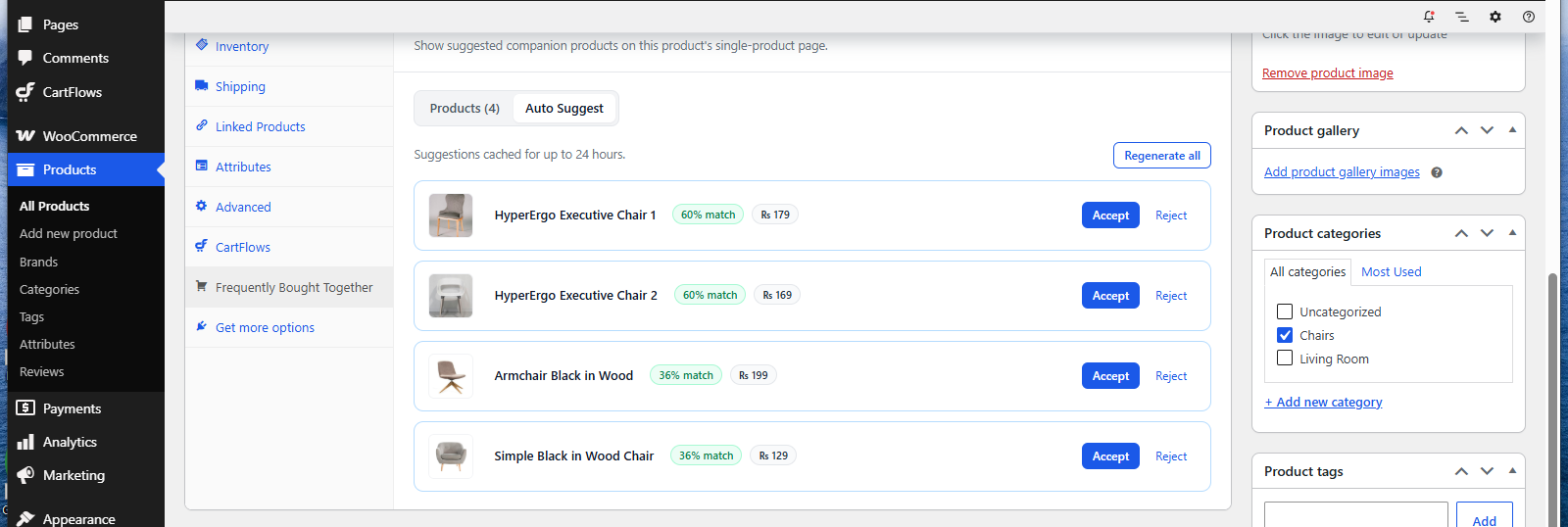
Auto Suggest looks at two things and combines them into a single ranked list.
- What your shoppers actually buy together, taken from your own past orders.
- What each product is, taken from its name and description, so related items can be spotted even without sales behind them.
- Whether the product can actually be offered, so nothing unavailable reaches the list.
The result is a shortlist, best match first, that you can accept as-is or edit before saving.
What Your Order History Contributes
The first signal is your own sales. Auto Suggest reviews completed and processing orders from the last twelve months and notes which products turned up in the same order.
It doesn’t simply count pairs. A product that sells constantly would otherwise appear alongside everything, so Auto Suggest measures how much more often two products are bought together than they would be by chance. A quiet product that almost always sells with one particular item can outrank a bestseller that happens to be in a lot of baskets.
Two rules keep the results steady:
- A pair has to appear in at least two orders before it counts, so a single unusual basket doesn’t create a suggestion.
- Only completed and processing orders are counted. Cancelled, failed and refunded orders are left out.
This analysis runs quietly in the background once a day, in small batches, so it doesn’t slow your store down.
What the Product Itself Contributes
Order history can only describe products that have already sold. CartFlows Pro adds a second signal by reading each product’s name and description to understand what it actually is, then finding products that make sense next to it.
That means a newly added product can be suggested on its first day, before anyone has bought it. When both signals are available they’re blended, with the product’s meaning weighted a little more heavily than the sales pattern, and the strongest match leads the list.
Reading the Suggestions
Each suggestion carries a short label that tells you why it’s there.
- A match percentage shows how strong a suggestion is relative to the best one in that list. The top match is always 100%, so treat it as a ranking, not a probability.
- Popular in your store means the product came from your bestsellers rather than from a specific buying pattern.
- New means it’s one of your most recently added products.
A suggestion with no badge and no percentage is simply one where the numbers wouldn’t tell you anything useful.
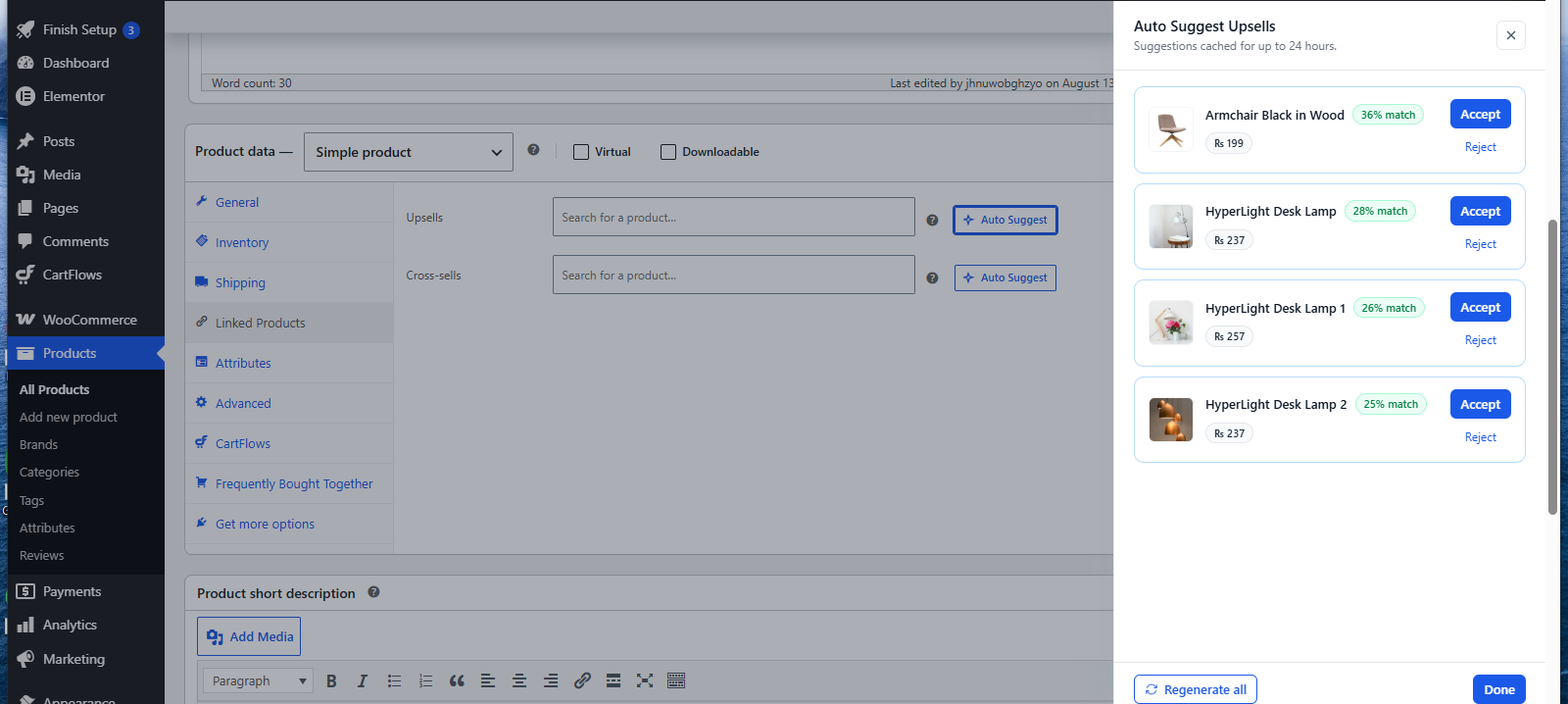
Accept adds the product to your list and Reject drops it from the suggestions. Anything you accept becomes an ordinary entry that you can remove or reorder before saving, exactly as if you’d searched for it yourself.
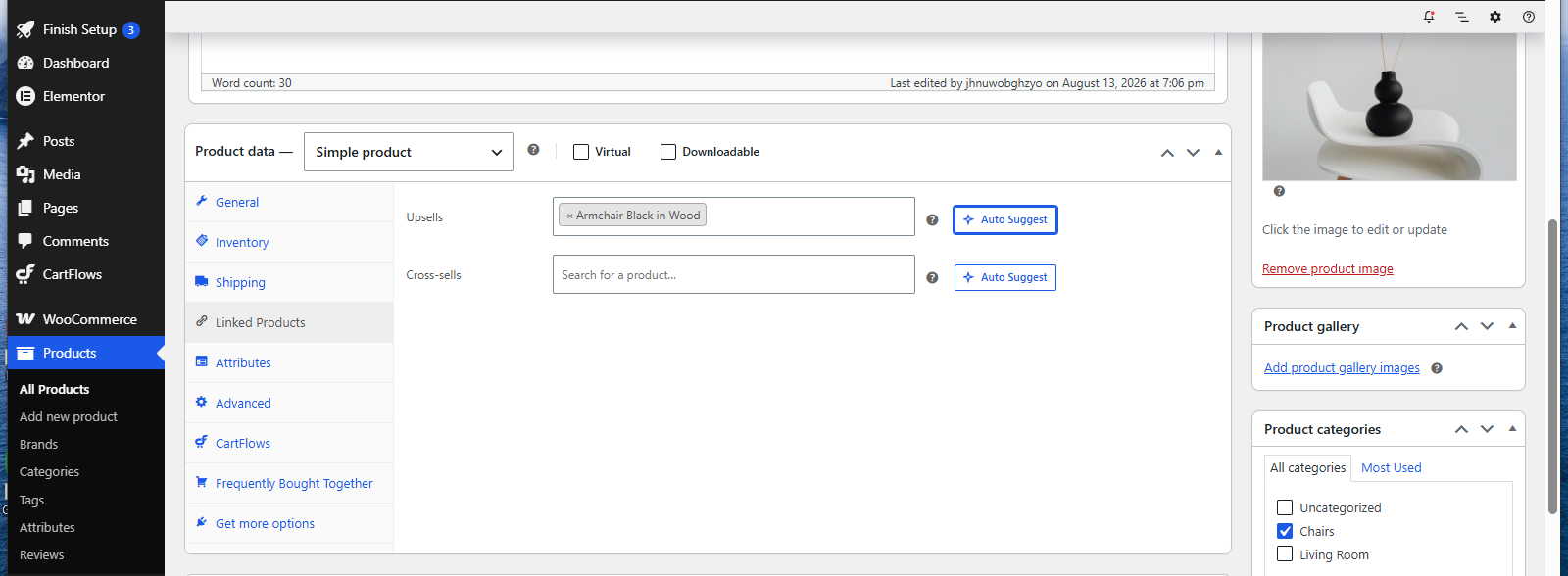
Suggestions are kept for up to 24 hours so the panel opens instantly the next time. If you’ve changed your products since, use Regenerate all to build the list again from scratch.
When There Isn’t Enough History
Auto Suggest never leaves you with an empty list. If your orders don’t produce enough matches, it fills the remaining slots in this order:
1. Bestsellers in a sensible price range. For a Frequently Bought Together section these usually come from a different category, since add-ons tend to sit alongside a product rather than compete with it.
2. Your remaining bestsellers, if more slots are still open.
3. Your newest products, so even a store with no sales at all gets a usable list.
On a brand-new store you’ll mostly see the second and third groups, with badges rather than percentages. As orders come in, real buying patterns take their place automatically.
Price Rules
Auto Suggest keeps the money side sensible, and the rule depends on what you’re filling in.
- For Frequently Bought Together and cross-sells, catalogue-based suggestions are kept between a quarter and one and a half times the product’s price. An add-on that costs ten times the product it sits next to rarely converts.
- For upsells, every suggestion must be priced above the product and no more than three times it. An upsell has to be a genuine step up without being a leap.
Suggestions that come straight from your buying patterns aren’t price-filtered for Frequently Bought Together and cross-sells, because a real pattern in your own orders is the stronger signal.
What Never Gets Suggested
Some products are held back so shoppers never meet an option they can’t buy.
- Products that are unpublished, hidden from the catalogue, out of stock or not purchasable.
- Product types the section can’t handle, such as grouped or external products.
- Variations that still need a choice the section has no way to collect.
- The product you’re editing, and anything already in your list.
Frequently Asked Questions
We don't respond to the article feedback, we use it to improve our support content.