
- Getting Started
- Creating Your First Funnel
- CartFlows Funnel Step Types
- Starting a Funnel from a Product Page
- How to Edit and Customise Funnel Steps
- Using CartFlows with or without Store Checkout
- How to Add /Assign Products to a Checkout Step
- How to Create One-Click Upsell and Downsell Offers
- How to Use Canvas Mode to Visualize Your Sales Funnel
- Hiding Fields on the Checkout Page
- Installing WooCommerce
- Using WooCommerce
- Adding Products in WooCommerce
- Using Your Theme's Header & Footer in a Step
- Embedding a Checkout Form on the Checkout Page
- Hiding WooCommerce Pages and Products
- Using Pricing Tables
- Adding an Affiliate Program
- Setting a Funnel as the Homepage
- Dynamic Offers aka Rule Engine
- Instant Layout for Checkout and Thank You Step
- Adding Products from the URL to the Checkout Page
- Deleting Plugin Data During Uninstallation
- Importing Ready-Made Templates for Funnels and Steps
- Importing and Exporting Funnels and Step
- URL Parameters
- Replacing the Main Checkout Order with an Upsell or Downsell
- Rolling back to a Previous Version
- Using the "Order Custom Field" Rule of Dynamic Offers with Custom Field Editor
- Adding Order Bumps to WooCommerce Sales Funnel
- Replacing the First Product on Checkout with Order Bump
- Dynamic (Conditional) Order Bumps
- Order Bump AI
- Positions and Styles
- How to Auto-Apply a Coupon When an Order Bump Is Accepted
- How to Add Variable Products to an Order Bump
- How to A/B Test Order Bumps in CartFlows
- Google Address Autocomplete
- Flatsome UX Builder
- ActiveCampaign
- Paypal Reference Transactions
- How PaypPal/Stripe Works
- Enabling Enfold Avia Layout Builder
- Setting Up Authorize.net for Upsell & Downsell
- Supported Payment Gateways
- Setting Quantity and Discount for Products on the Checkout Page
- Adding Custom Payment Gateway Support for One-Click Upsell and Downsell
- Funnel in Test Mode
- Troubleshooting Plugin and Theme Conflicts
- Resolving the "Please Select a Simple, Virtual, and Free Product" Error
- Fixing Endless Loading on the Checkout Page
- Fixing the "We can't seem to find an order for you." Error on the Thank You Page
- Troubleshooting License Activation Issues
- Fixing the "Checkout ID Not Found" Error
- Fixing the "Session Expired" Error Message
- Resolving "Order Does Not Exist" Error on Upsell/Downsell Page
- Fixing the "Sorry, This Product Cannot Be Purchased" Error
- Disabling Auto-fill of Address Fields Based on Zip Code
- Enabling Theme's Scripts & Styles Without Changing Page Template
- Disabling Auto-fill of Checkout Fields
- Allowing Cache Plugins to Cache CartFlows Pages
- Changing the "Choose a Variation" Text
- VAT Field Not Displaying for WooCommerce EU/UK VAT Compliance Plugin
- Enabling the Product Tab on Store Checkout
- Displaying the Order Summary Open on Mobile Devices
- Refreshing the Checkout Page After CartFlows AJAX Calls
- Overview
- Installing Modern Cart Starter
- Installing Modern Cart Pro
- Activating License Key
- Customizing General Settings
- Customizing Cart Tray Labels
- Customizing Cart Icon Settings
- Customizing Cart Tray Styling
- Understanding the Product Recommendations Feature
- Controlling Product Recommendation Source for Empty Cart
Frequently Bought Together vs Order Bumps vs Upsells
CartFlows gives you three ways to put an extra product in front of a shopper: Frequently Bought Together, Order Bumps, and one-click Upsells. They look similar on paper, but each one catches the shopper at a different moment and suits a different kind of offer.
This guide explains what each one does, what it needs, and how to pick the right one.
How the Three Offers Differ
The simplest way to tell them apart is when the shopper sees them.
- Frequently Bought Together appears on the product page, before anything reaches the cart.
- Order Bumps appear on the checkout page, beside the order summary, while the shopper is paying.
- Upsells appear after payment has gone through, on a page of their own.
That timing decides everything else: how much you can ask for, how much it interrupts the purchase, and what happens if the shopper says no.
Frequently Bought Together
This shows a short list of companion products on a product page, each with a checkbox. The shopper ticks what they want and one button adds the whole selection to the cart. You pick the companions per product, and you choose where the section sits on the page.
It is the only one of the three available on the free plugin. Choosing companion products by hand works on free CartFlows, while Auto Suggest, which picks the companions for you, needs CartFlows Pro with your account connected.
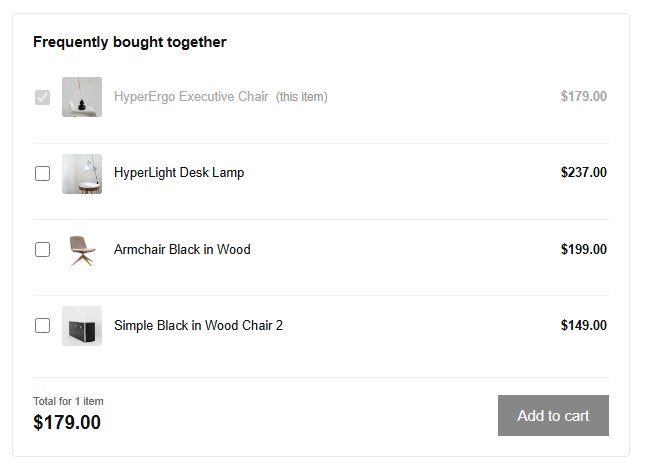
Reach for it when the extra product only makes sense next to a particular item, like a lamp with a desk or filters with a coffee machine. It works best for small, obvious additions the shopper can decide on without much thought.
Order Bumps
An Order Bump is a single offer shown on the checkout page, usually as a highlighted box with a tick box. Accepting it adds the product to the order without leaving the page or re-entering anything.
Order Bumps need CartFlows Pro, and they appear on a CartFlows Checkout step rather than the default WooCommerce checkout page. You can also run an A/B test on a bump to compare two versions and see which one people accept more often.
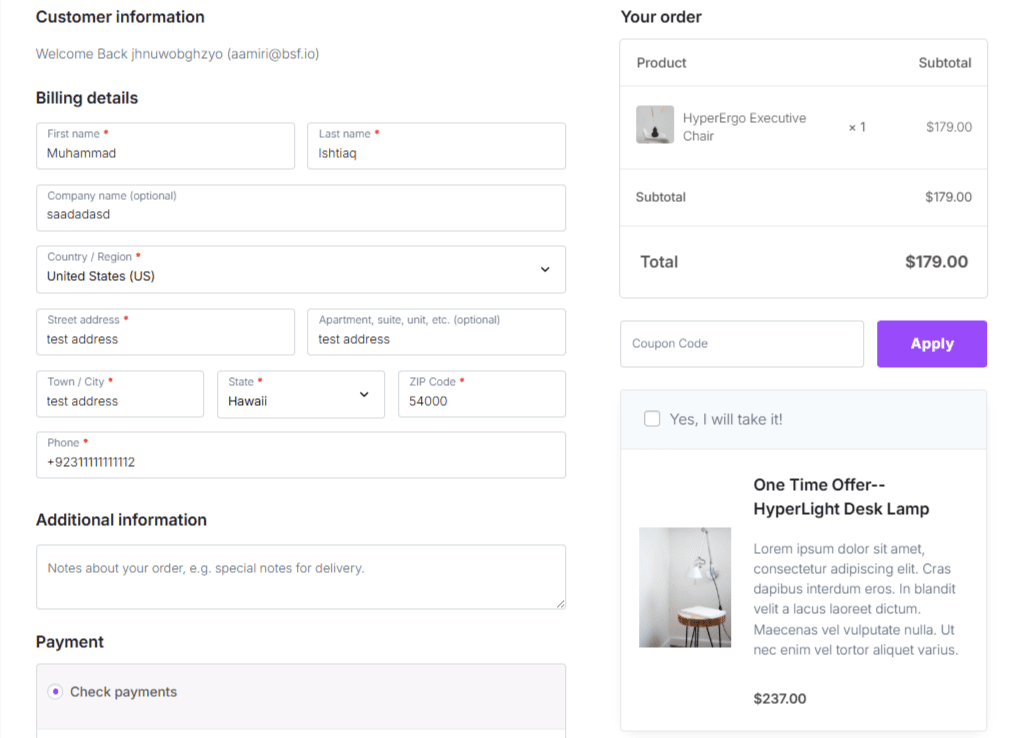
Reach for it when you have one low-priced, low-effort add-on that suits almost any order, such as gift wrapping, express shipping, or a small accessory.
One-Click Upsells
An Upsell is a full page of its own that appears after the shopper has paid. Because the payment details from the original order are already on file, accepting the offer takes one click with nothing to fill in again. If the shopper declines, you can show a Downsell, usually the same offer at a lower price or a smaller quantity.
Upsells need CartFlows Pro and a payment gateway that supports charging the customer a second time. The original order is already complete by this point, so nothing the shopper does on the upsell page puts that first purchase at risk.
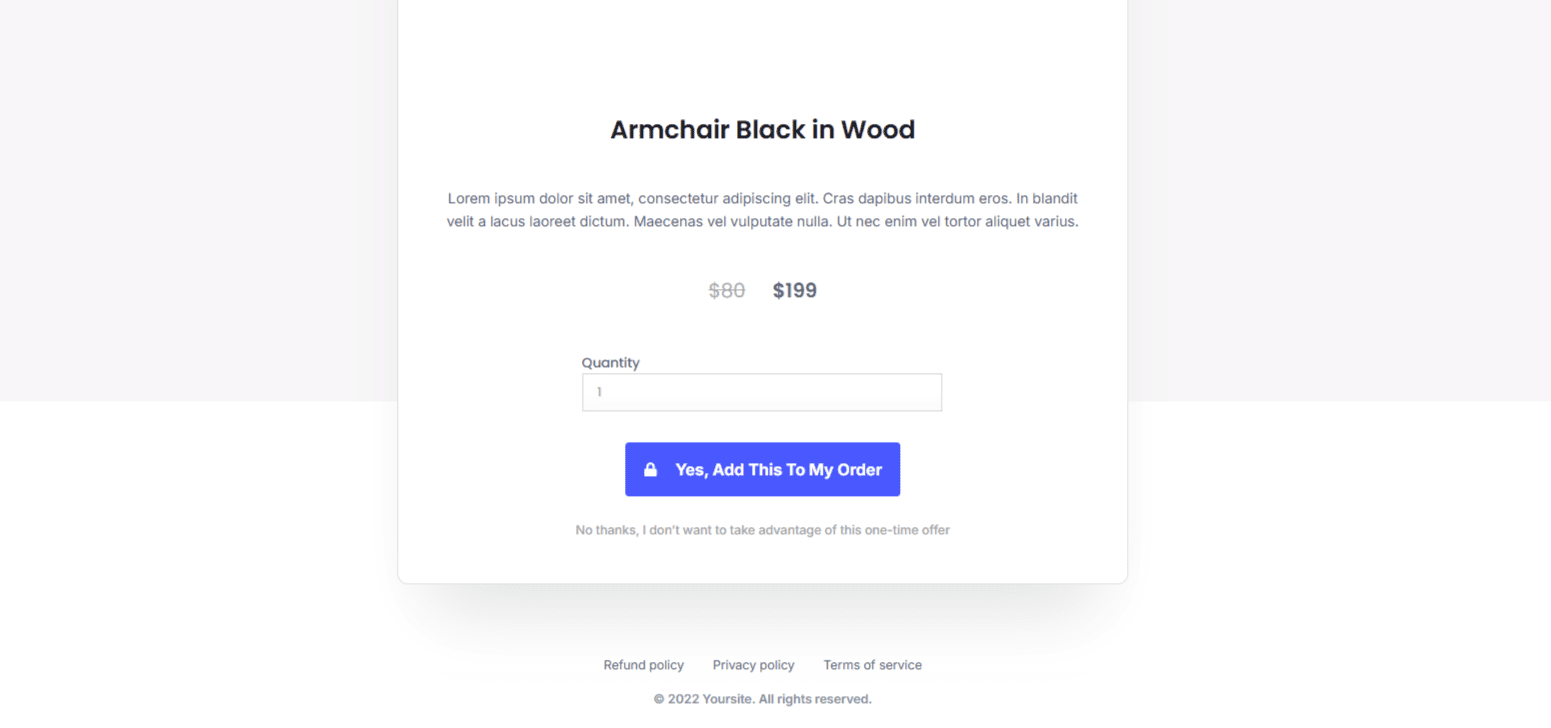
Reach for it when the offer is bigger, needs explaining, or would clutter the checkout page. This is the right home for an upgrade, a bulk deal, or a related product that deserves its own pitch.
Which One to Use
Start from what you are offering and how much thought it needs:
- A companion product tied to one specific item belongs in Frequently Bought Together, where the shopper is already looking at that item.
- A small extra that suits nearly every order belongs in an Order Bump, where accepting it costs one tick.
- Anything that needs a paragraph of persuasion belongs in an Upsell, where it has room and cannot disrupt the sale you already made.
If an offer would make the shopper hesitate at checkout, move it to an Upsell. If it is so obvious that it barely needs explaining, it probably belongs on the product page instead.
Using Them Together
Nothing stops you using all three in the same funnel, and a shopper can meet each one in turn: companions on the product page, a bump at checkout, an upsell after paying.
If you do, give each stage a different product. Seeing the same item offered three times reads as pestering, and every extra offer costs a little goodwill. A good rule is one decision per stage.
Frequently Asked Questions
We don't respond to the article feedback, we use it to improve our support content.