
- Hiding Fields on the Checkout Page
- Installing WooCommerce
- Using WooCommerce
- Adding Products in WooCommerce
- Using Your Theme's Header & Footer in a Step
- Embedding a Checkout Form on the CartFlows Checkout Page
- Hiding WooCommerce Pages and Products
- Using Pricing Tables
- Adding an Affiliate Program
- Setting a Funnel as the Homepage
- Dynamic Offers aka Rule Engine
- Instant Layout for Checkout and Thank You Step
- Adding Products from the URL to the Checkout Page
- Setting Up Split Testing for Steps
- Deleting Plugin Data During Uninstallation
- Importing Ready-Made Templates for Funnels and Steps
- Importing and Exporting Funnels and Step
- URL Parameters
- Replacing the Main Checkout Order with an Upsell or Downsell
- Rolling back to a Previous Version
- Google Address Autocomplete
- Flatsome UX Builder
- ActiveCampaign
- Paypal Reference Transactions
- How PaypPal/Stripe Works
- Enabling Enfold Avia Layout Builder
- Setting Up Authorize.net for Upsell & Downsell
- Supported Payment Gateways
- Setting Quantity and Discount for Products on the Checkout Page
- Adding Custom Payment Gateway Support for One-Click Upsell and Downsell
- Funnel in Test Mode
- Troubleshooting Plugin and Theme Conflicts
- Resolving the "Please Select a Simple, Virtual, and Free Product" Error
- Fixing Endless Loading on the Checkout Page
- Fixing the "We can't seem to find an order for you." Error on the Thank You Page
- Troubleshooting License Activation Issues
- Fixing the "Checkout ID Not Found" Error
- Fixing the "Session Expired" Error Message
- Resolving "Order Does Not Exist" Error on Upsell/Downsell Page
- Fixing the "Sorry, This Product Cannot Be Purchased" Error
- Disabling Auto-fill of Address Fields Based on Zip Code
- Enabling Theme's Scripts & Styles Without Changing Page Template
- Disabling Auto-fill of Checkout Fields
- Allowing Cache Plugins to Cache CartFlows Pages
- Changing the "Choose a Variation" Text
- VAT Field Not Displaying for WooCommerce EU/UK VAT Compliance Plugin
- Enabling the Product Tab on Store Checkout
- Displaying the Order Summary Open on Mobile Devices
- Refreshing the Checkout Page After CartFlows AJAX Calls
- Overview
- Installing Modern Cart Starter
- Installing Modern Cart Pro
- Activating License Key
- Customizing General Settings
- Customizing Cart Tray Labels
- Customizing Cart Icon Settings
- Customizing Cart Tray Styling
- Understanding the Product Recommendations Feature
- Controlling Product Recommendation Source for Empty Cart
- Installing Free Version
- Installing Pro Version
- Activate License Key
- Configuring the Settings
- Enabling Webhooks
- Product Reports
- SMS Integration
- WhatsApp Integration
- Email/Domain Blacklist
- Shortcode Reference for Email Fields
- Filters to Customize Product Table
- Recovery Email Going to Spam
- Cookies/GDPR Compliance
- Emails not Sending
- Orders Not Capturing
- Dynamic Email Rules
- Excluding Products from Coupon
- Rolling Back to a Previous Version
SMS Integration for Cart Abandonment Recovery
The SMS Integration is part of the Cart Abandonment Recovery Pro feature and allows you to automatically send SMS follow-ups to users who leave the checkout without completing their purchase. By using Twilio as the SMS provider, this feature helps re‑engage customers with timely reminders, personalized content, recovery links, and optional discount coupons.
The SMS recovery flow works alongside existing cart abandonment logic and ensures messages are sent only when a cart is genuinely abandoned and all required conditions, such as consent and product availability, are met.
Overview
The SMS integration enables automated SMS notifications for cart abandonment recovery via Twilio. It includes SMS template management, scheduling, dynamic placeholders, coupon generation, delivery tracking, and built‑in compliance checks.
This feature is designed to complement email-based recovery and provides an additional channel to reconnect with potential customers.
Twilio Integration
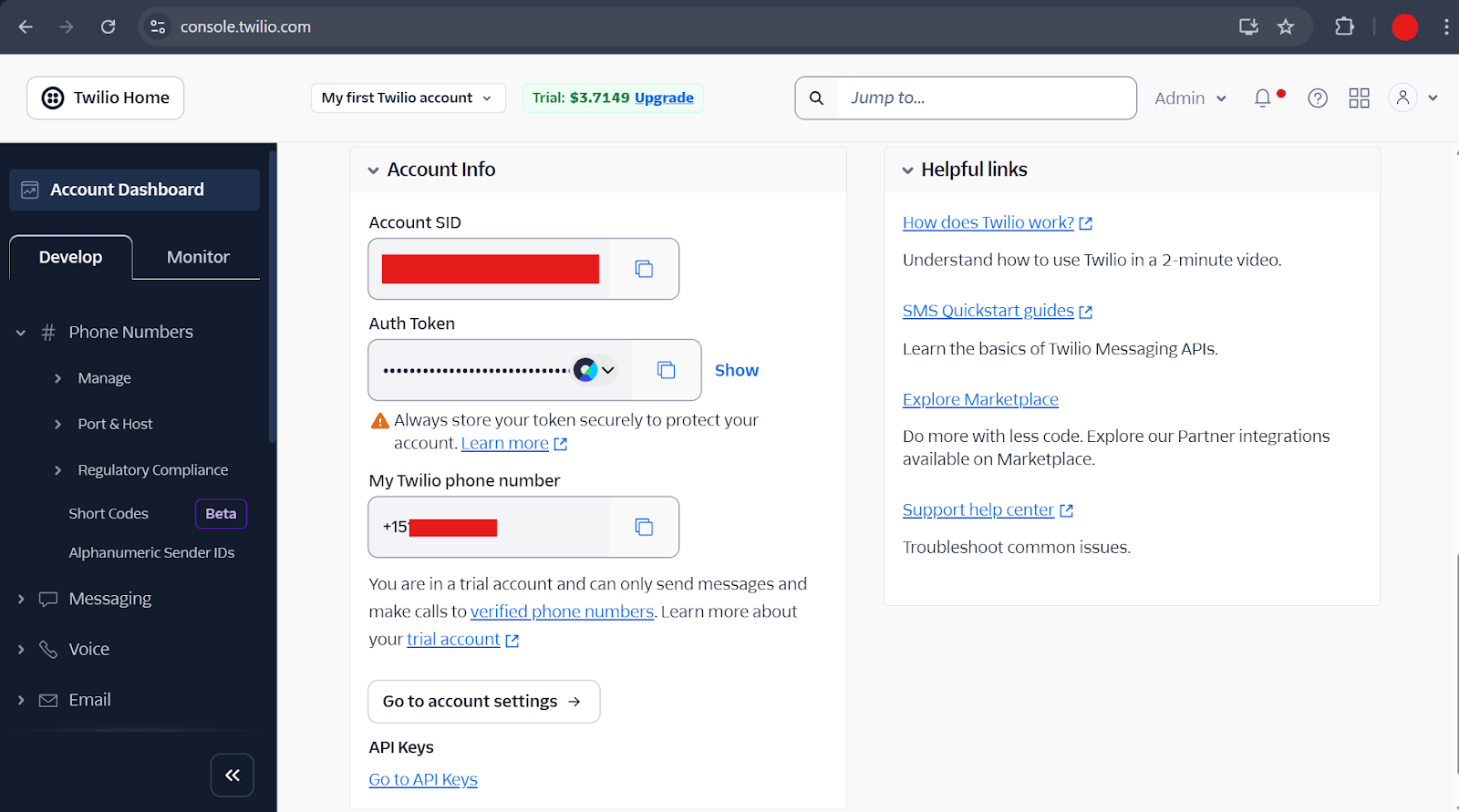
Cart Abandonment Recovery uses Twilio as the SMS delivery provider.
Authentication Requirements
- Twilio Account SID
- Twilio Auth Token
- Send From value (phone number or alphanumeric sender ID in E.164 format)
Integration Settings
The SMS integration settings allow you to manage and validate the SMS configuration used for cart recovery:
- Enable or disable SMS tracking for abandoned carts
- Configure the Send From phone number or sender ID
- Enter Twilio Account SID
- Enter Twilio Auth Token (stored securely in encrypted form)
- Send a test SMS to verify the setup
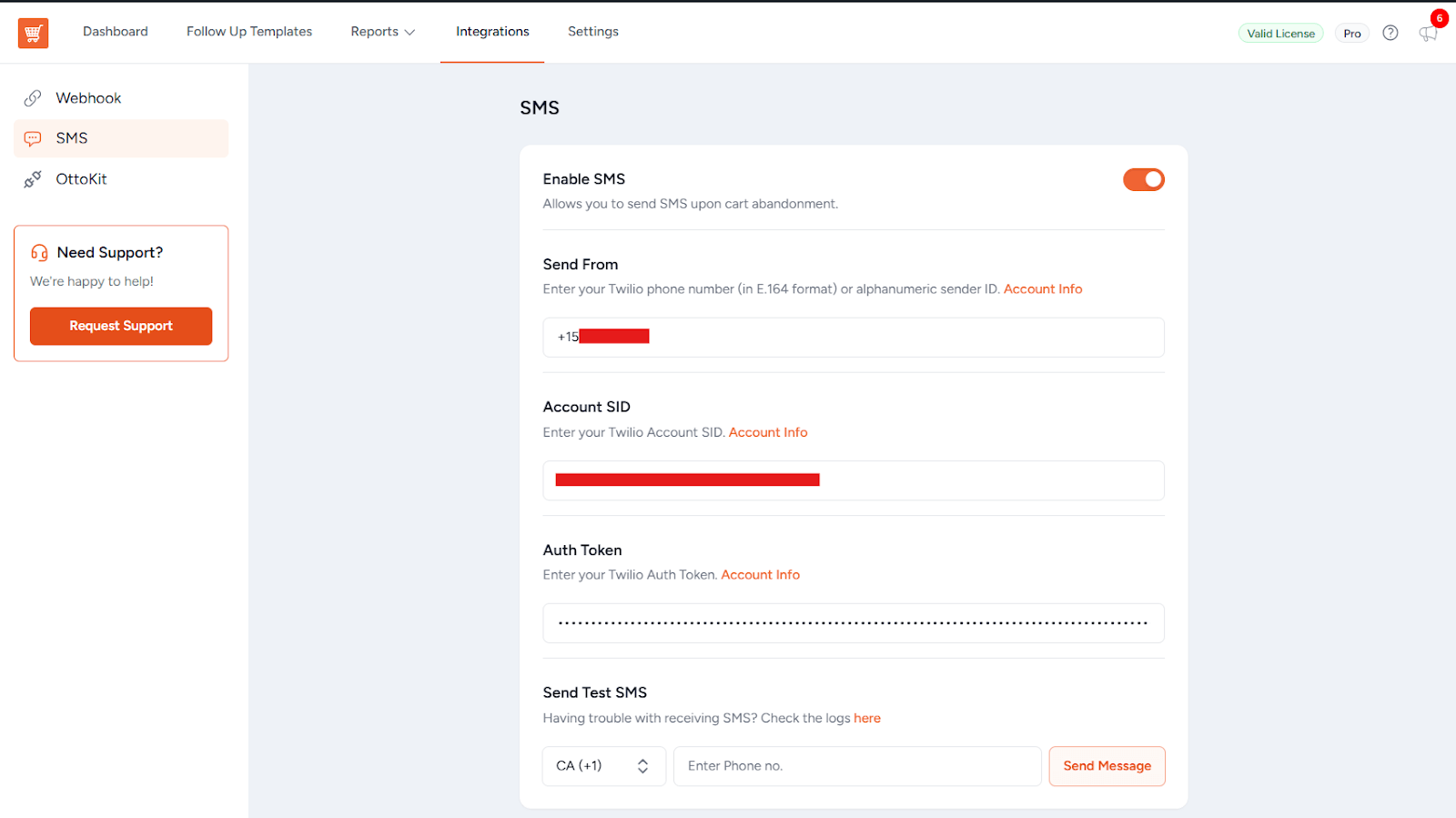
These settings ensure SMS delivery is properly configured before recovery messages are sent to users.
GDPR Compliance Settings
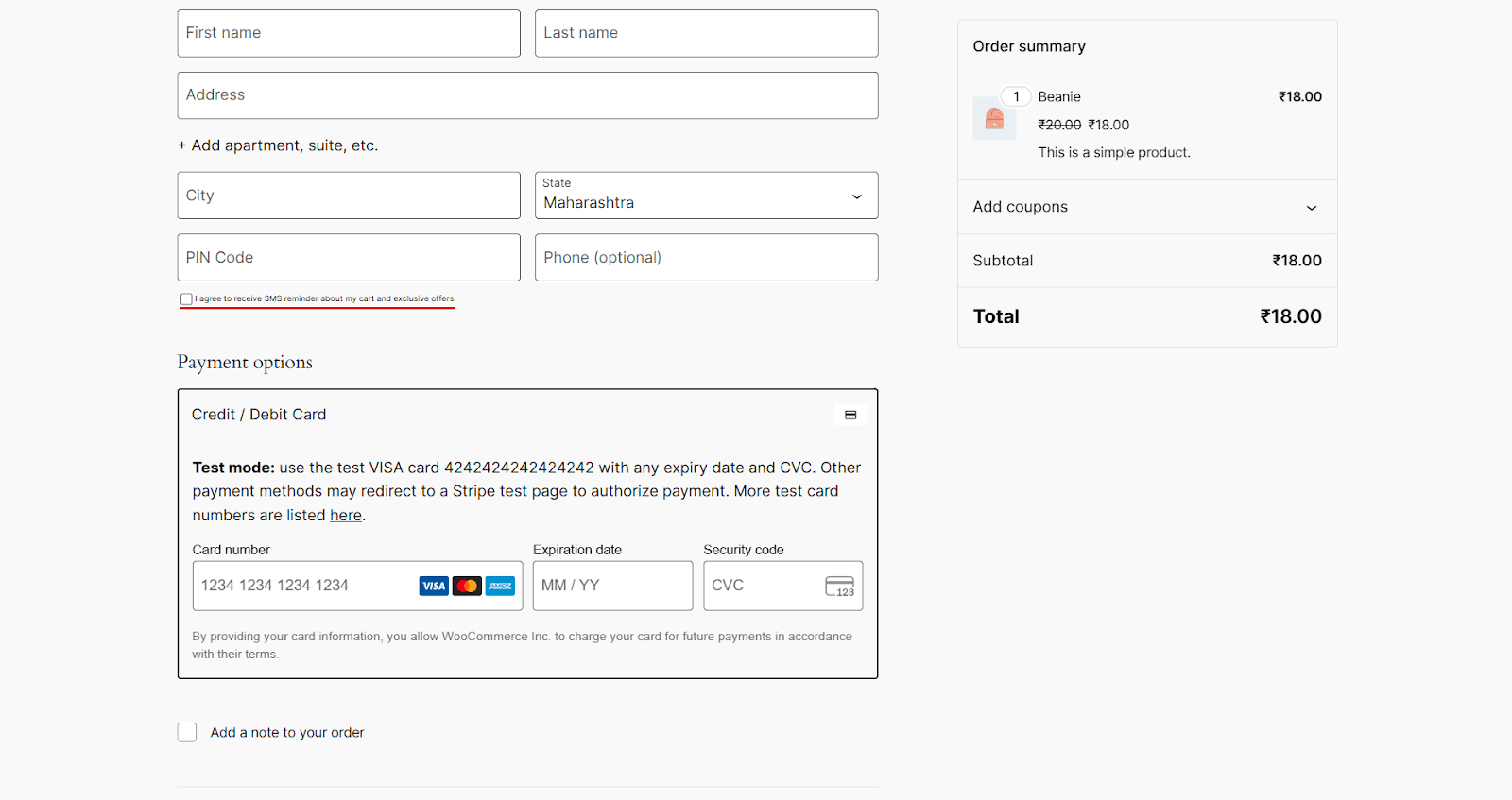
To ensure compliance with privacy regulations, Cart Abandonment Recovery includes dedicated GDPR controls for SMS communication:
- Phone number GDPR consent toggle
- Customizable consent message shown during checkout
- Consent validation before scheduling or sending any SMS
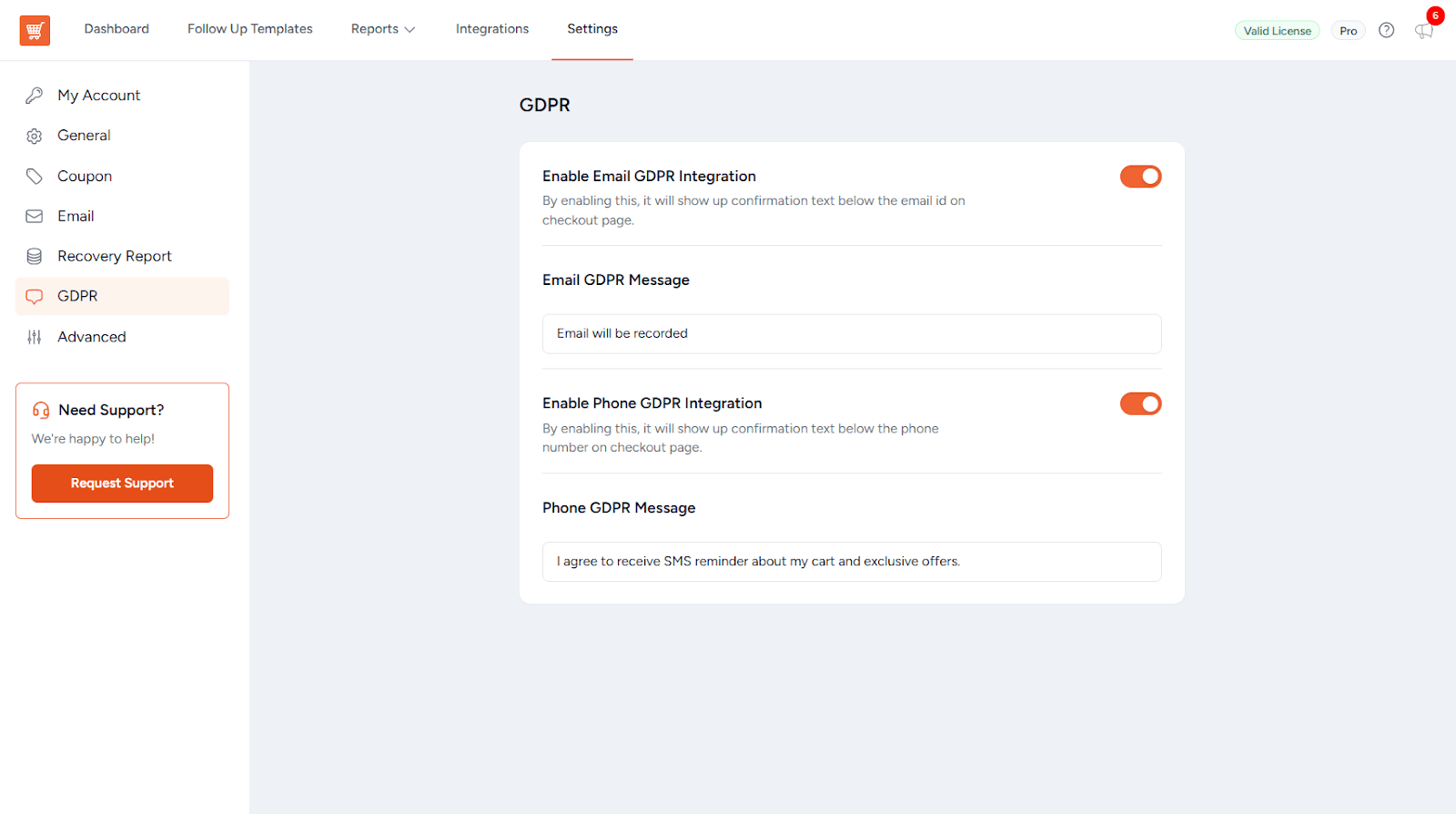
SMS follow-ups are only scheduled when explicit consent is available.
SMS Template Creation & Scheduling
SMS templates define the content and timing of recovery messages:
- Create, edit, clone, or delete SMS templates
- Restore default SMS templates at any time
- Automatically trigger SMS when a cart is marked as abandoned
- Respect GDPR consent requirements
- Skip SMS if the user has unsubscribed or the order is completed
- Reschedule SMS messages when needed
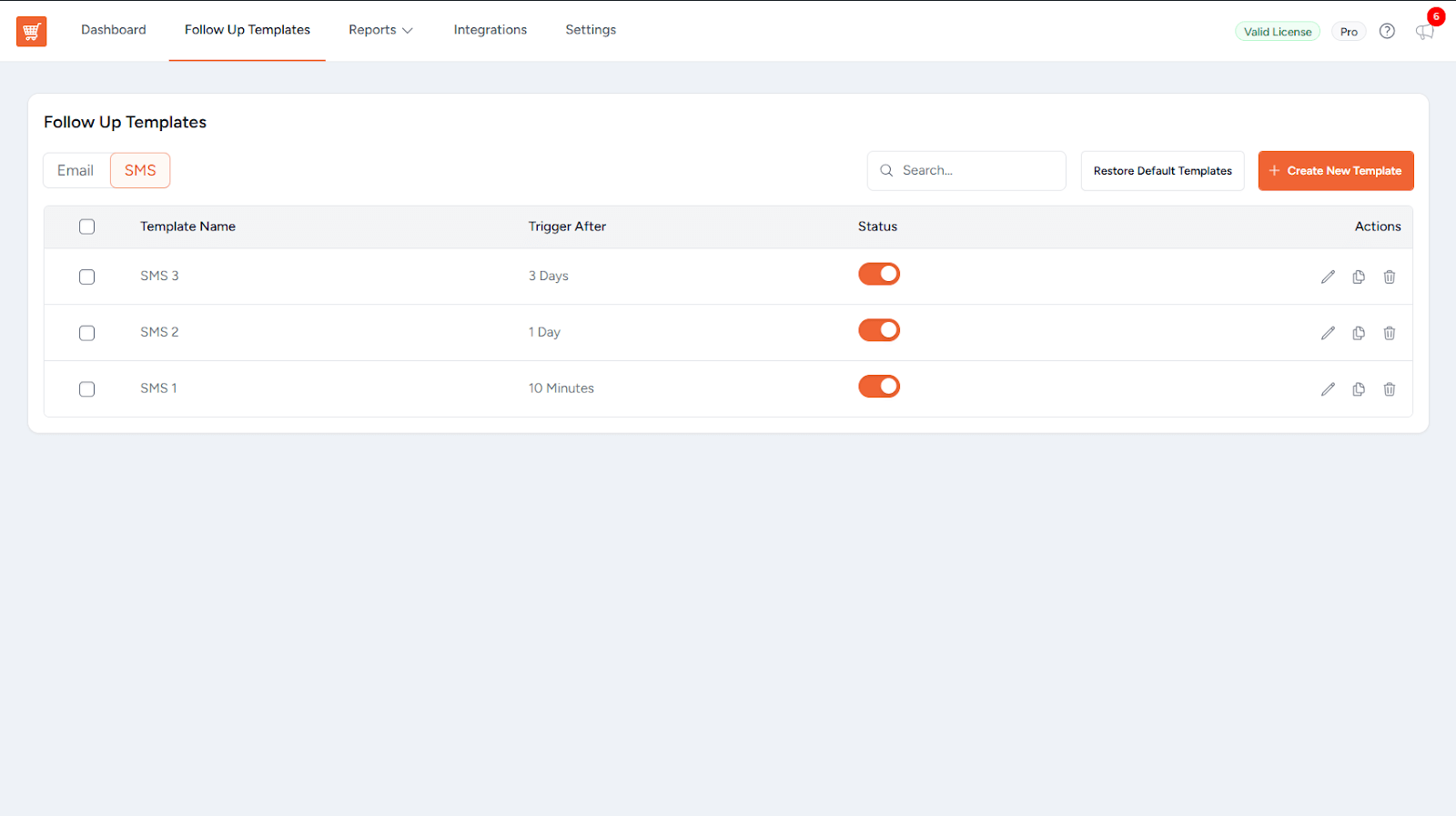
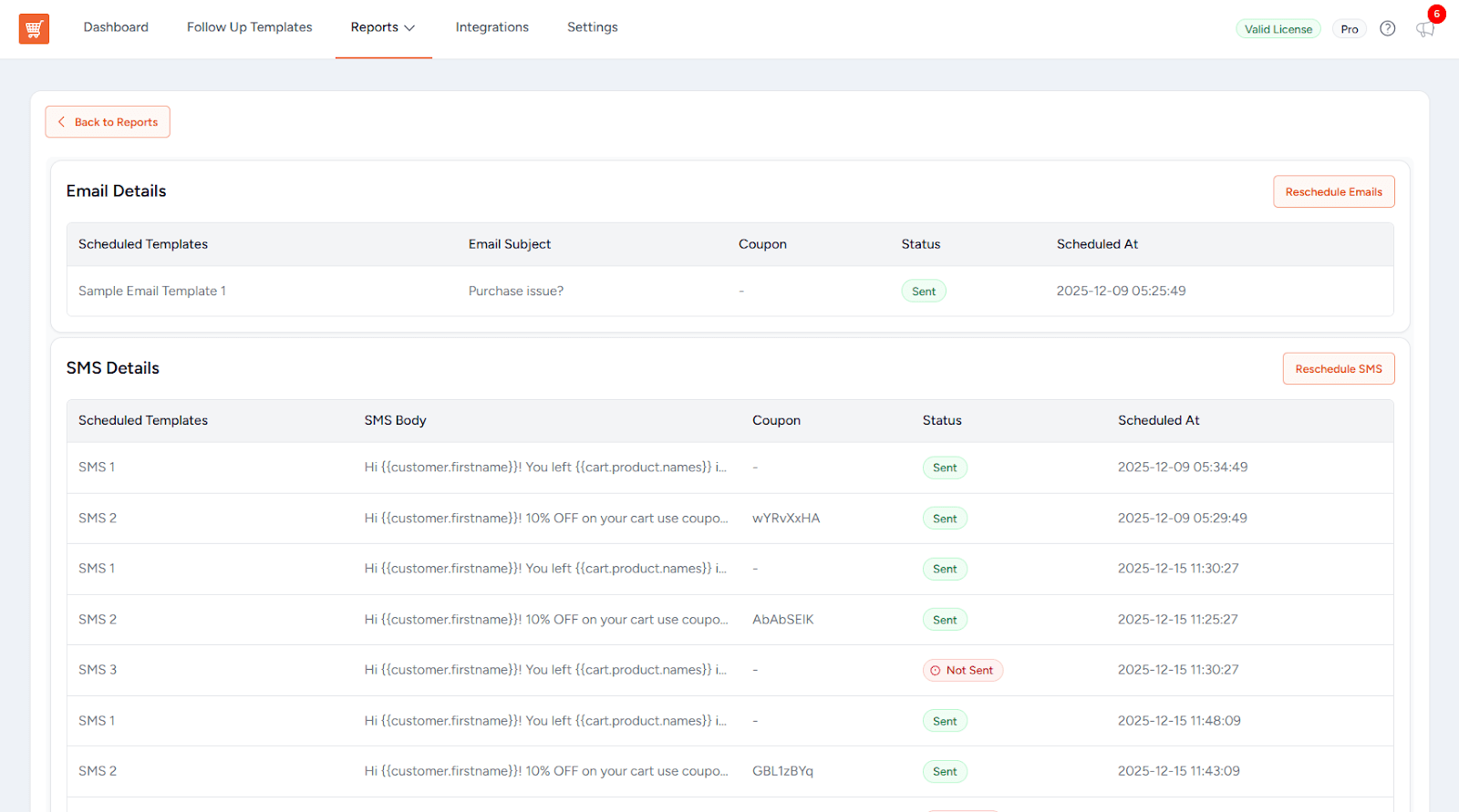
Templates support dynamic placeholders such as customer details, cart data, recovery URLs, and coupon codes.
Pre‑Send Checks
Before sending an SMS, Cart Abandonment Recovery performs multiple checks:
- Out‑of‑stock product validation
- Rule engine evaluation
- Filter hooks for custom logic and conditions
These checks help ensure recovery messages remain relevant and accurate.
Preview SMS
You can preview and test SMS content before activating templates:
- Send a test SMS directly from the template editor
- Uses dummy session data for safe previewing
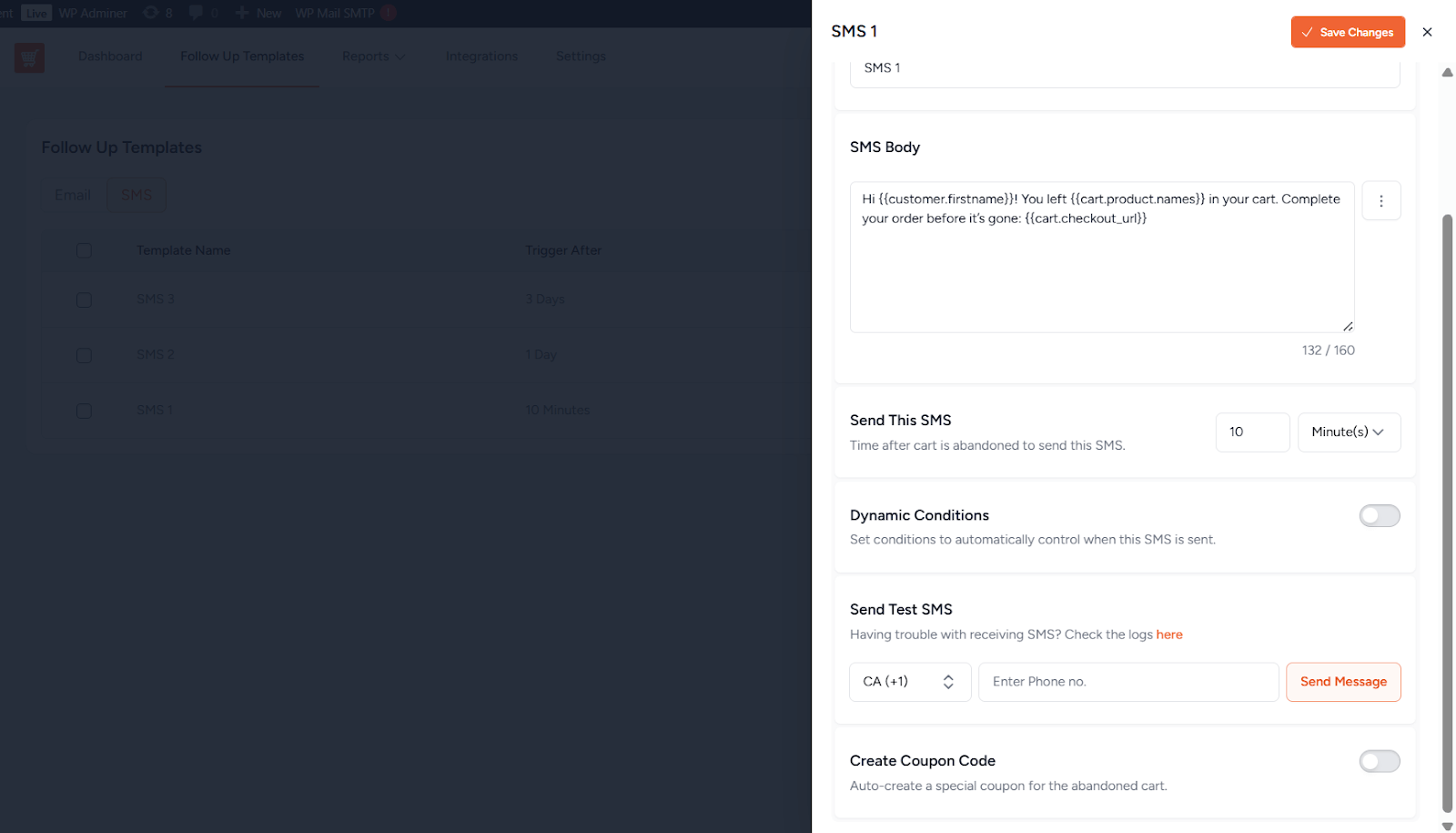
This helps confirm formatting, placeholders, and message tone.
Test SMS
A global test option is also available from the integration settings:
- Sends a test SMS using the configured Twilio credentials
- Validates the complete SMS recovery configuration
Privacy & Unsubscribe Support
User privacy is respected throughout the SMS recovery process:
- GDPR consent is required before sending SMS
- Built‑in unsubscribe support ensures users can opt out of SMS recovery messages
Filter Hooks & Extensibility
Developers can customize and extend Cart Abandonment Recovery SMS behavior using the following hooks.
Available Filters
wcf_ca_should_schedule_sms_template– Control whether an SMS template should be scheduledwcf_ca_should_send_sms– Control whether an SMS should be sentwoo_ca_recovery_sms_data– Modify SMS payload datawcf_ca_sms_body_before_send– Modify the SMS body before sendingwoo_ca_generate_sms_coupon– Customize generated coupon datawcar_followup_sms_data– Modify follow‑up template datawcar_admin_sms_template_fields– Customize admin template fields
Available Actions
wcf_ca_after_sms_coupon_created– Triggered after an SMS coupon is generatedwcf_ca_process_abandoned_order– Fired when an order is marked as abandonedwcf_ca_send_notices– Cron‑based trigger for sending recovery SMS
This SMS integration provides a compliant, extensible, and effective way to recover abandoned carts using SMS as part of the Cart Abandonment Recovery workflow.
We don't respond to the article feedback, we use it to improve our support content.