Organic Tea Funnel Template
Pro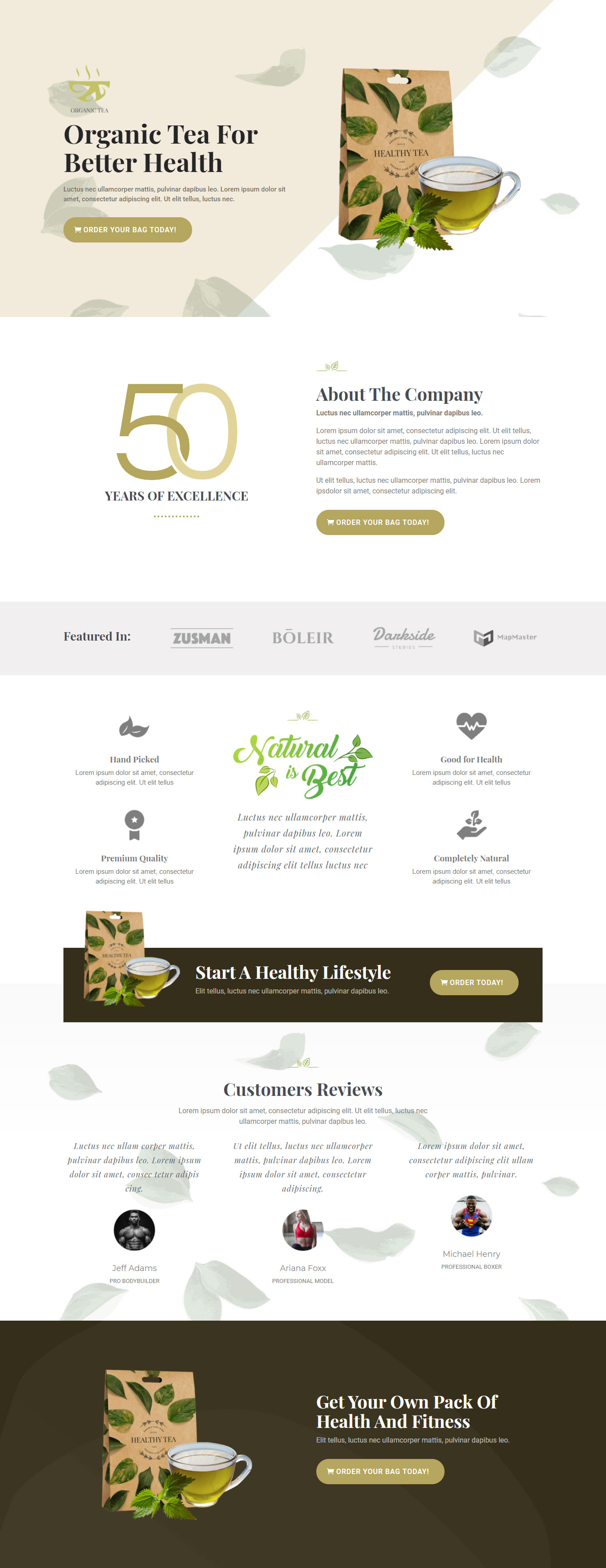
What's included — 4 connected steps
- 1
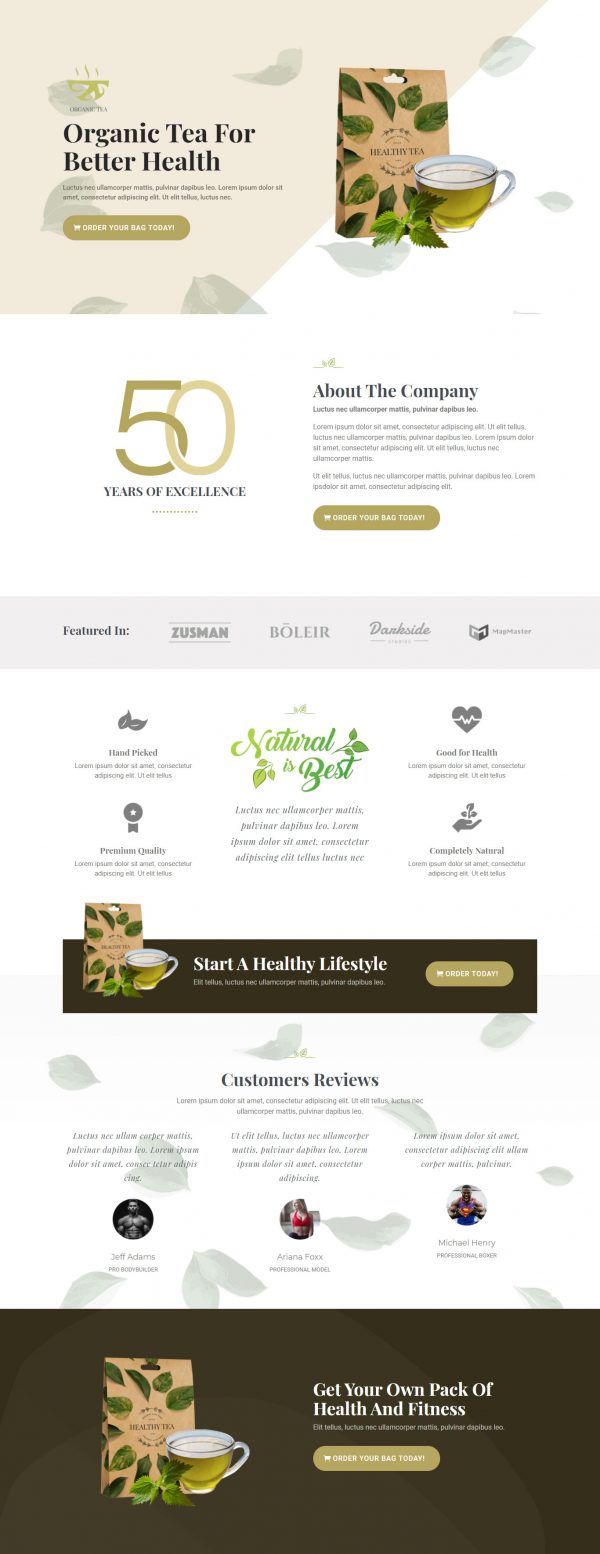
 Landing PageFirst impression & offer
 - 2
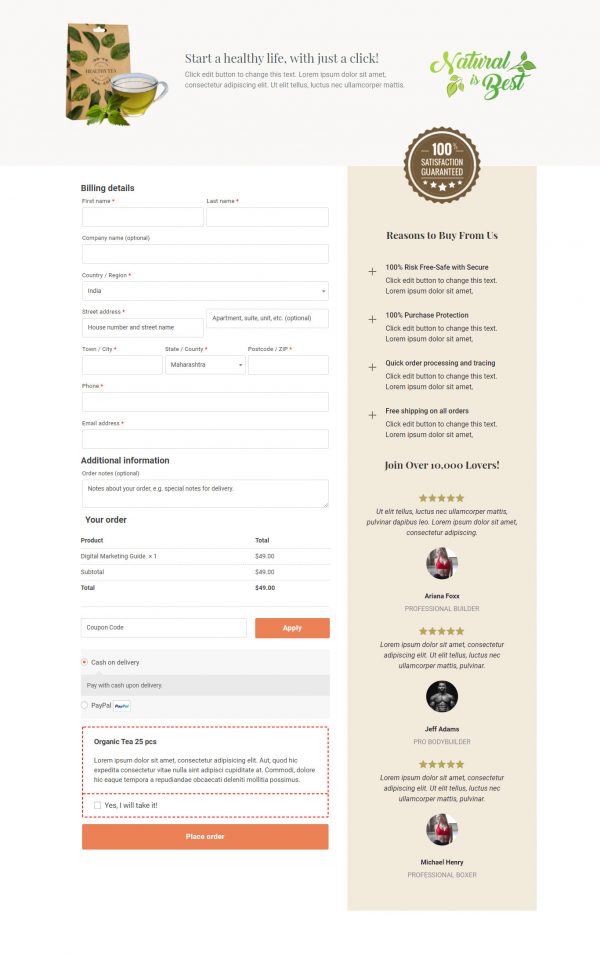
 CheckoutOne-page order form
 - 3
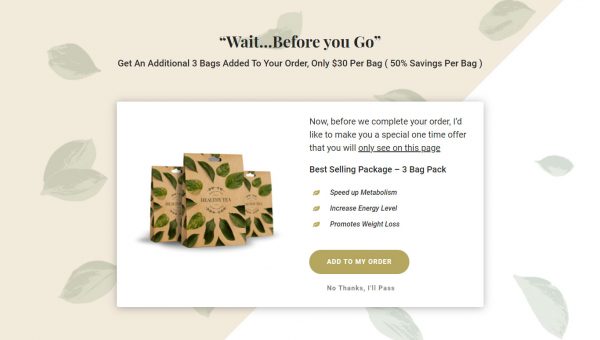
 UpsellOne-click add-on offer
 - 4
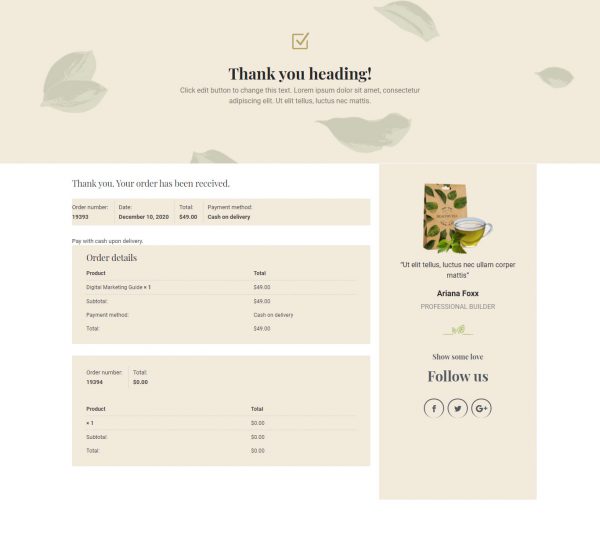
 Thank YouConfirmation & next step
About this funnel
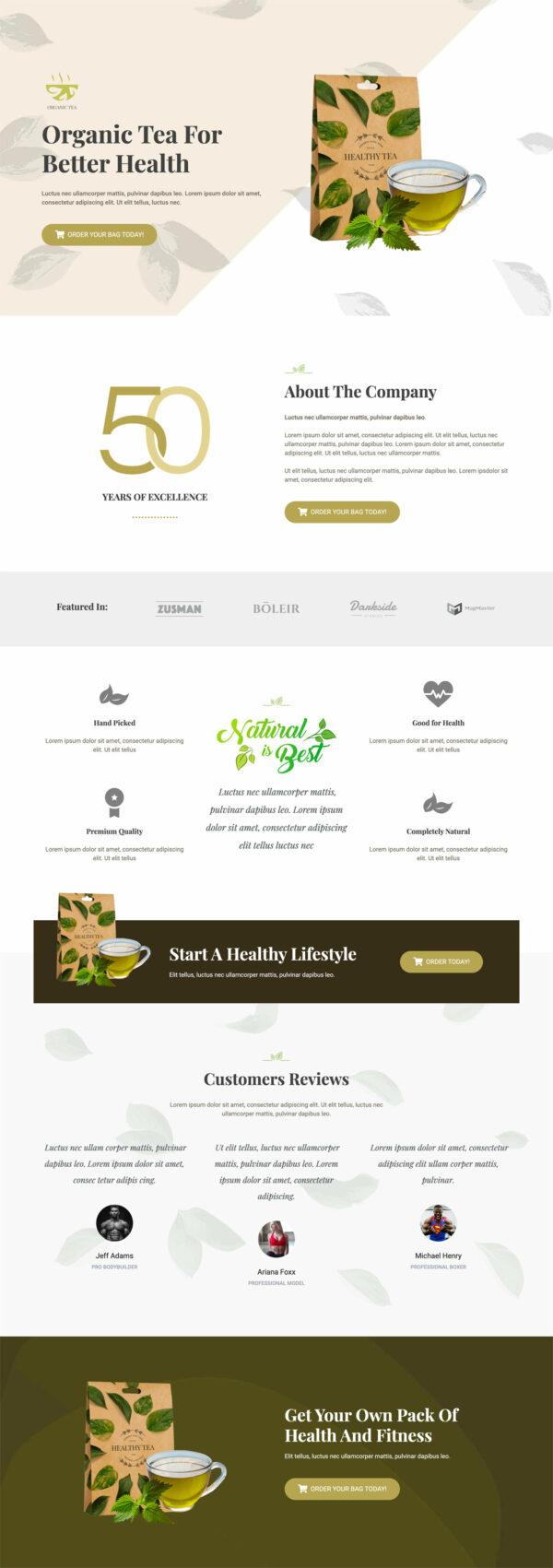
This organic tea sales funnel template is a four page path to one order: a product page, a checkout, a one click upsell, and a thank you page. All four come assembled and linked, so you add your blend, photos and prices rather than laying out sections. The pages are shaped for the shopper comparing three brands at once.
Who it’s for
- Tea, herb, and wellness brands competing on sourcing rather than price
- Sellers with press coverage, certifications, or partner logos to show
- Anyone whose reviewers have a title worth printing
Company history opens the product page, followed by the featured-in logo strip. Reviewers come next, named with their professions: a bodybuilder, a model, and a boxer.
Four benefit cards keep the claims short. The same call to action, Start a healthy lifestyle, repeats four times on the way down.
Each credibility layer raises the bar on the one before it, so the reviewers land harder. Short benefit cards stay short enough to defend if a buyer checks the detail.
Repeating that one button means a shopper who decides early never scrolls to act. Few pages get that ordering right on an organic tea landing page template.
Checkout takes the order once the credibility work is done. The upsell opens after payment and suits a sampler box: a shopper won over by the sourcing will happily taste the rest of the range. The thank you page closes the visit.
Every line ships as placeholder text, so replace the copy throughout before launch. Swap in your press logos and give the three reviewers real names and titles.
New sections, deletions and style changes are each about a click in the builder, so nothing stays as shipped.
How to Use This Funnel
- Install the free CartFlows plugin from the WordPress plugin directory.
- Go to CartFlows → Funnels and click Add New Funnel.
- Search the library for this funnel, then hover it and choose View All Steps.
- Click Import This Funnel and give it a name.
- Wait for the import to finish, then edit each step in your page builder.
- Assign your WooCommerce product on the checkout step and you are ready to sell.