
WooCommerce Order Bumps
Earn more from every order with a one-click checkout offer. AI picks the right add-on for each customer from your own sales data.
Included in CartFlows Pro. 14-day money-back guarantee.
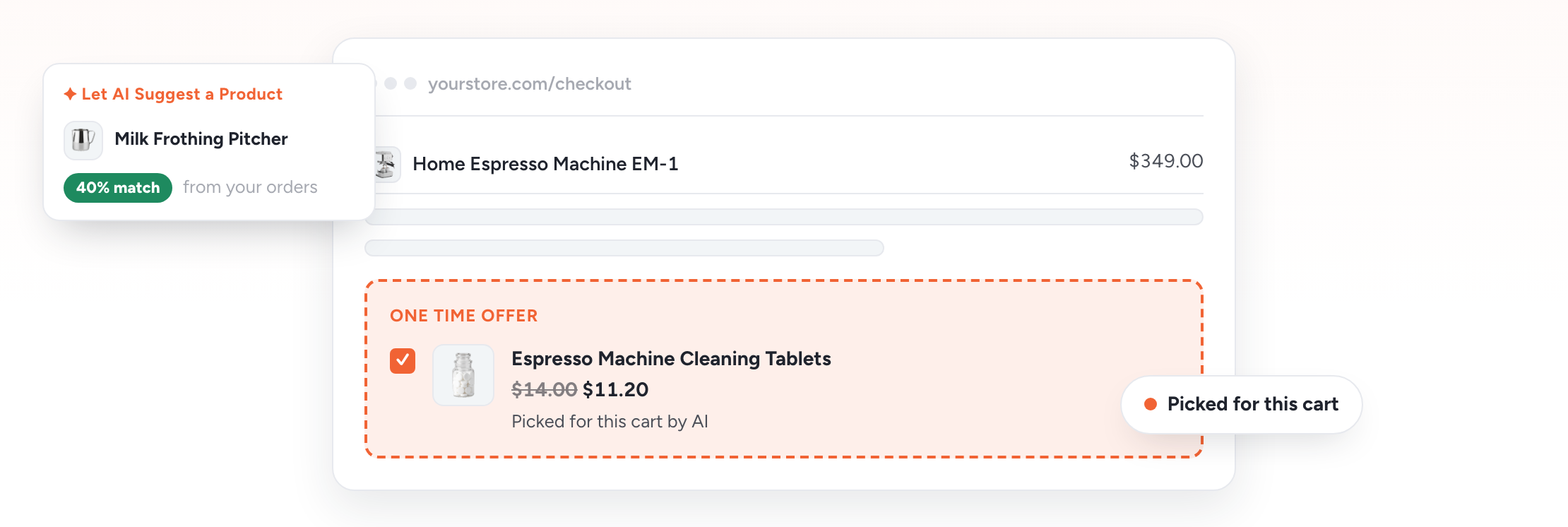
How Order Bumps Work
The sale isn’t over at checkout. One well-placed offer turns a single purchase into a bigger order.
Shopper Reaches Checkout
The shopper adds products to their cart and lands on your checkout page. It’s the moment they’re most ready to buy.
A One-Click Offer Appears
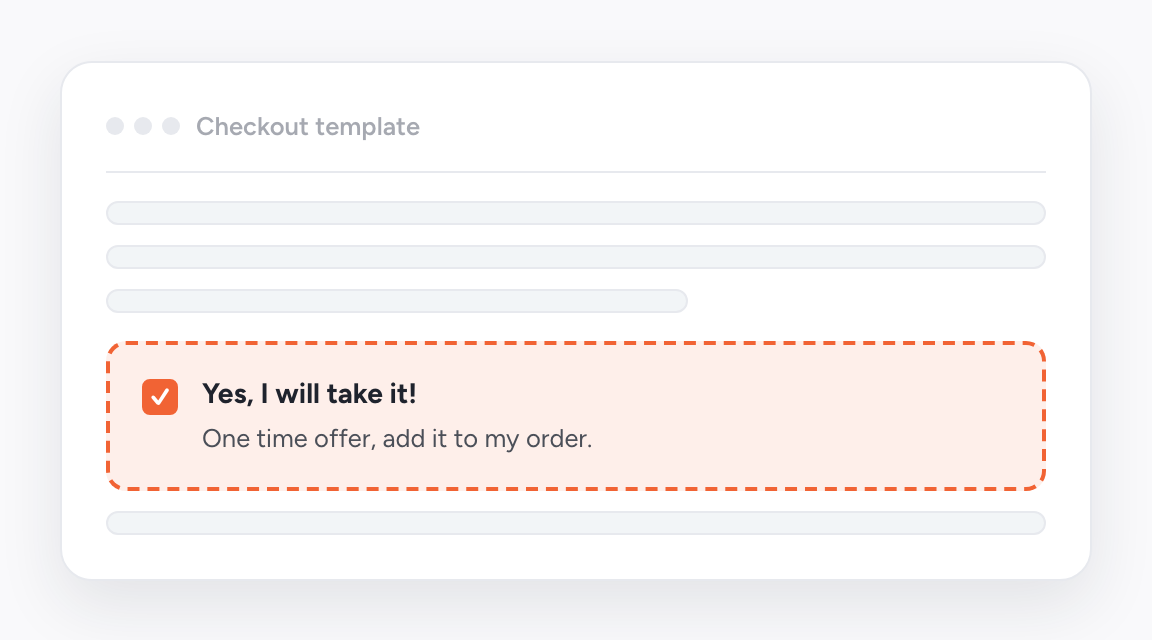
The shopper sees a related add-on and adds it with one tick. You pick the product, or let AI match one to each cart.
The Order Grows
The shopper pays once for everything, with no extra steps. You earn more from the same sale, and your average order value goes up.
Watch It Work in Two Minutes
Let AI suggest one product, or shortlist a few and let it pick the right one for each cart. Then split test the result..
Stop Guessing Which Product to Offer
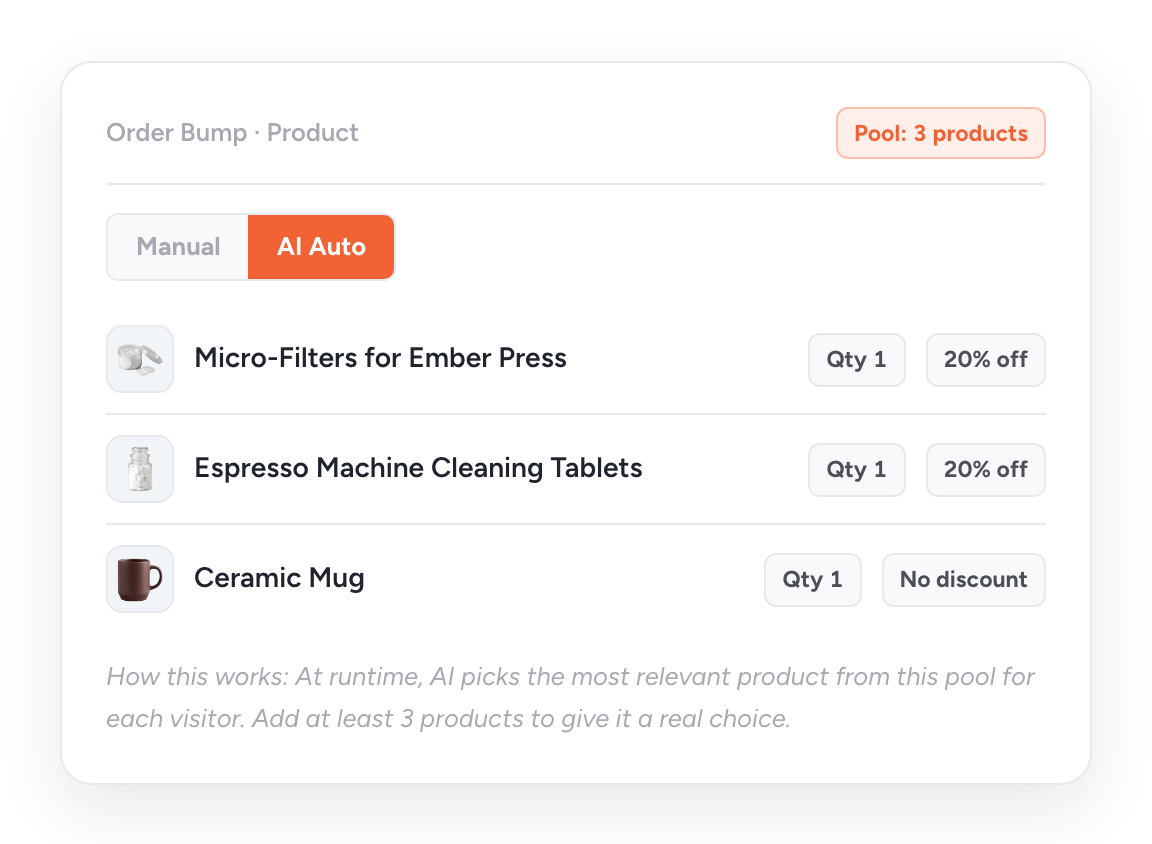
A single bump product can’t fit every cart. Shortlist a few of your best add-ons, and AI shows each customer the right one.
Shortlist Once, Match Every Cart
Switch any bump from Manual to AI Auto and build a product pool. The pick happens live at checkout, for every cart.
- Add at least 3 products so AI has a choice
- Set quantity and discount for each product
- Works on funnel checkouts and Store Checkout
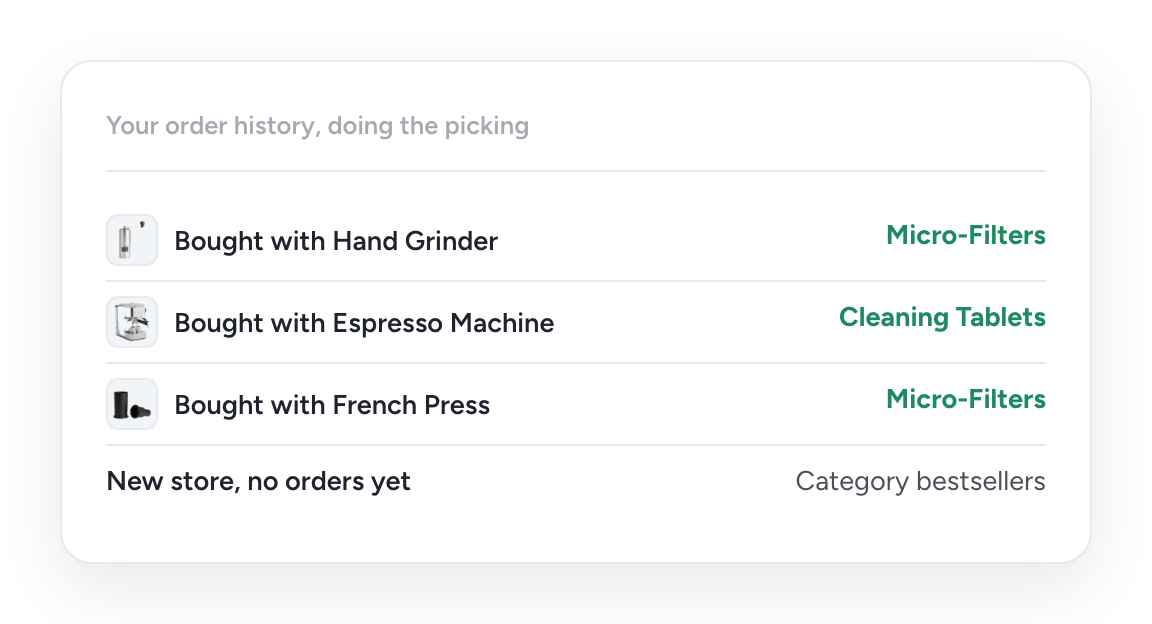
Your Order History Makes the Call
Every past order shows which products your customers buy together. AI Order Bump reads that history and matches each cart to its best add-on.
- Based on real co-purchases in your store
- No rules to write or spreadsheets to maintain
- New stores start with bestsellers, then improve with sales
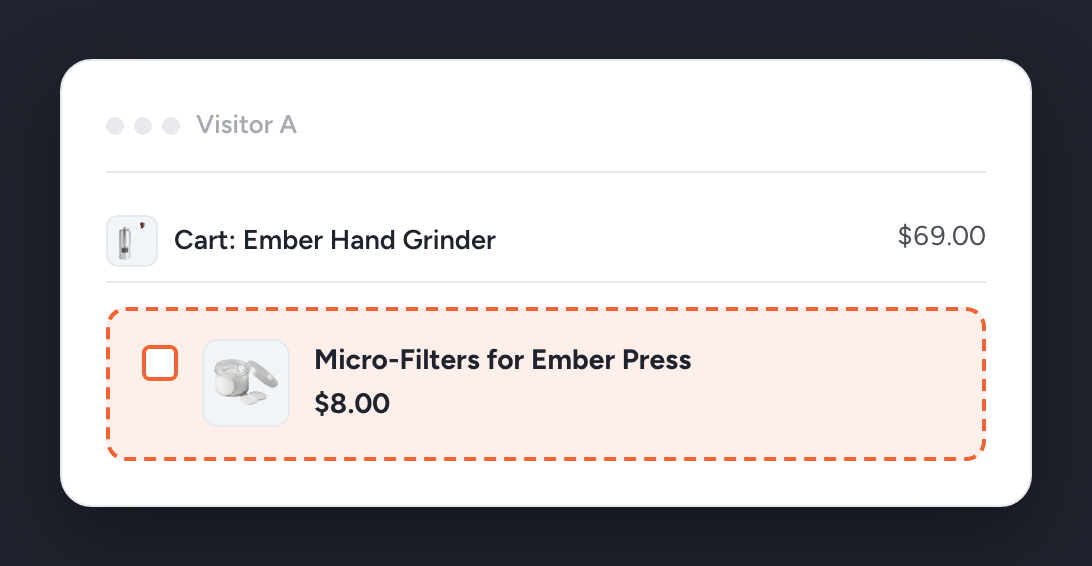
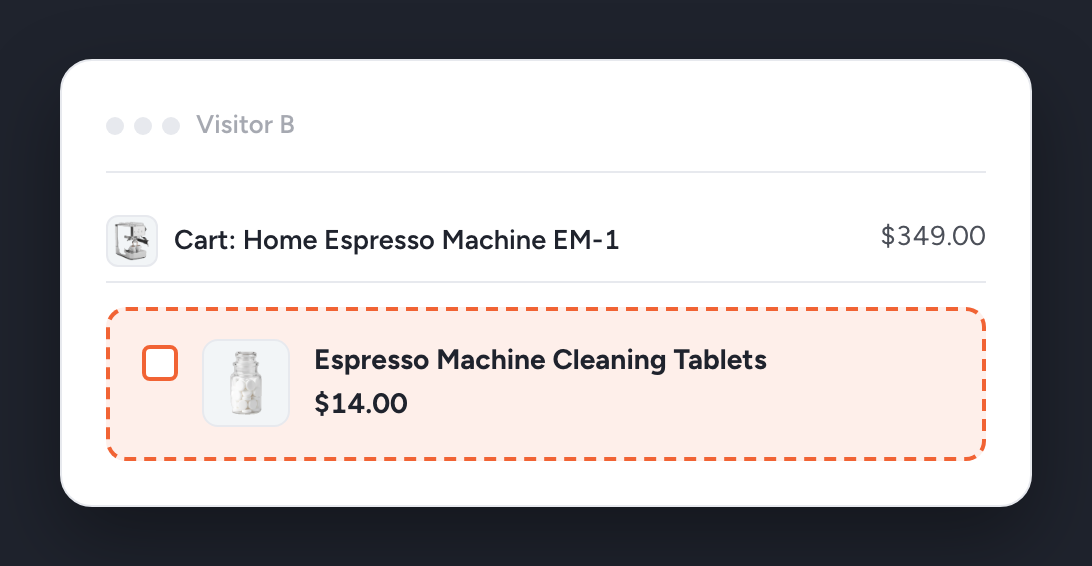
We ran one AI bump on a demo coffee store with 40 products and 177 real orders. The $69 grinder buyer saw $8 micro-filters. The $349 espresso machine buyer saw $14 cleaning tablets.
Predictable, Even Though It's AI
Worried AI will surprise your customers? It can’t. It only shows products from your pool, at the quantity and discount you set.
Four safeguards, built in:
Stable Pick.
The offer stays the same through page refreshes and checkout updates.
Locked Once Accepted
Once a shopper says yes, the product never changes under them.
Stock-Aware
Out-of-stock products in your pool are skipped automatically, every time.
Safe Fallback
Pool can't sell? Your manual product shows instead, or the bump hides.
Prefer Manual? Get an AI Second Opinion
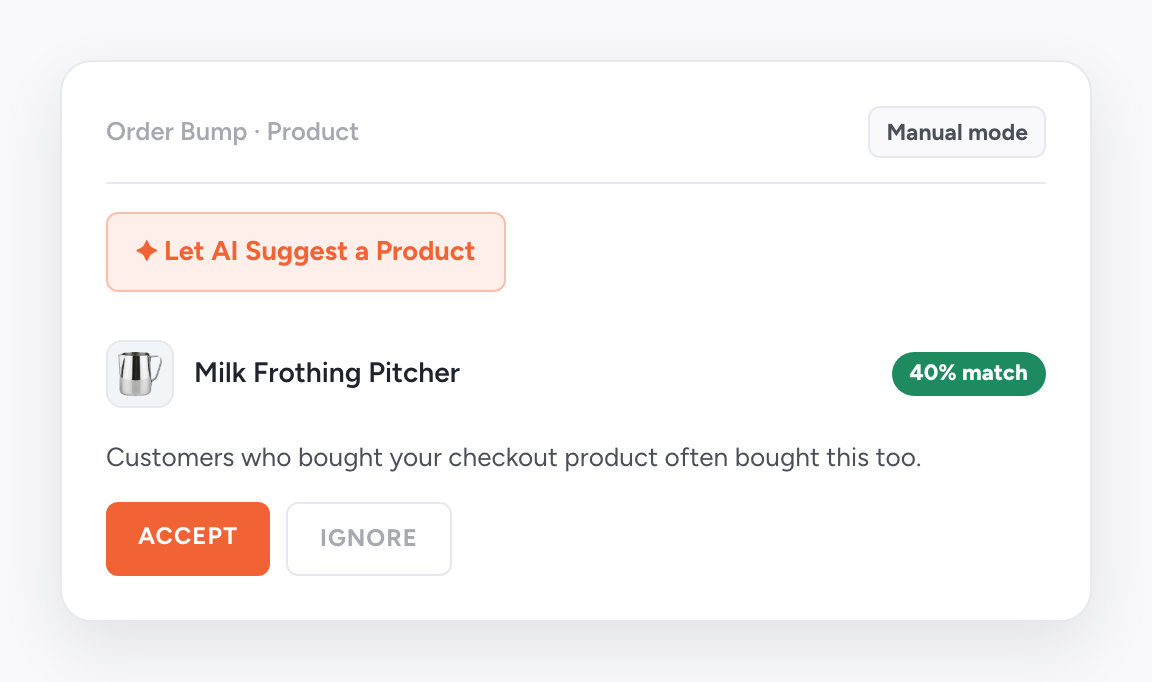
Manual mode works as before. Click Let AI Suggest a Product and get a pick backed by your order history.
- See a match score with every suggestion
- Accept or ignore. Nothing changes until you do
- Write with AI drafts the title, label, and description
You approve everything. You are still the shopkeeper.
One Bump, Two Ways to Run It
Use Manual when one add-on fits everything you sell. Switch to AI Auto when your carts vary.
One offer for every customer
A matched offer for each customer
You guess what fits the cart
Your sales data picks what fits
Stays the same until you edit it
Gets smarter with every new order
One product with one discount
A pool with a discount per product
Best when one add-on fits all
Best for varied carts and Store Checkout
Not sure which earns more? Don’t debate it. Split test it.
Make Every Offer Relevant
Relevance is what makes a bump convert. Start from a template, target with your own rules, and split test what works.
Launch Fast With Checkout Templates
Start from a ready-made checkout template and add your order bump in minutes. There are templates for:
- Online courses and consultation packages
- eBooks, physical books, and software subscriptions
- Anything else you sell online
Decide Who Sees Each Offer
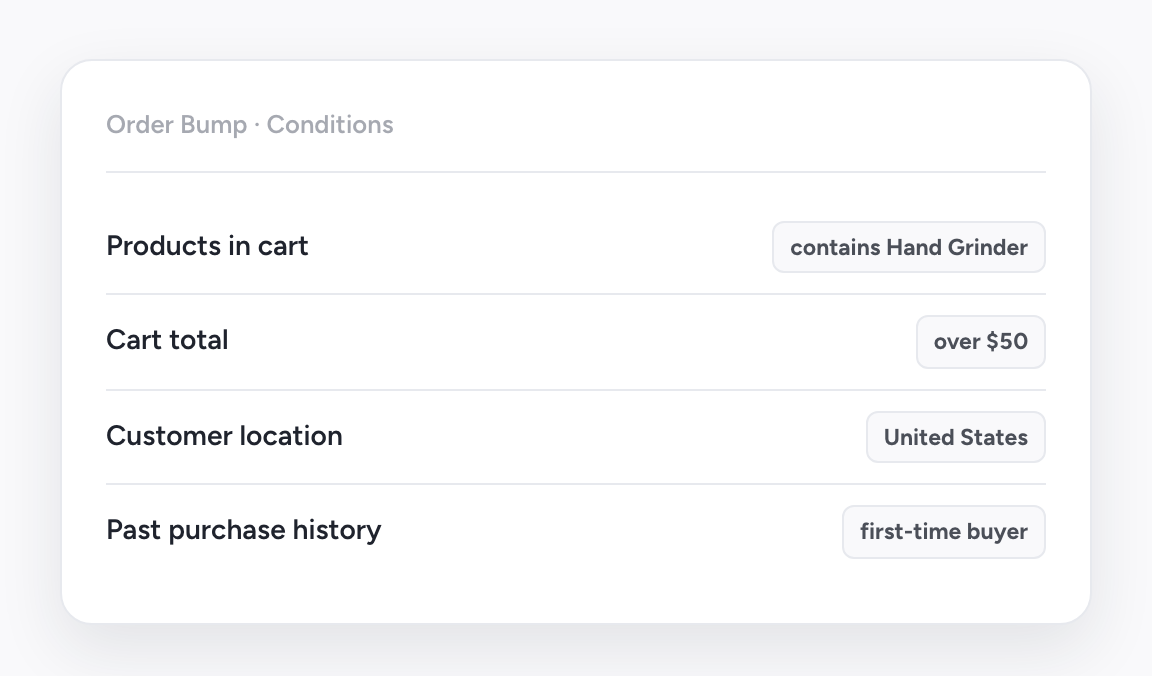
Want full control? Set display rules for every bump and choose exactly which customers see it.
- Target by cart, total, location, role, or past purchases
- Show multiple bumps and control which appear together
- Use rules where you know, AI where you don't
Test Offers, Keep the Winner
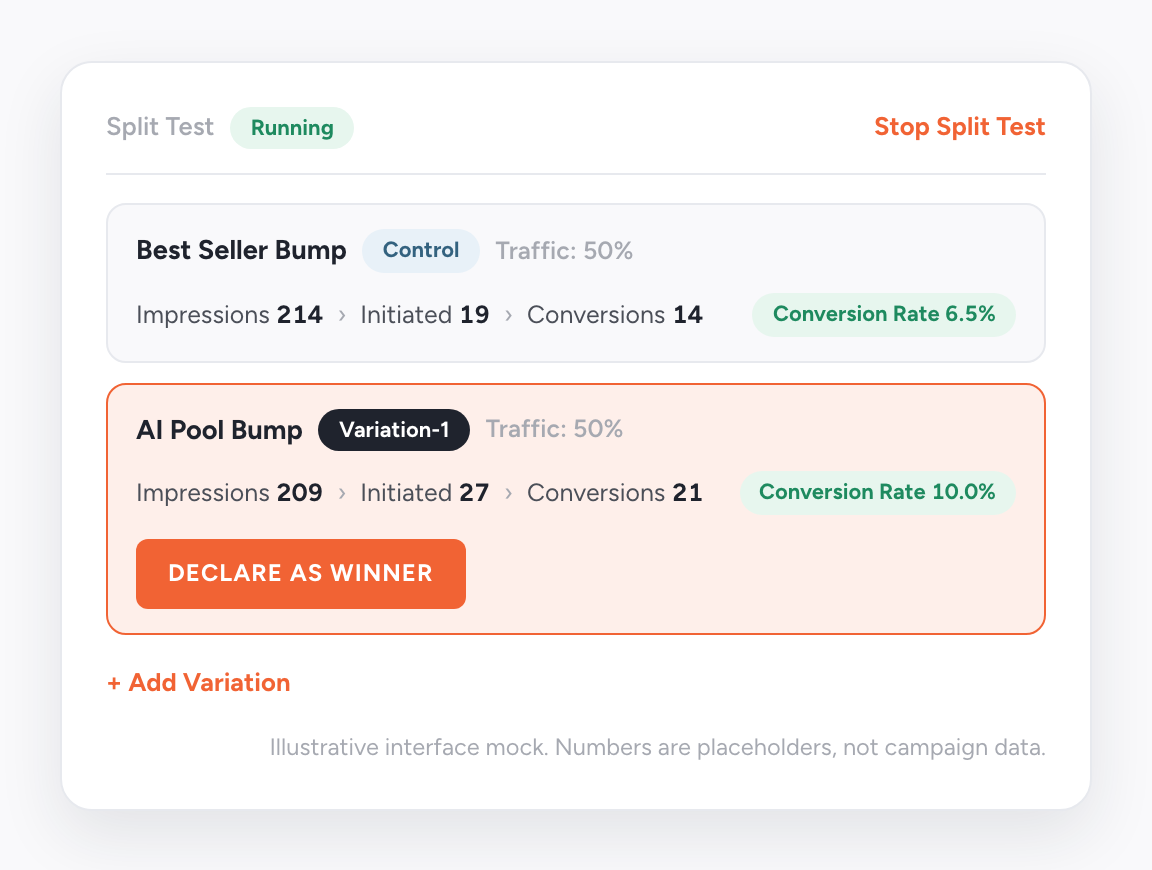
Every bump has its own split test on the checkout step. Click the A/B icon to create a Control and a Variation.
- Test product, discount, copy, or manual against AI
- Track impressions, accepted bumps, and conversions per variant
- Declare a winner in one click. Losers are archived
More Revenue, Less Setup
Set up an order bump in minutes, and it works on every checkout that follows.
Launch in Minutes
Skip the design work. Pick a template, add your offer, and go live with the page builder you use.
Designs That Get Noticed
Customize the bump’s style and copy so it stands out on your checkout and more shoppers add it.
One Bump Covers Every Cart
Add one AI bump to your main store checkout and every cart gets a matching add-on. No bump per product needed.
Works With What You Already Use
CartFlows is built for WooCommerce and works with your page builder, payment gateway, and plugins. No rebuild, no workarounds.
WooCommerce
Elementor
Gutenberg
Divi
Beaver Builder
Bricks
Stripe
PayPal
LearnDash
OttoKit
200k+ Users Love CartFlows
Store owners use CartFlows to add order bumps, upsells, and better checkouts. Here’s what they say.
“CartFlows is probably the most exciting product in the WP space in recent years. Totally a game changer!”
“If you care about sales conversion you definitely need Cartflows. You have order bumps, unlimited upsells, A/B split testing, analytics and a lot of other little things that makes it just the best sales funnel builder I could find.”
“CartFlows brings the post-purchase features to WooCommerce that it’s always needed!”
Common Questions
Quick answers about order bumps and AI Order Bump. Can’t find yours? Our support team is happy to help.
A WooCommerce order bump is a one-click offer on the checkout page, shown right before the customer places their order. Shoppers add it with a single checkbox. No popups, no redirects, no re-entering payment details. It’s the simplest way to raise average order value.
An order bump appears on the checkout page, before payment, as a simple checkbox add-on. A one-click upsell appears after checkout and charges the same payment details instantly. CartFlows does both, so you can earn more before and after the sale.
The best bumps are low-cost, high-relevance add-ons that feel natural next to what’s in the cart: accessories, warranties, bonus digital files, or faster shipping. Not sure which to pick? Shortlist a few in AI Auto mode and CartFlows shows each customer the best match.
Yes. You can show multiple order bumps on one checkout page. Set conditions for each bump, control the order they appear in, and limit how many show at once. You get more chances to raise order value without overwhelming shoppers.
You set rules that control when each bump appears. Target by cart products, cart total, customer location, user role, past purchases, and more. Each shopper sees an offer that fits them, and relevant offers are the ones that convert.
Yes. Order bumps work with all major WooCommerce payment gateways, including Stripe and PayPal. The offer joins the cart before payment, so there’s no separate charge. Customers pay however they normally would.
It ranks your pool against each customer’s cart, starting with your order history: what your customers actually buy together. Connect your free CartFlows account and it also understands what each product is, which helps with pairings your history hasn’t seen. New stores get bestsellers from the matching category and price range.
No. Match scores are calculated ahead of time and stored on your own site, and each customer’s pick is saved to their session. Your checkout never waits on an outside service to show the offer.
It can’t. AI only chooses from the pool you built, at the quantity and discount you set. It skips out-of-stock items, and if nothing in the pool can sell, it shows your manual product or hides the bump.
No. AI matching runs on your own sales data with an active CartFlows Pro license. A free, one-time account connection is optional: it sharpens picks and turns on Write with AI. The AI features need CartFlows and CartFlows Pro 3.2.0 or later.