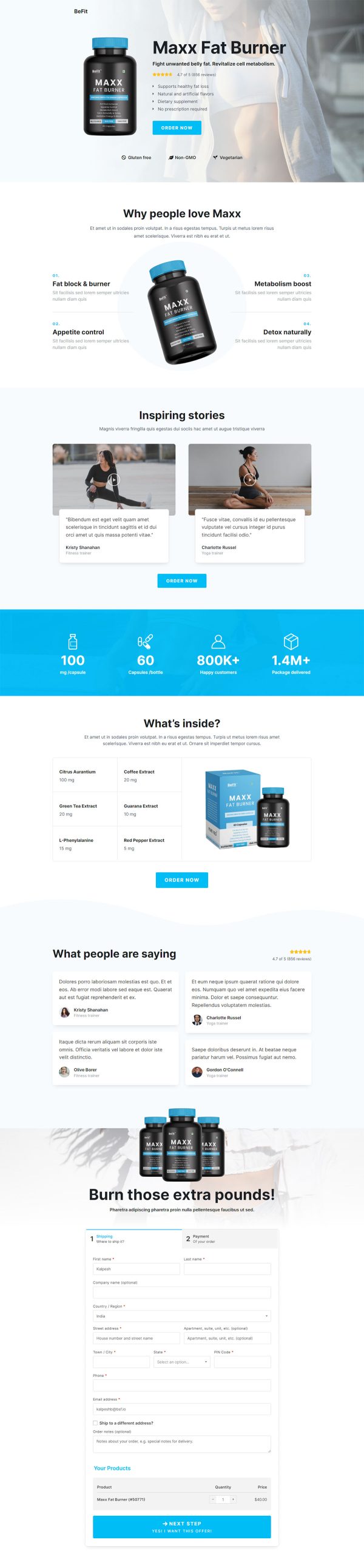
Whey Protein Funnel Template
Pro
What's included — 4 connected steps
- 1
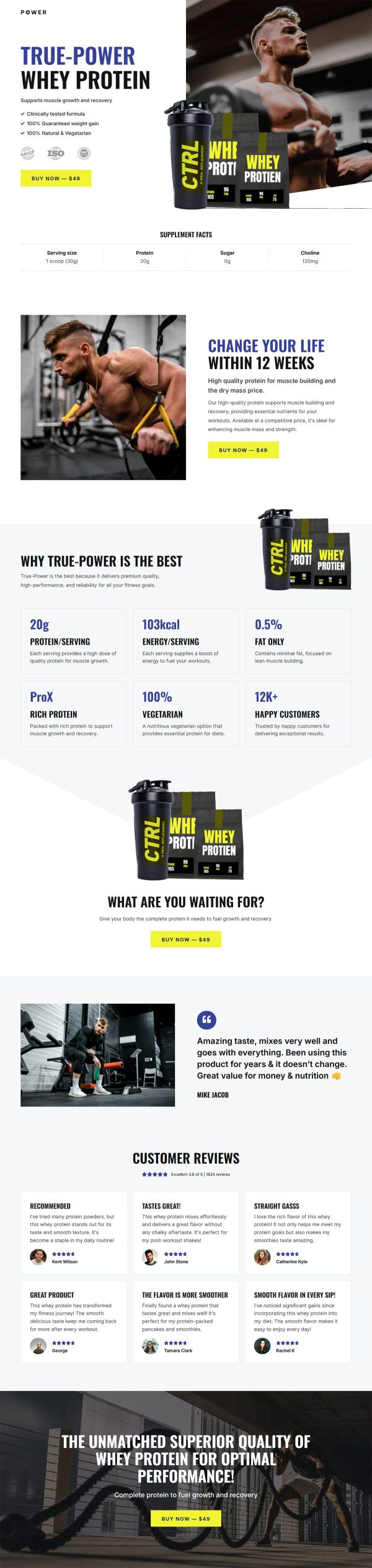
 Landing PageFirst impression & offer
 - 2
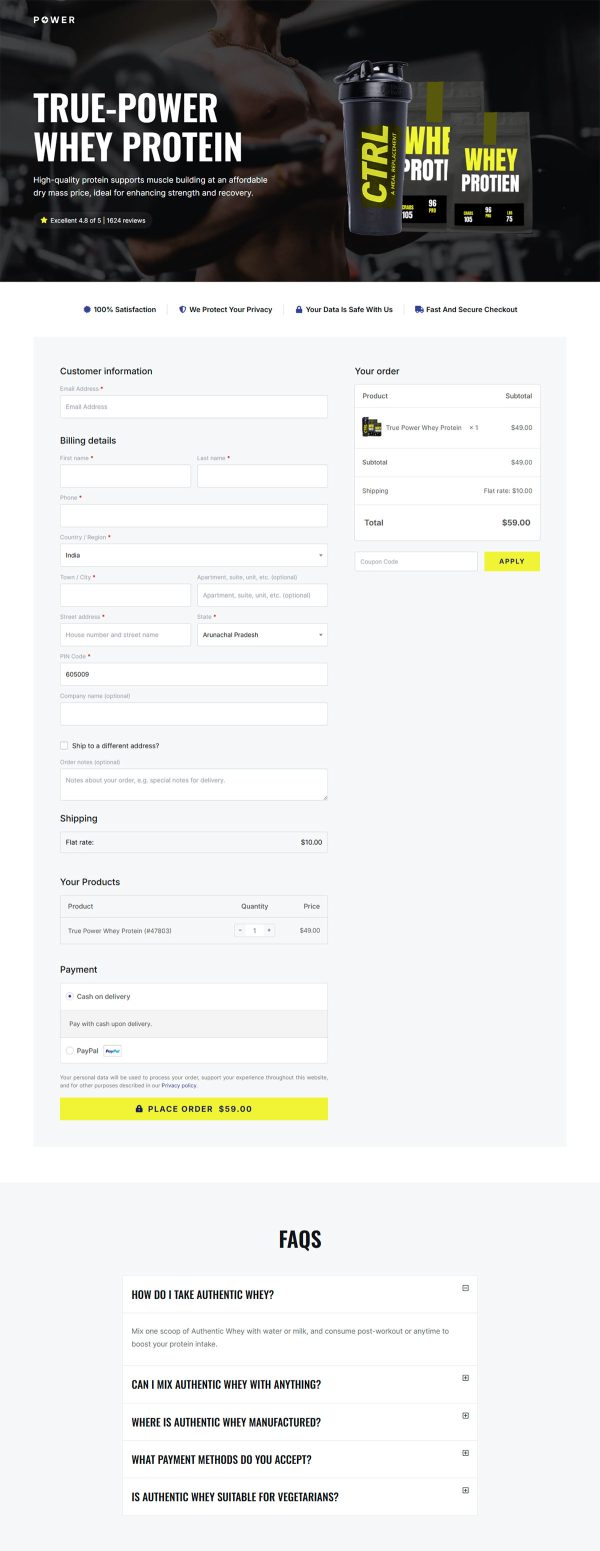
 CheckoutOne-page order form
 - 3
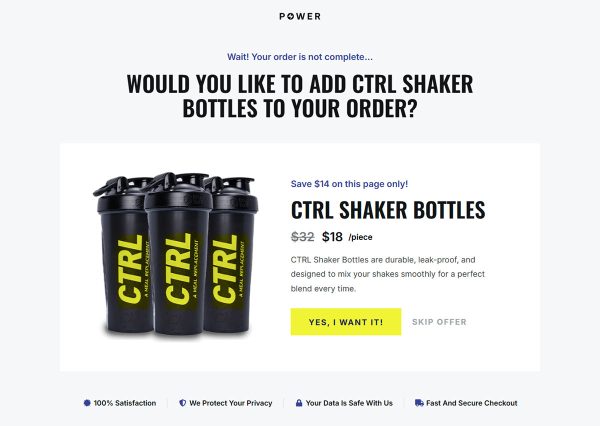
 UpsellOne-click add-on offer
 - 4
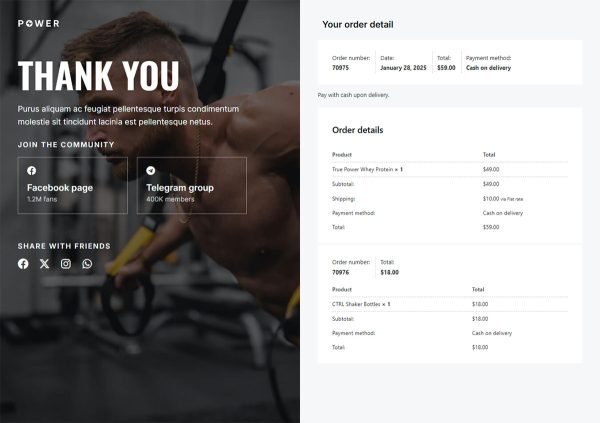
 Thank YouConfirmation & next step
About this funnel
This whey protein sales funnel template moves one tub through four steps: a product page, a checkout, a one click upsell, and a thank you page. Everything is already built and wired together, so your job is the tub, the wording and the prices, not page layout. The pages suit a buyer who reads labels before copy.
Who it’s for
- Nutrition brands built around a single flagship tub
- Gym owners with a private label line to move
- Sellers who want off marketplace listings and onto their own site
A supplement facts table sits high on the page. The review block opens with an aggregate score drawn from 1624 reviews.
Six comparison tiles follow, built on numbers instead of adjectives, and the buy button repeats the same price at four points.
Facts up top answer the label reader’s objection before anyone raises it. A whey protein landing page that buries those numbers loses this buyer at the first scroll.
The aggregate score matches how shoppers scan proof, ahead of any single quote. Repeating the price keeps the decision near the cursor wherever someone stops.
The product page carries the argument, so nobody has to hunt for the dose or the total. Checkout suits an order bump such as a shaker, taken without a second decision.
The upsell fires after payment, which is where a bundle or a flavor add on fits: the card is already charged, so one tap finishes it. The thank you page confirms the order and closes the loop.
Replace the facts panel with yours, the tiles with your metrics, and the samples with reviews imported from your store. Sections can be added, pulled out or restyled with roughly one click in the builder.
How to Use This Funnel
- Install the free CartFlows plugin from the WordPress plugin directory.
- Go to CartFlows → Funnels and click Add New Funnel.
- Search the library for this funnel, then hover it and choose View All Steps.
- Click Import This Funnel and give it a name.
- Wait for the import to finish, then edit each step in your page builder.
- Assign your WooCommerce product on the checkout step and you are ready to sell.