Web3 Crash Course Funnel Template

What's included — 2 connected steps
- 1
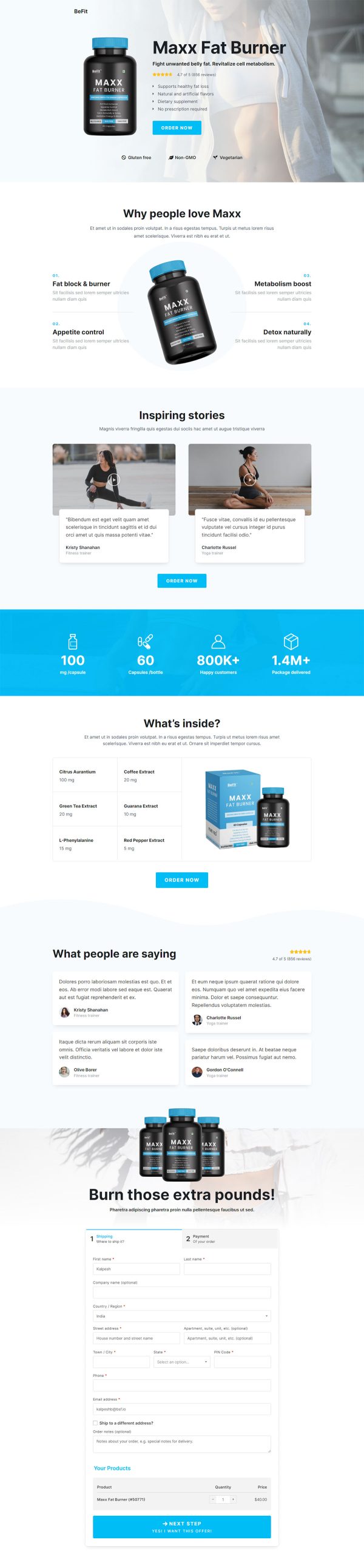
 CheckoutOne-page order form
 - 2
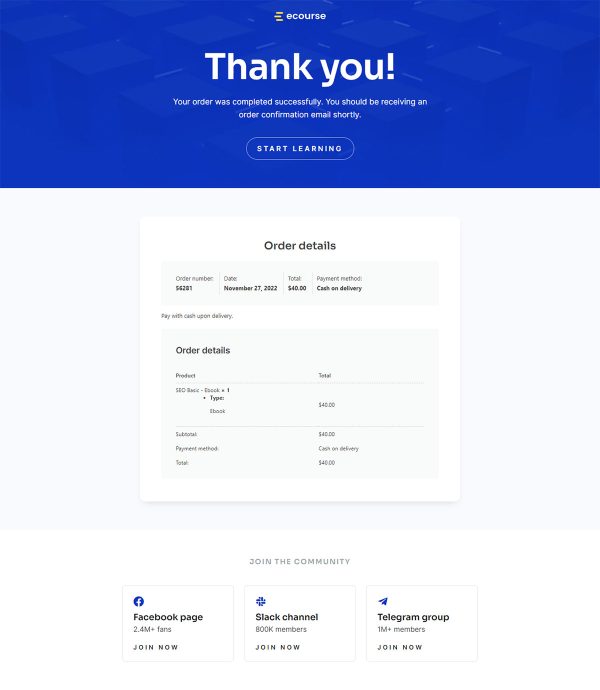
 Thank YouConfirmation & next step

About this funnel
The Web3 crash course checkout template runs two steps: a selling checkout page, then a thank you page. Both come as a working set, so you drop in your syllabus, dates and copy instead of building pages. They are shaped for a fixed-price launch rather than a browsing catalogue.
Who it’s for
- Developer educators selling a fixed-price course to an audience that already follows them
- Bootcamp operators opening a dated cohort to a warm list
- Technical creators converting newsletter or Discord readers in one sitting
Everything sits on one step: topic cards, a syllabus, an instructor block, testimonials, an FAQ, and the payment fields. The price is printed on the place order button.
The batch start date repeats under every button, so nobody clicks around hunting for a number.
A named batch date turns an open offer into one that closes. Pitch and payment share a URL, so a decision made at the FAQ never has to survive a page load. Card details get typed with the syllabus still on screen.
The checkout page is where syllabus and card fields sit together, so a sold reader pays without leaving. The thank you page is where the login and first lesson link go, so payment turns into progress.
Swap the topic cards, syllabus, instructor bio and reviews, then link the step to your WooCommerce product. Stripe, PayPal and any other WooCommerce gateway work here.
Dropping a section in, pulling one out, or restyling it is roughly one click in the builder.
How to Use This Funnel
- Install the free CartFlows plugin from the WordPress plugin directory.
- Go to CartFlows → Funnels and click Add New Funnel.
- Search the library for this funnel, then hover it and choose View All Steps.
- Click Import This Funnel and give it a name.
- Wait for the import to finish, then edit each step in your page builder.
- Assign your WooCommerce product on the checkout step and you are ready to sell.