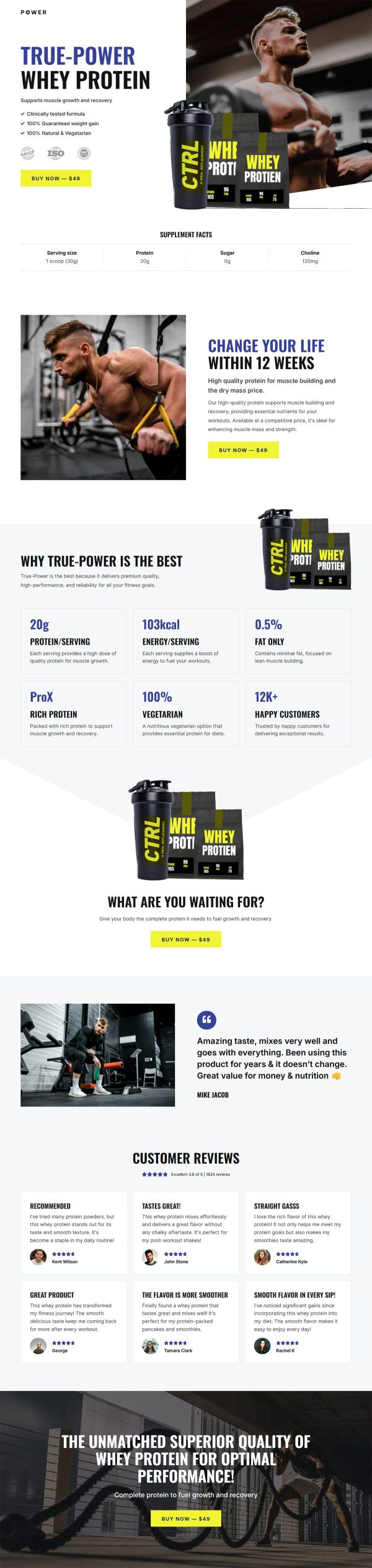
SEO Foundation E-book Funnel Template

What's included — 3 connected steps
- 1
 Landing PageFirst impression & offer
 - 2
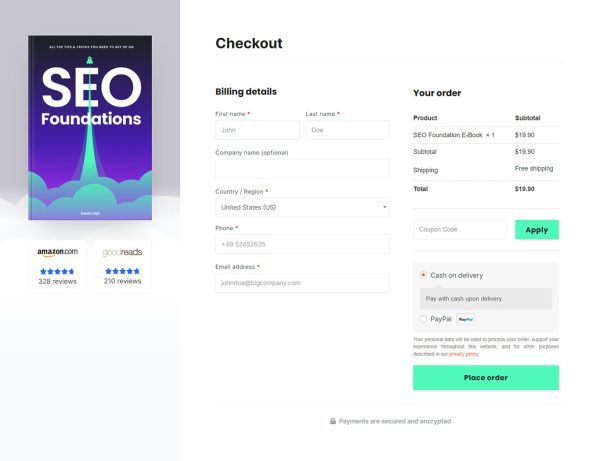
 CheckoutOne-page order form
 - 3
 Thank YouConfirmation & next step


About this funnel
This SEO Foundation e-book sales funnel template is a three step flow for a book priced above impulse level: a long sales page, a checkout, and a thank you step. The steps come ready and linked, so your work is loading the book details and rewriting the copy. The pages are shaped for a considered purchase that needs facts first.
Who it’s for
- Authors selling a technical or professional ebook at a real price
- Consultants publishing a book that qualifies higher-ticket leads
- Publishers who need format, length and ISBN details on the page
The buy button carries the price in its label, removing the click that usually reveals it. Shoppers who will not pay that number leave early. The same priced button returns beside the copies-sold line.
A specification table states formats, page count, language, release date and ISBN. A buyer weighing your book against three others settles those questions here.
Carrying that much detail is what an ebook landing page has to do at this price.
“Who should read this book?” then names four reader types, so a visitor can rule themselves in. Every rating, stat and spec row is placeholder, including the scores and audience numbers under author Kevin Hall.
The sales page suits a manual or professional handbook: a consultant checks the ISBN before spending real money. Checkout collects payment inside the funnel, so branding never breaks at the money step.
The thank you step confirms the order and points the buyer to the file.
Rewrite the four learning outcomes and the contents summary around your own book. Connect the checkout to your WooCommerce product and its existing gateway.
Editing a spec row, cutting a section or adding one sits close to a single click in the builder.
How to Use This Funnel
- Install the free CartFlows plugin from the WordPress plugin directory.
- Go to CartFlows → Funnels and click Add New Funnel.
- Search the library for this funnel, then hover it and choose View All Steps.
- Click Import This Funnel and give it a name.
- Wait for the import to finish, then edit each step in your page builder.
- Assign your WooCommerce product on the checkout step and you are ready to sell.