In-person Online Course Registration Funnel Template
Pro
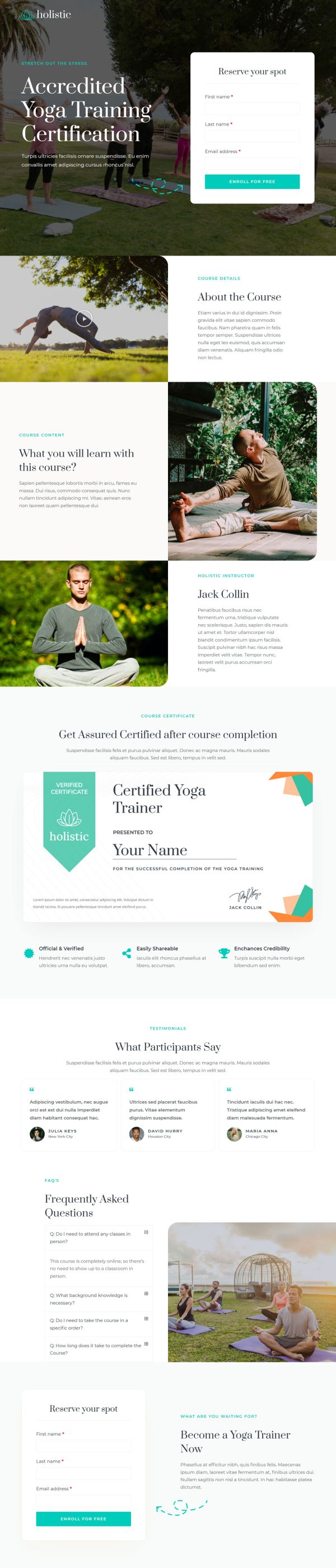
What's included — 3 connected steps
- 1
 Landing PageFirst impression & offer
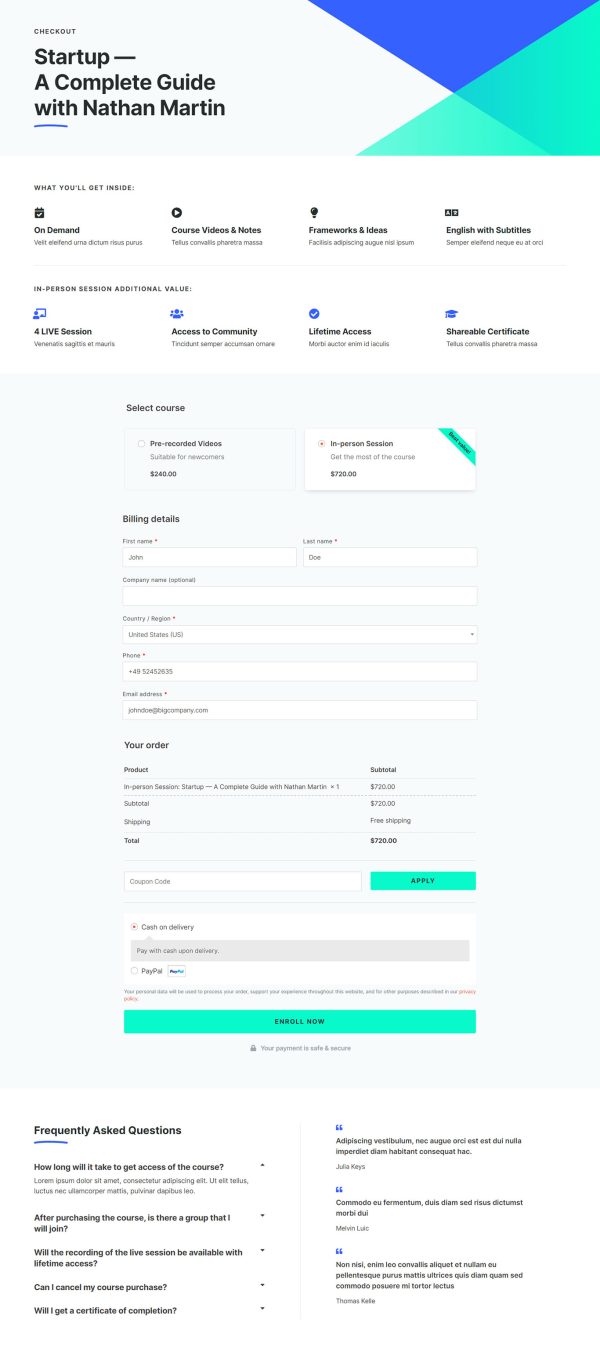
 - 2
 CheckoutOne-page order form
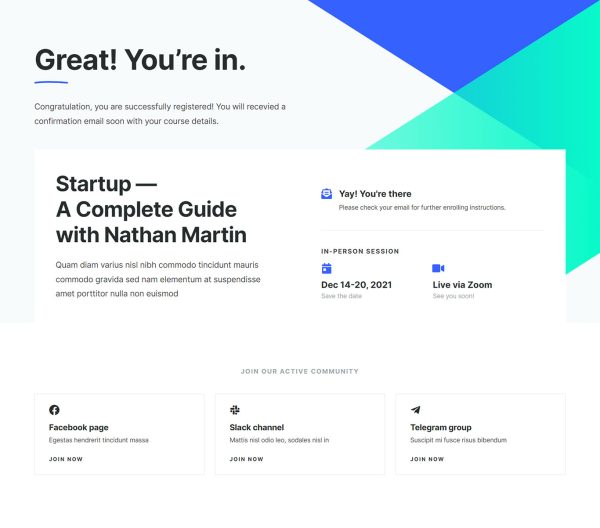
 - 3
 Thank YouConfirmation & next step

About this funnel
This in-person course registration funnel template has three steps: a sales page, a checkout, and a thank you page. All three ship in already stitched together, so you enter your own sessions, dates and prices instead of laying out pages.
The set is shaped for a dated cohort with a fixed number of seats.
Who it’s for
- Trainers running hybrid cohorts with a live tier and a recorded tier
- Bootcamps, masterclasses, and workshops with dated seats to fill
- Authors and consultants selling a paid in-person program
Both prices appear in the intro block, one for the pre-recorded track and a higher one for the live seat. A side-by-side comparison then sets the two formats against each other.
Nine student testimonials and a running enrollment count follow. That pitch page is the course registration page template buyers actually see.
Naming both prices early changes the question from whether to enroll into which format to pick. The second question is far easier to answer.
The comparison settles that trade on the page instead of in a support email. A visible count gives a small cohort real weight.
The sales page is where the comparison and the seat count belong, so a buyer picks a format first. Checkout sits on its own step, so a decided buyer meets the fields once and the long pitch stays quick.
The thank you page is where the dates and venue go, so a paid seat becomes a diary entry.
Rewrite the modules, prices, dates and inclusions for your cohort, then map each format to its own product. A block can be added, deleted or restyled in roughly a click, so the layout bends to your program.
How to Use This Funnel
- Install the free CartFlows plugin from the WordPress plugin directory.
- Go to CartFlows → Funnels and click Add New Funnel.
- Search the library for this funnel, then hover it and choose View All Steps.
- Click Import This Funnel and give it a name.
- Wait for the import to finish, then edit each step in your page builder.
- Assign your WooCommerce product on the checkout step and you are ready to sell.