Business Coach Funnel Template

What's included — 3 connected steps
- 1
 Landing PageFirst impression & offer
 - 2
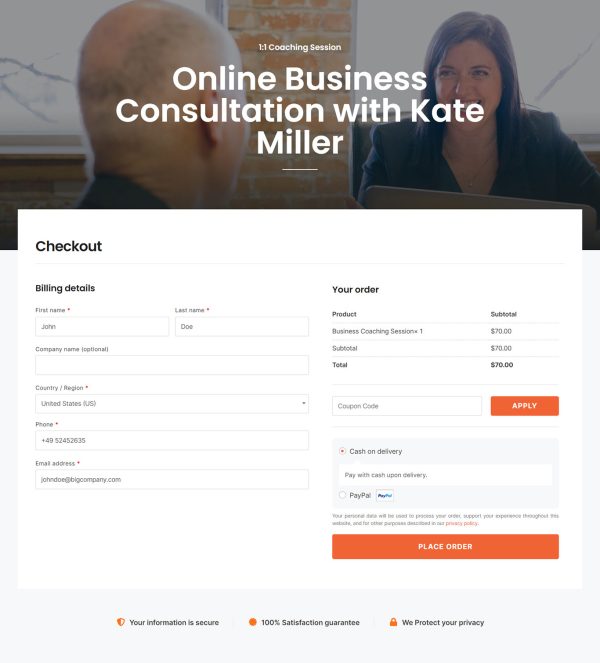
 CheckoutOne-page order form
 - 3
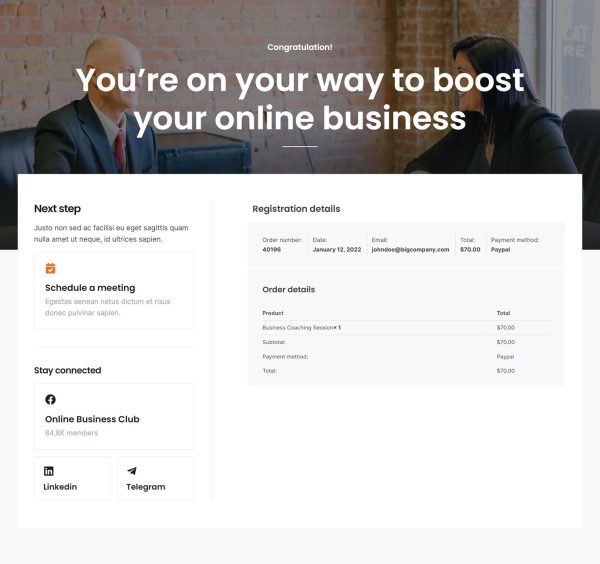
 Thank YouConfirmation & next step

About this funnel
This business coach sales funnel template is a three step booking flow: long-form sales page, checkout, thank you step. The pages arrive built and joined up, so you supply your rate, photo and services rather than a layout. Everything is shaped around one named coach selling sessions and programs.
Who it’s for
- Coaches selling 1:1 sessions at an hourly or packaged rate
- Consultants running a fixed-length program with defined deliverables
- Speakers and workshop hosts converting attention into paid bookings
The hero states the rate beside the booking button and names three services. Publishing the price that high filters out browsers who cannot afford it.
Stat callouts and a positioning line follow, then the bio arrives with a photo and a featured-in row. Clients buy the person before the package, which is why the bio comes ahead of the offer.
Six benefit blocks cover client outcomes, and a four-step process runs from goals to strategy, execution and evaluation. Those steps answer what every prospect wonders: what actually happens after payment.
A program section lists client types and offer components before the testimonials. Carrying the whole offer, that page also works alone as a business coach website template.
Checkout bills for one session or a full package, turning a static bio site into a coaching sales funnel. The thank you step is where a scheduling link, an intake form or a welcome video belongs: someone who just paid wants a date in the calendar.
Swap the photo, name, logo row and testimonials, then rewrite the six benefit blocks around your outcomes. Update the rate and session length in hero and checkout so the numbers agree.
New sections, deleted ones and restyled ones are each about a click away in the builder.
How to Use This Funnel
- Install the free CartFlows plugin from the WordPress plugin directory.
- Go to CartFlows → Funnels and click Add New Funnel.
- Search the library for this funnel, then hover it and choose View All Steps.
- Click Import This Funnel and give it a name.
- Wait for the import to finish, then edit each step in your page builder.
- Assign your WooCommerce product on the checkout step and you are ready to sell.