Download eBook Funnel Template

What's included — 2 connected steps
- 1
 Opt-inCapture the lead first
 - 2
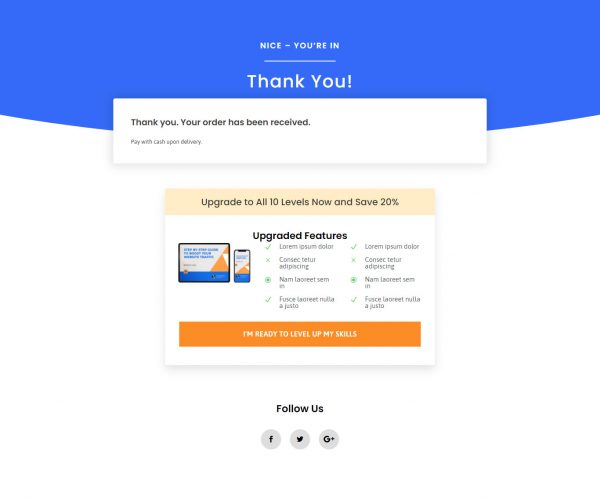
 Thank YouConfirmation & next step

About this funnel
This ebook download funnel template is a two step lead magnet: an opt-in page and a follow-up page that delivers the file. Both pages come built and pointed at each other, so you supply the resource, the artwork and the form. They are shaped for a small exchange, an email address for one download.
Who it’s for
- Bloggers with steady traffic who want to hold on to those visitors
- Service businesses using a guide as a first touch before a sales call
- Anyone testing whether an audience will trade an email for one resource
The “What’s in the eBook?” list runs above the form and frames five items as contents rather than benefits. The ask arrives only once that payoff is clear. The offer is a chapter-level resource, not a course, so nobody feels overcommitted.
The form sits under “Get Your FREE eBook Today!” and takes three required fields, which is above the minimum. Splitting first and last name buys cleaner personalization later.
Naming the download “Level 1” implies a Level 2, which gives the follow-up sequence somewhere to go. Check the dated subheading before publishing. The Martin Lukas bio and the “Author featured on:” logos are demo content.
The opt-in page does the asking, which suits a first chapter, a checklist or a planner: a visitor who came for one blog post will swap an email for a Level 1 download. The second page hands over the file and gives your welcome sequence its first landing spot.
Rewrite the title, the five contents lines and the bio, then replace or delete the placeholder logo row. Wire the form to your email service so the download and the welcome sequence fire together.
Swapping sections, removing the ones you skip or adding new ones is about a click in the builder.
How to Use This Funnel
- Install the free CartFlows plugin from the WordPress plugin directory.
- Go to CartFlows → Funnels and click Add New Funnel.
- Search the library for this funnel, then hover it and choose View All Steps.
- Click Import This Funnel and give it a name.
- Wait for the import to finish, then edit each step in your page builder.
- Assign your WooCommerce product on the checkout step and you are ready to sell.