



We’ve spent years helping WooCommerce store owners build checkout funnels, and we’ve installed and tested nearly every upsell plugin in this space. Here’s what we learned: you don’t need ten upsell tools. You need one or two good ones that match how your store sells.
So we tested the field, read real user reviews, and cut the list to ten plugins worth your time. We dropped a few popular names that turned out to be popups or toolkits in disguise, not real upsell plugins. This is our honest shortlist for 2026.
TL;DR: The best all-around pick for most stores is CartFlows. It handles the full funnel (checkout, order bump, one-click upsell, downsell) in one plugin. For a free starting point, UpsellWP gives you genuine order bumps and cart upsells without paying anything. If you use a regional or niche gateway and need guaranteed post-purchase upsell coverage, WPFunnels is the safest pick. For the most sophisticated offer targeting (BOGO, sequenced funnels, subscription upsells), Smart Offers by StoreApps goes deepest.
Here’s what we found.
Upsell vs cross-sell vs order bump: what’s the difference?
Quick answer: most stores should run an order bump first, then add a one-click upsell. The terms get mixed up constantly, so here’s the breakdown.
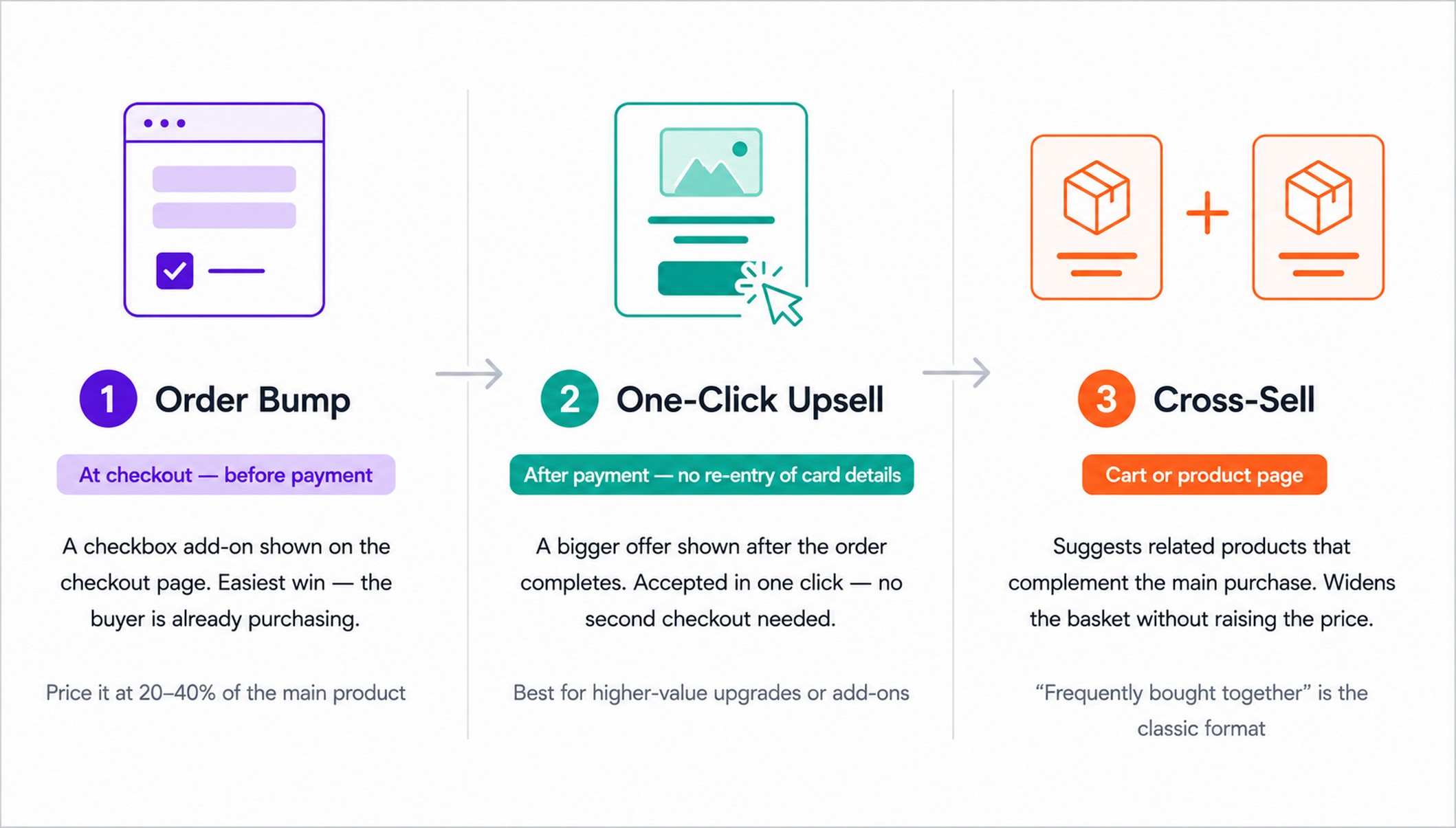
An order bump is a checkbox on the checkout page offering a small add-on. It’s the fastest win, because the customer is already buying. Well-placed bumps work best when the add-on costs roughly 20% to 40% of the main product.
A one-click upsell (also called a post-purchase upsell) appears after payment. The customer accepts it with one click, no new checkout and no re-entered card. It’s where bigger offers go, because you’re not risking the original sale.
A cross-sell suggests a related product, like the “frequently bought together” bundle. It widens the basket rather than raising the order value with an upgrade.
Think of it as a sequence. Bump on the way in, upsell on the way out, cross-sell to round out the basket. Done well, all three lift your average order value (AOV) without spending more on ads.
The best WooCommerce upsell plugins let you run all three. For a deeper look at how these tactics fit into a full funnel, see our guide to building a WooCommerce sales funnel.
Sidenote. Don’t switch all three on at full force on day one. Add one, measure it, then layer the next.
What to look for in a WooCommerce upsell plugin
Before you pick a tool, here’s what actually matters. We weighed each of these when testing.
Offer placement. Decide where you need offers: on the checkout page (order bumps), after payment (one-click upsells), in the cart, or on product pages (cross-sells). Some plugins do one. The best do several.
One-click capability and gateway support. True one-click upsells charge the saved card without a second checkout. Here’s the catch most articles skip: one-click upsells require a gateway that supports stored payment tokens. CartFlows and FunnelKit support one-click upsells on all WooCommerce-compatible gateways. WPFunnels goes further, supporting one-click upsells on 9+ gateways natively and a two-step version on all others. This makes it the best pick for stores on less common gateways. If you are on an unusual gateway, confirm support before you buy.
Free tier vs paid. Many “free” upsell plugins gate the upsell features behind a paid plan. We’ll tell you exactly what’s free in each entry.
Ease of setup and A/B testing. A funnel you can build in 20 minutes beats one that needs a developer. And if you want to improve offers over time, look for built-in A/B testing.
Compatibility. Check for HPOS (High-Performance Order Storage) support and whether it works with the WooCommerce block checkout. A plugin that breaks your checkout earns nothing.
How we tested these plugins
We didn’t just read marketing pages. Here’s how we picked.
We started with 20+ WooCommerce upsell plugins and installed ten of them hands-on. Our test store sold one digital course and one physical product.
We ran the same setup on each: one order bump on the checkout, one post-purchase one-click upsell, and a cart cross-sell. Then we checked acceptance rates, setup time, performance impact, and whether one-click upsells fired correctly with Stripe and PayPal.
And we read real user reviews on WordPress.org, support forums, and Reddit to surface pros and cons beyond our own use. Where a plugin had a known weakness, we say so.
A note on bias. We make CartFlows, and we’ve put it at number one. But we tested every other plugin on the same criteria, and we’ll tell you exactly where competitors do it better. We’re not paid for placement here.
At a glance: the 10 best WooCommerce upsell plugins
| Plugin | Best for | One-click upsell | Order bump | Cross-sell | Free version | Price (from) | Rating |
|---|---|---|---|---|---|---|---|
| CartFlows | Full funnel in one plugin | Plus ($189/yr) | Plus ($189/yr) | Yes | Yes | from $99/yr | 4.8★ |
| FunnelKit | Funnels + email automation | Pro | Pro | Yes | Yes | $99.50/yr | 5.0★ |
| WPFunnels | Any-gateway post-purchase upsells | Yes | Yes | Yes | Yes | $129.99/yr | 4.9★ |
| Smart Offers | Advanced offer targeting + BOGO | Yes | Yes | Yes | No | $149/yr | 4.8★ |
| UpsellWP | Free checkout bumps and cross-sells | Pro | Yes | Yes | Yes | $69/yr | 4.8★ |
| One Click Upsell Funnel | Free post-purchase upsells | Yes (free) | No | Yes | Yes | Pro available | 4.5★ |
| CheckoutWC | Checkout redesign + upsells together | Yes | Yes | Yes | Lite | $149/yr | 4.7★ |
| WooCommerce Product Recommendations | Rules-based catalog cross-sells | No | No | Yes | No | $99/yr | 4.5★ |
| YITH Frequently Bought Together | Product-page bundle box | No | No | Yes | Yes | $99.99/yr | 3.1★ |
| AutomateWoo | Post-purchase email upsells | No | No | Yes | No | $99/yr | n/a |
1. CartFlows
The complete sales funnel and upsell engine for WooCommerce.
Best for: building your entire upsell funnel in one plugin.
Price: Free; Starter from $99/year (checkout only); Plus from $189/year (order bumps + one-click upsells) (see CartFlows pricing).
Rating: 4.8★ from 486 reviews, 200,000+ installs on WordPress.org.
Let’s be honest: you can add upsells to WooCommerce without CartFlows, but you’d be stitching together three or four plugins to do what one does on its own. CartFlows handles the whole flow, from the checkout page to the order bump to the post-purchase upsell.
For example, say you sell a $99 yoga course. You add a $29 resistance-band guide as an order bump. After purchase, a one-click upsell offers a $149 coaching add-on, charged without re-entering card details. Decline it, and a downsell drops to a $49 mini-session. That’s three revenue events from one buyer.
Standout feature: one-click post-purchase upsells. The customer has already paid, so accepting an extra offer takes a single click with no second checkout. The saved card is charged instantly. That friction removal is why these convert.
Also worth knowing: Frequently Bought Together. CartFlows adds an Amazon-style bundle box to your product pages, with a checkbox on each companion item, a running total and one Add to cart button. You pick the companions yourself in the free plugin, or turn on Auto Suggest to have them chosen from your store’s order history with a match score on each.
That covers the cross-sell moment before checkout, which the order bump and upsell features don’t reach.
Also new: the bump can pick its own product. On the Pro plan, Order Bump AI suggests which product to offer with a short reason for the pick, and writes the checkbox label, headline and description. In AI Auto mode you give it a pool of products and each shopper sees whichever fits what’s in their cart, so the offer changes per customer without you writing targeting rules.
Joseph Alexander, Director at Fundamental Changes Ltd, describes it from experience: before CartFlows, his checkout felt disjointed and there was no clean way to introduce upsells without adding friction or stacking multiple plugins. After switching, he built a guided flow from landing page to checkout with one-click upsells integrated directly, replaced several plugins in the process, and saw a clear lift in average order value. In his words: “CartFlows turns WordPress into a proper sales funnel builder, with clean checkout flows, one-click upsells, and far better control over the customer journey than standard WooCommerce.”
CartFlows pros:
- Builds the full funnel (checkout, order bump, upsell, downsell) in one plugin
- Frequently Bought Together bundle box on product pages, included in the free plugin
- Strong 4.8★ rating across 486 reviews, with support praised repeatedly on WordPress.org
- A/B testing and full analytics, including RPUV (revenue per unique visitor), in Pro
CartFlows cons:
- Order bumps and one-click upsells require the Plus plan at $189/year (the $99/year Starter covers checkout optimization only)
- It’s a full funnel builder, so it can be more than you need if you only want a single order bump
Compatibility: Works with all major page builders (Elementor, Divi, Bricks, Gutenberg). One-click upsells work with all WooCommerce-compatible payment gateways including Stripe, PayPal, Authorize.net, Mollie, and Square. HPOS compatible and integrates with the WooCommerce block checkout.
Our take: CartFlows is our pick for most stores. It does the whole job without a second plugin, and the setup is fast enough that most people have their first funnel running the same day. Yes, we build it, so take that with appropriate skepticism. The honest limitation: order bumps and one-click upsells live in Pro. If you’re not ready to pay yet, the free tools below are worth trying first.
Get order bumps and one-click upsells with CartFlows Plus
Further reading: How to set up a one-click upsell in WooCommerce.
2. FunnelKit
Funnel builder with deep marketing automation.
Best for: stores that want funnels and built-in email automation together.
Price: Free; Basic from $99.50/year (1 site); Plus from $179.50/year (2 sites, full funnel + order bumps + upsells + A/B testing) (see FunnelKit pricing).
Rating: 5.0★ from 981+ reviews, 40,000+ installs on WordPress.org.
FunnelKit is the closest competitor to CartFlows, and we won’t pretend otherwise. It builds checkout funnels, order bumps, and one-click upsells, and it pairs with its own automation engine for follow-up emails and cart recovery.
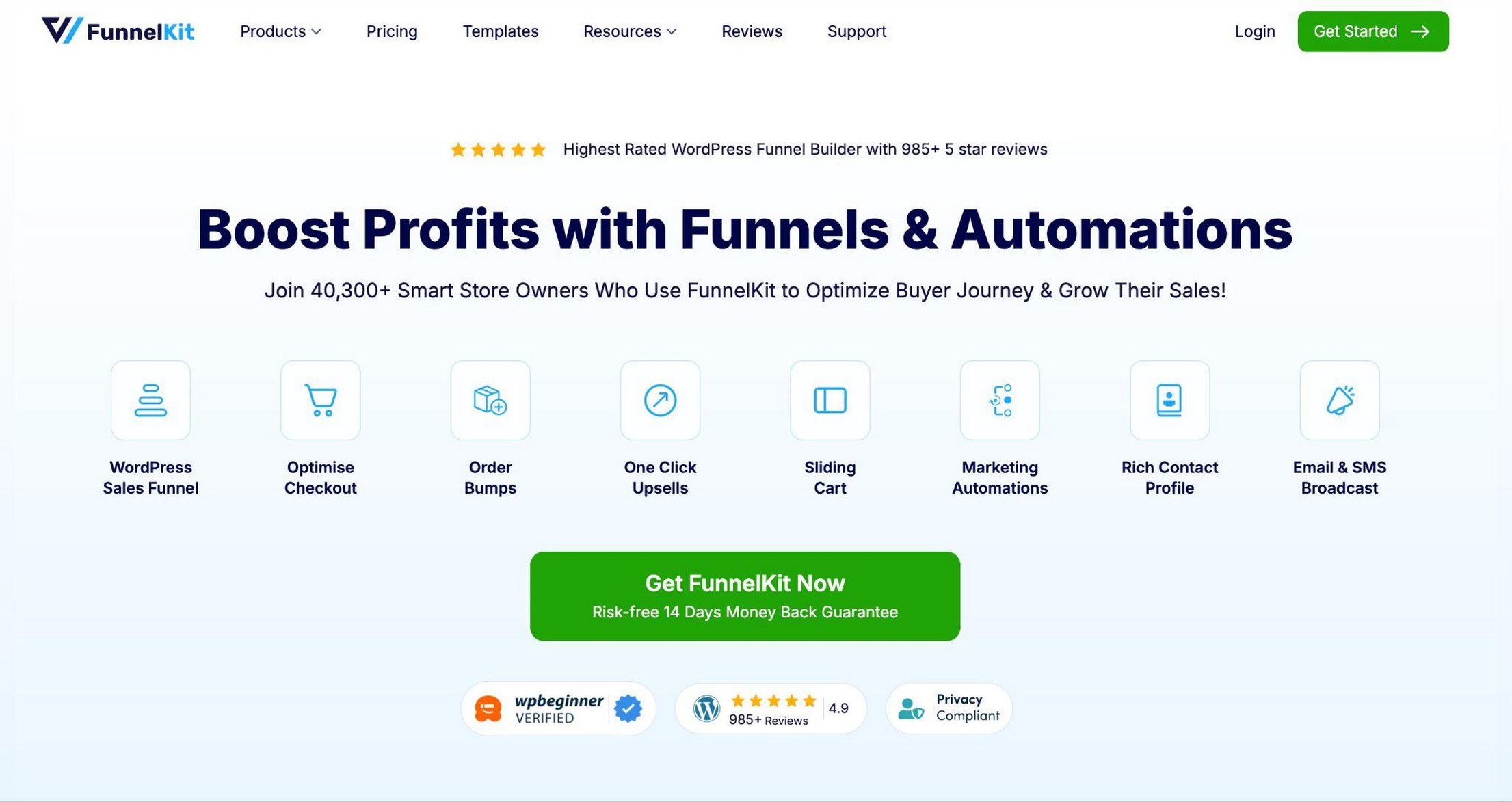
Standout feature: the built-in automation engine. Most upsell plugins stop at the funnel. FunnelKit lets you fire post-purchase emails and win-back flows from the same platform, so a one-click upsell can be followed by a reorder reminder two weeks later without a separate email tool.
It’s powerful, but new users often find the automation side a learning curve to set up.
Sidenote. If cart and email recovery is mainly what you’re after, the CartFlows family includes a free Cart Abandonment Recovery plugin with email sequences, and SMS and WhatsApp recovery on the paid tier. You add it only when you need it, so your store stays lighter than a single all-in-one suite.
FunnelKit pros:
- 5.0★ rating across 981+ reviews
- Funnel building and marketing automation in one platform
- Deep page-builder integration (Elementor, Bricks, Gutenberg, Divi)
- One-click upsells supported on 15+ payment gateways
FunnelKit cons:
- Full automation and CRM features require the Professional plan at $249.50/year
- Two separate plugins (Funnel Builder + Automations) needed for the full stack
- Steeper learning curve than CartFlows for first-time users
Compatibility: One-click upsells work on 15+ gateways including Stripe, PayPal, Authorize.net, Mollie, and Braintree. Strong page-builder support.
Our take: The funnel-building experience in CartFlows is faster to learn for a non-developer, and the upsell setup takes fewer steps. But if automation depth is your priority, FunnelKit is a genuinely strong pick. For multi-site agencies, it also works out cheaper per site at scale.
3. WPFunnels
Visual funnel canvas with post-purchase upsells on any payment gateway.
Best for: stores that use a niche or regional gateway not well-covered by other plugins, or want a visual drag-and-drop funnel canvas.
Price: Free; Pro from $129.99/year (see WPFunnels pricing).
Rating: 4.9★ on WordPress.org, 6,000+ installs, last updated May 2026.
WPFunnels sits between CartFlows and FunnelKit in terms of scope, and it solves a gateway problem that most upsell plugins can’t.
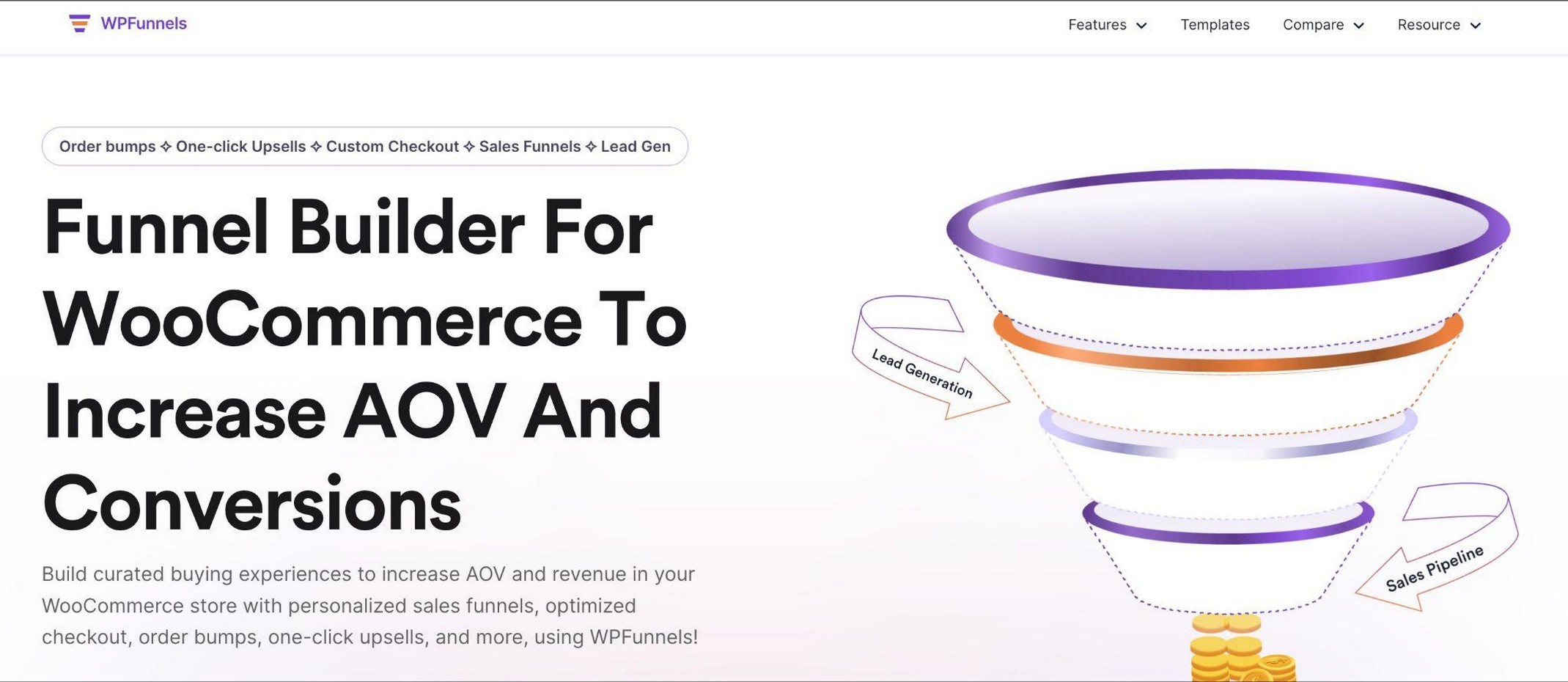
For example, you map your entire funnel on a Gutenberg-native canvas: landing page, checkout, upsell offer, downsell, thank-you page. You connect the steps visually before publishing. Most users get a first funnel live in under ten minutes.
Standout feature: post-purchase upsells on any payment gateway. While CartFlows and FunnelKit support one-click upsells on all standard WooCommerce gateways, WPFunnels goes further. It supports one-click upsells on 9+ gateways with explicit compatibility documentation, and a two-step version (re-confirmation, no re-entry of card details) on every other gateway without exception. For stores using regional or niche gateways that haven’t been tested by other plugins, this guaranteed coverage removes the biggest blocker in the category.
An April 2026 update added “Store Checkout,” which replaces your entire default WooCommerce checkout flow with a customized one, complete with conditional order bumps and upsell offers based on cart contents.
WPFunnels pros:
- Widest gateway coverage: one-click upsells on 9+ explicitly supported gateways, two-step on all others
- Visual funnel canvas maps the entire buyer journey at a glance
- Free tier includes 1 order bump and 1 one-click upsell per funnel
- Conditional funnels by product, category, or cart total in Pro
WPFunnels cons:
- Fewer pre-made templates than CartFlows or FunnelKit
- Smaller install base (6,000+) means less community knowledge than the leaders
Compatibility: One-click upsells on 9+ gateways; two-step upsells on all others. HPOS compatible.
Our take: If you use a regional or niche gateway that isn’t on CartFlows’ or FunnelKit’s tested list, WPFunnels gives you the most guaranteed coverage for post-purchase upsells. And even on major gateways, the visual canvas and conditional funnel logic make it a genuine contender against CartFlows for stores that prefer to plan funnels visually.
4. Smart Offers
The most flexible offer engine for WooCommerce.
Best for: stores that need advanced offer logic across every page of the buying journey, including BOGO deals, subscription upsells, and sequenced offer funnels.
Price: $149/year (single site); no free version (see Smart Offers pricing).
Rating: 4.8★, trusted by 7,600+ customers per StoreApps.
Smart Offers by StoreApps is the odd one out in this category, and that’s a compliment. While CartFlows and FunnelKit optimize the customer journey (getting more people through checkout), Smart Offers focuses entirely on maximizing the value of each order once someone decides to buy.
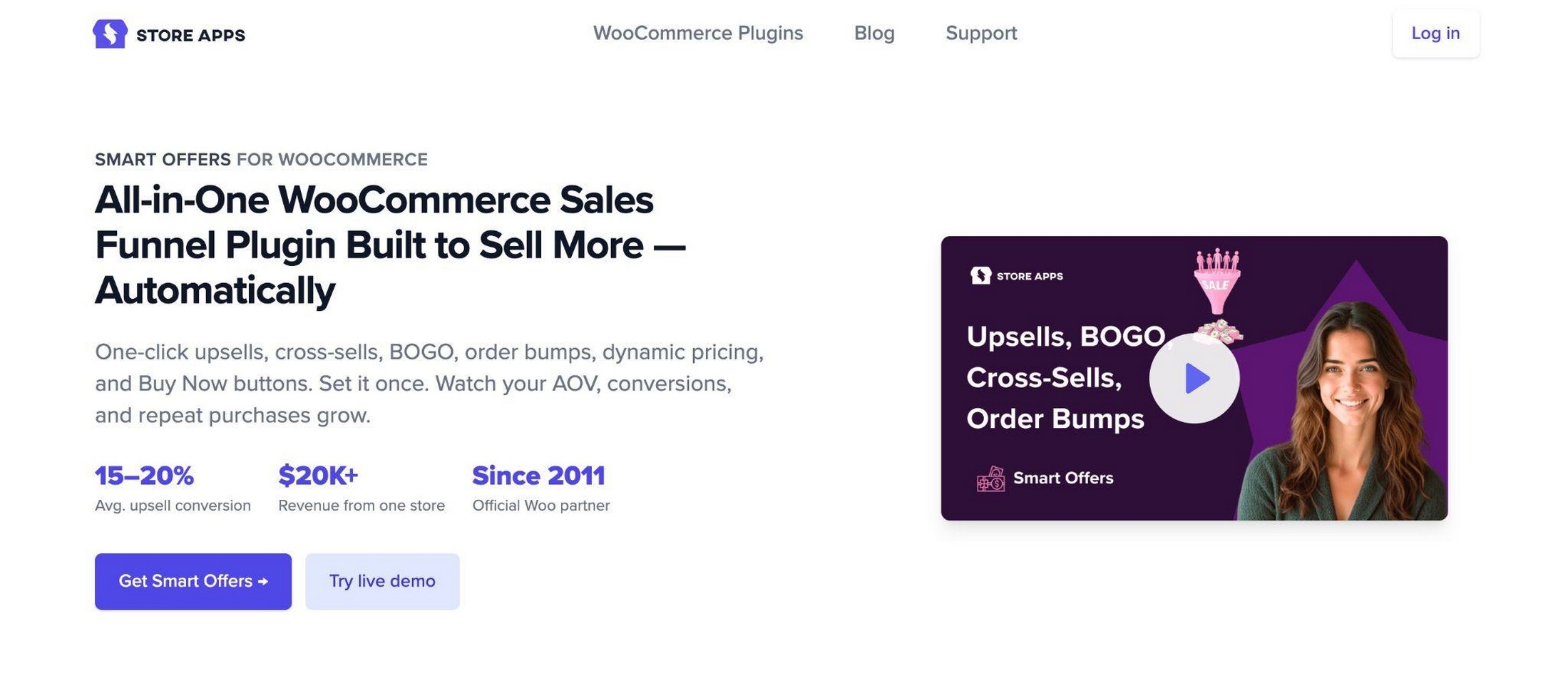
For example, when a customer adds a coffee machine to their cart, Smart Offers can show a cart bump for descaler, then a checkout bump for a warranty, then a post-purchase one-click offer for a premium coffee subscription. Each offer fires in sequence, with accept and reject rules deciding what shows next.
Standout feature: accept/reject offer chains. When a customer accepts offer A, you can automatically fire offer B. If they reject A, you can show a lower-priced offer C instead, then apply a loyalty coupon if they skip C too. You can also flag “never show this offer to this customer again” on rejection. No other plugin in this list supports that level of sequenced targeting logic.
Smart Offers also supports offers on five touchpoints: product page, cart, checkout, thank-you page, and the customer account page. Cart bumps on the cart page (before checkout) are a touchpoint most competitors don’t cover at all.
Smart Offers pros:
- Upsells, cross-sells, order bumps, BOGO, Buy Now checkout, and dynamic pricing in one plugin
- Accept/reject chains enable sophisticated funnel logic without extra plugins
- Offer targeting by purchase history, subscription tier, cart value, user role, and product attributes
- Cart bumps on the cart page, a touchpoint most competitors miss
- Works alongside FunnelKit and CartFlows without conflict
Smart Offers cons:
- No free tier, starts at $149/year
- No abandoned cart recovery (pair with FunnelKit or a dedicated tool if needed)
- Sold through StoreApps directly, not as a WordPress.org plugin
Compatibility: Full support for WooCommerce Subscriptions. Works alongside FunnelKit and CartFlows.
Our take: If you’ve already got your checkout experience sorted and you want to squeeze more from every buyer, Smart Offers is the most powerful targeting engine in this list. The $149/year price earns back quickly once offer chains are running. Best suited to stores with varied catalogs and repeat buyers.
5. UpsellWP
Checkout upsells, order bumps, and cross-sells with a genuinely useful free tier.
Best for: getting real upsell features without paying upfront.
Price: Free; Pro from $69/year (see UpsellWP pricing).
Rating: 4.8★ on WordPress.org, 5,000+ installs.
UpsellWP (by Flycart, formerly Checkout Upsell & Order Bump) is a focused upsell toolkit. The free version alone covers checkout order bumps, one-click checkout upsells, cart cross-sells, and frequently-bought-together. That’s a lot for free.
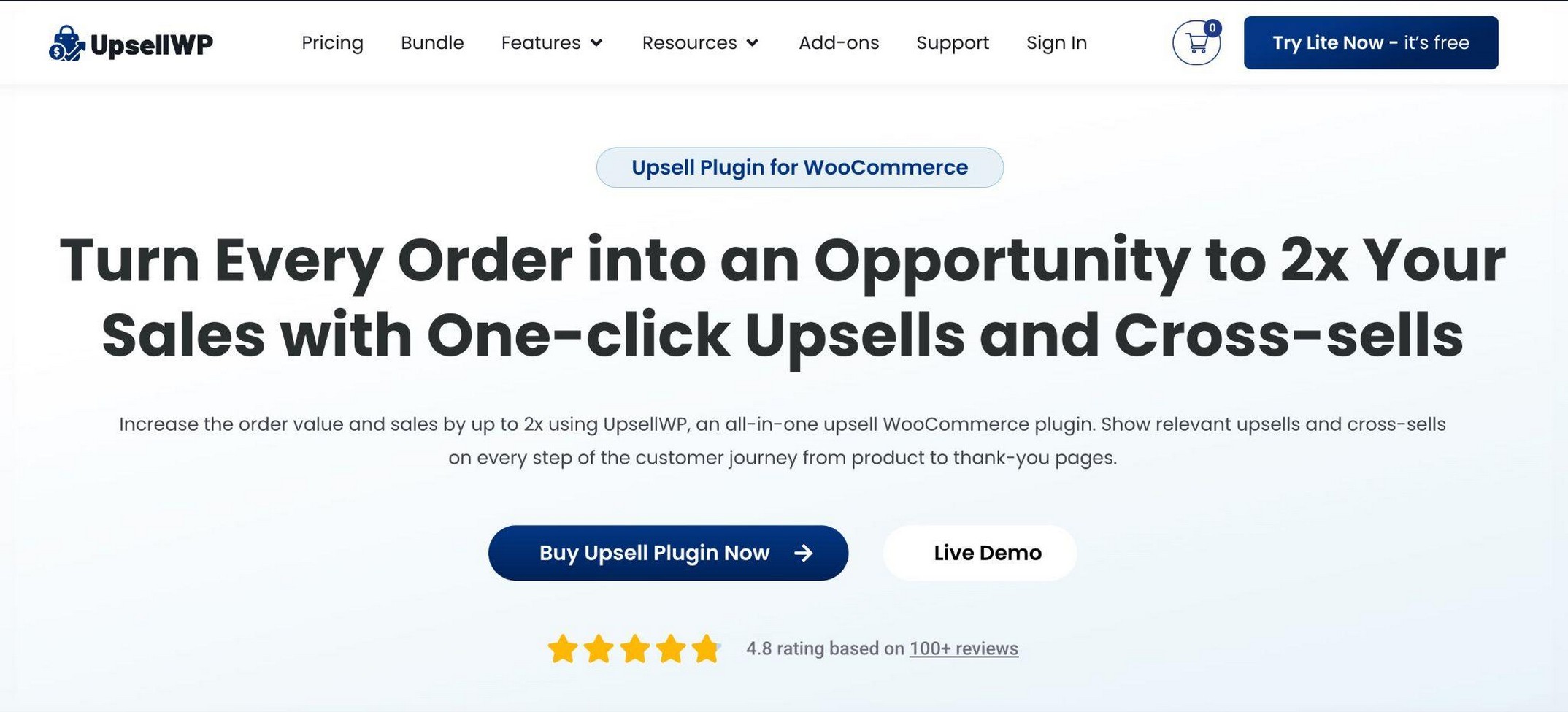
For example, your store can show a bump at checkout, then a “complete the set” cross-sell on the cart, without paying a cent.
Standout feature: campaign-based offers. Each offer is its own campaign with rules and targeting, making it easy to run a seasonal bump without touching your everyday offers.
UpsellWP pros:
- Genuinely useful free tier covering checkout bumps, one-click checkout upsell, and cart cross-sell
- 4.8★ rating, with reviewers citing an easy UI and faster support response
- Clean campaign dashboard that makes offer management straightforward
UpsellWP cons:
- True post-purchase upsells and A/B testing require Pro
- Smaller install base than CartFlows or FunnelKit
Compatibility: Targeting by product, category, or cart total. Works with major WooCommerce themes.
Our take: If you want to prove upsells work before paying, this is the free starting point we’d reach for first. The limitation: the free tier is checkout and cart only, so post-purchase one-click upsells require upgrading.
6. One Click Upsell Funnel for WooCommerce
True post-purchase one-click upsells with a working free tier.
Best for: testing free post-purchase one-click upsells without spending upfront.
Price: Free; Pro available (plugin page on WordPress.org).
Rating: 4.5★ from 98 reviews, 1,000+ installs.
If you want post-purchase upsells without spending upfront, One Click Upsell Funnel (by WP Swings) is worth a test. It runs real one-click offers after checkout and ships regular updates, with the last release in April 2026.

For example, after someone buys a phone case, the plugin shows a one-click offer for a screen protector at 15% off. Accept, and it’s added without a new checkout.
Standout feature: genuine one-click post-purchase upsells on the free plan, plus a sandbox mode to test offers before going live.
One Click Upsell Funnel pros:
- Real one-click post-purchase upsells in the free version
- Sandbox testing before offers go live
- Actively maintained (last release April 2026)
One Click Upsell Funnel cons:
- Small install base (1,000+), so less battle-tested than the leaders
- Free version supports only Cash on Delivery and Stripe
- Some 1-star reviews report re-licensing demands and no subscriptions support
Compatibility: Free version limited to Cash on Delivery and Stripe. Check gateway support carefully before installing.
Our take: A solid free way to test post-purchase upsells. Test it on staging first, because the support complaints are real. Best for stores that only want post-purchase offers to start.
7. CheckoutWC
A checkout optimizer with order bumps, cart upsells, and post-purchase offers.
Best for: stores that want to fix a poor default checkout while adding upsells in one move.
Price: Free Lite; Pro from $149/year (see CheckoutWC pricing).
Rating: 4.7★ on WordPress.org (Lite), 3,000+ installs.
CheckoutWC started as a Shopify-style checkout skin, but it has grown into a real upsell tool. It does order bumps, cart upsells, and post-purchase upsell and downsell modals, all with rule-based targeting.
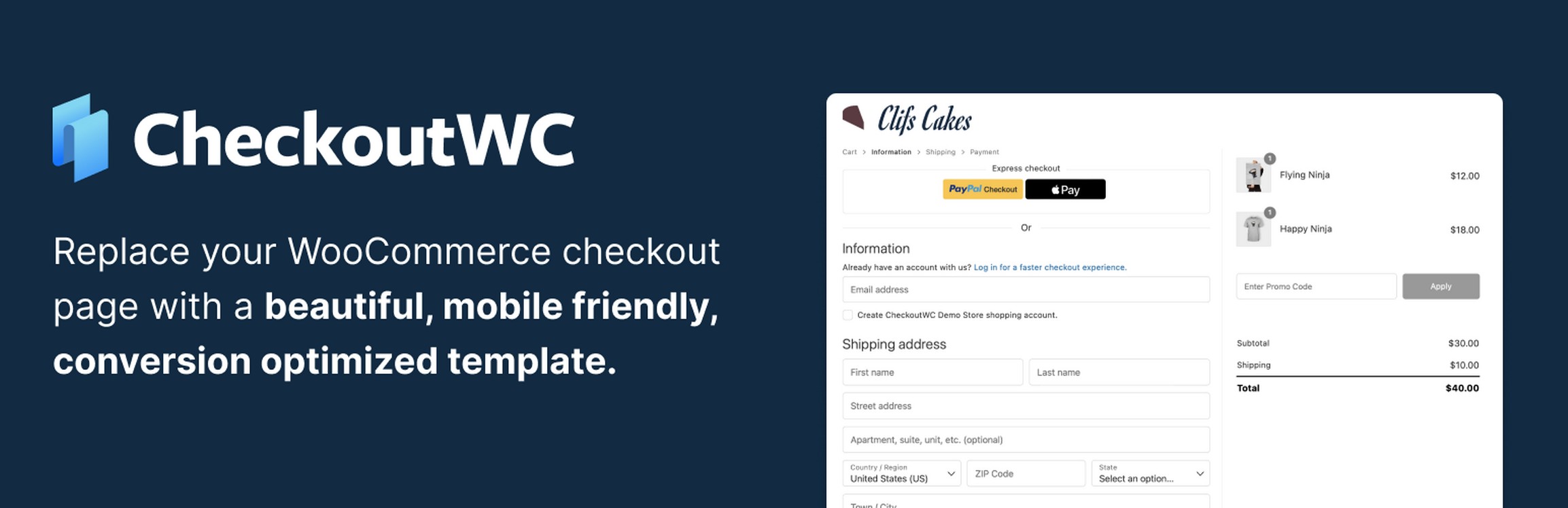
For example, a store can replace the default WooCommerce checkout with a cleaner multi-step layout, then layer an order bump and a post-purchase upsell on top. You’re fixing the checkout experience and adding conversion tools in a single plugin install.
Standout feature: upsells on top of an optimized checkout. Rather than running two plugins (one for checkout optimization, one for bumps), CheckoutWC covers both.
CheckoutWC pros:
- Supports 30+ payment gateways, more than most upsell tools
- Checkout optimization, bumps, and cart recovery in one plugin
- Express payment support (Apple Pay, Google Pay, PayPal)
CheckoutWC cons:
- Higher entry price ($149/year) than some purpose-built upsell plugins
- A few users note gaps in documentation
Compatibility: 30+ payment gateways. HPOS compatible.
Our take: If your default checkout is part of the problem, this is the one to try. The limitation: upselling is a feature here, not the headline, so a dedicated funnel builder like CartFlows gives you more control over offer pages.
8. WooCommerce Product Recommendations
Rules-based product recommendations and cross-sells across the store.
Best for: smart, rules-driven cross-sells across a large product catalog.
Price: $99/year (WooCommerce Product Recommendations extension).
Rating: 4.5★ from 15 reviews, 20,000+ installs.
This is the official WooCommerce Product Recommendations extension. It uses rules and analytics to surface related products on product pages, the cart, and the thank-you page.
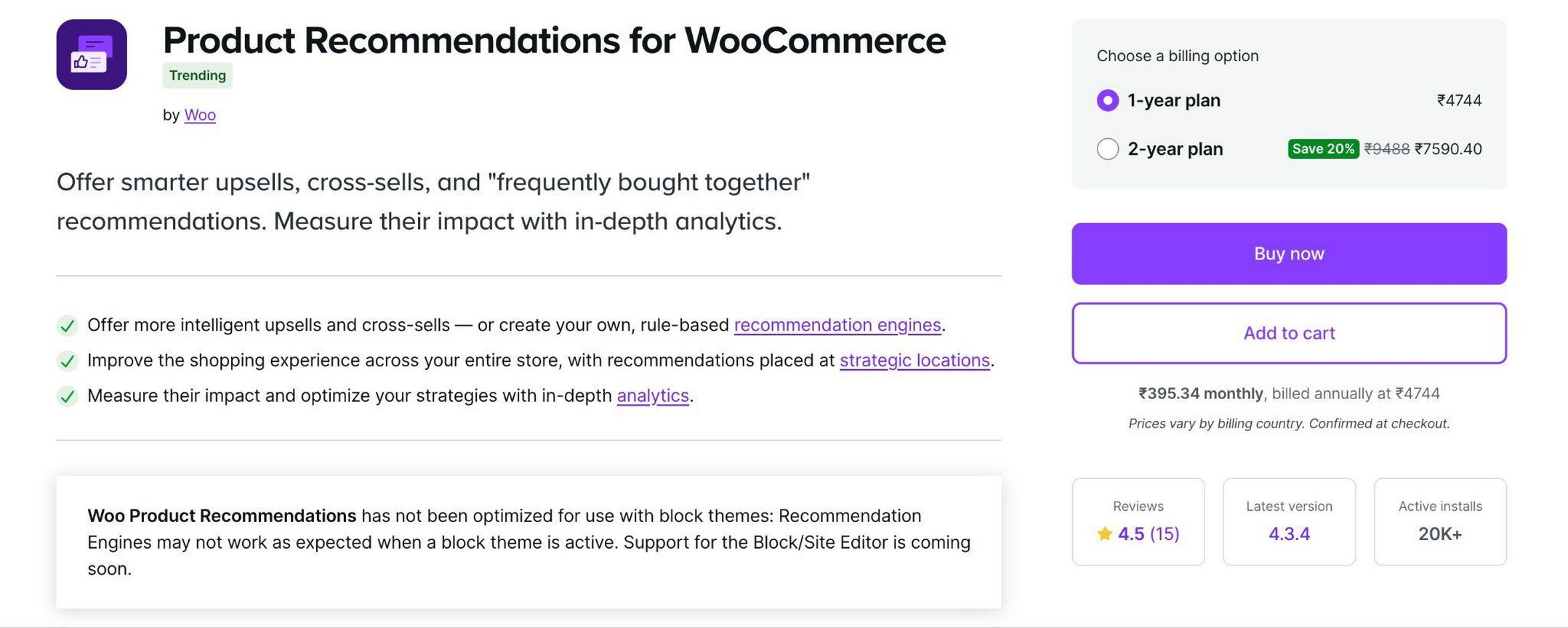
For example, you can set a rule so anyone viewing running shoes also sees socks and insoles, ranked by what sells best together.
Standout feature: the rules engine paired with analytics. It tells you which recommendations actually drive sales, then lets you refine the rules. You can retire a cross-sell that looks good on paper but never converts.
WooCommerce Product Recommendations pros:
- Official Woo extension, so core compatibility is reliable
- Recommendations across 20+ store locations, including cart and thank-you page
- Built-in analytics on which recommendations sell
WooCommerce Product Recommendations cons:
- No checkout order bump or one-click post-purchase upsell
- No free tier; vendor notes limited optimization for block themes
Compatibility: Official Woo extension. Block-theme support is limited per the vendor’s own documentation.
Our take: Best for catalog stores that want intelligent cross-sells, not post-purchase funnels. Pair it with a funnel tool if you also want bumps and one-click upsells.
9. YITH WooCommerce Frequently Bought Together
Amazon-style “frequently bought together” cross-sells.
Best for: adding the Amazon-style bundle box to product pages.
Price: Free; Premium from $99.99/year (YITH Frequently Bought Together).
Rating: 3.1★ on WordPress.org, 8,000+ installs.
Sometimes the best upsell is a cross-sell. YITH Frequently Bought Together recreates the Amazon bundle box that suggests related products as a group.

For example, a camera product page can offer the camera, a memory card, and a bag as a one-click bundle.
Standout feature: per-product bundle control, so you hand-pick the suggested items for each product and the recommendations feel curated rather than random. An optional discount for the full bundle adds extra incentive.
YITH FBT pros:
- Recreates the proven Amazon “frequently bought together” pattern
- Easy to set up, with a free version to start
- Optional discount for buying the full bundle
YITH FBT cons:
- 3.1★ rating, the weakest on this list
- Free tier is heavily gated; reviewers report variation glitches
Compatibility: Standard WooCommerce product pages. Some users report issues with product variations.
Our take: We’re including it because the bundle feature is useful and widely used, not because it’s flawless. Test the free version before committing, and watch the behavior on variable products. Best for stores that specifically want the bundle box pattern.
10. AutomateWoo
Automated post-purchase and email-based upsells.
Best for: upselling over time through automated email sequences.
Price: $99/year (AutomateWoo on WooCommerce.com).
AutomateWoo is the odd one out, and on purpose. It doesn’t add an order bump or an on-page upsell. Instead, it upsells through automated workflows, mostly email, after the sale.
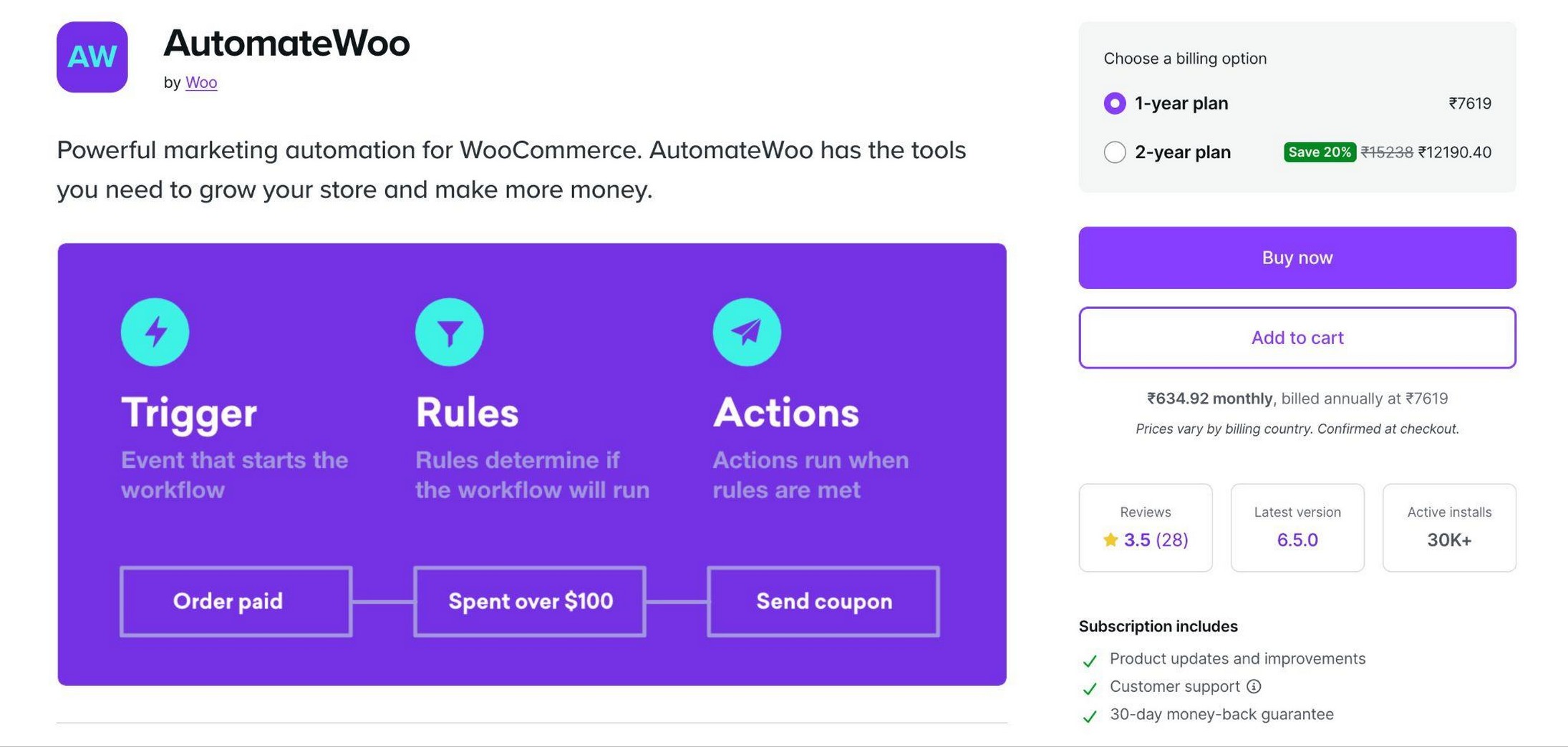
For example, when a customer buys a coffee machine, AutomateWoo can email them two weeks later recommending descaler and filters, triggered automatically by the purchase data.
Standout feature: post-purchase email workflows triggered by real WooCommerce data, like purchase history or cart contents. The follow-up offer matches what the customer actually bought.
AutomateWoo pros:
- Official Automattic-backed extension, reliably maintained
- Powerful post-purchase, cross-sell, and win-back email flows
- Deep triggers based on purchase history, cart contents, and customer behavior
AutomateWoo cons:
- No on-site order bump or one-click upsell (email only)
- Paid-only, and pricier than FunnelKit Automations for equivalent features
Compatibility: Official Woo extension, so core compatibility and maintenance are reliable.
Our take: Best for stores that want to keep upselling long after checkout. It’s not an on-page upsell tool, so pair it with one of the funnel plugins above rather than treating it as a replacement.
How to add your first order bump or one-click upsell in WooCommerce
Start with one offer, not five. Here’s the simplest path.
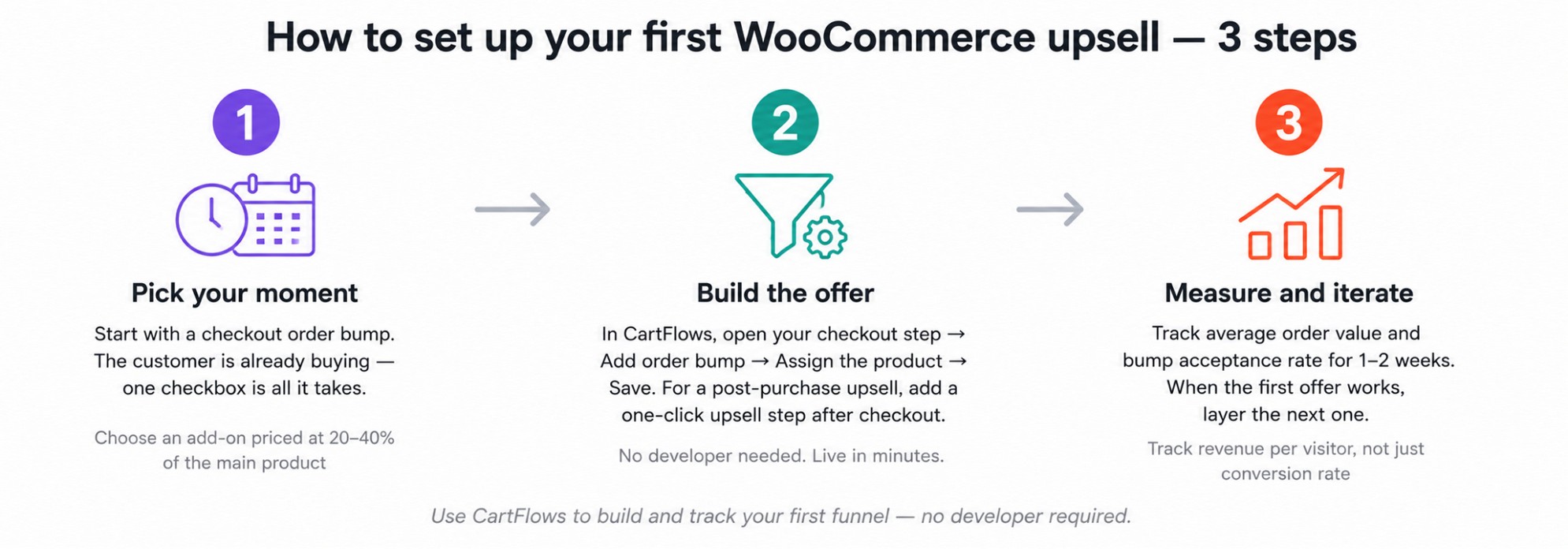
Pick the moment. An order bump at checkout is the easiest first test, because the customer is already buying and the offer is one checkbox. Choose a low-cost add-on that complements the main product, priced at roughly 20% to 40% of it.
Build it. With a funnel tool like CartFlows, you open your checkout step, add an order bump, assign the add-on product, and save. On Pro you can skip the choosing: AI suggests the product and drafts the copy, and you edit from there. To add a post-purchase upsell, you add a one-click upsell step after checkout and assign a product. The offer shows automatically once the order completes.
Measure. Watch your store’s average order value and the bump’s acceptance rate for a week or two.
Pro tip. Track revenue per visitor, not just conversion rate. A funnel can convert slightly less but earn more per visitor once upsells are live.
Once the first offer works, layer the next one.
WooCommerce upsell tips that actually work
A few rules we’ve learned from setting these up for real stores.
Keep offers relevant. An upsell only works if it makes the original purchase better. Offer batteries with the toy, not a random product. Irrelevant offers train customers to ignore you.
Price the order bump right. Order bumps convert best when the add-on costs 20% to 40% of the main product. A $200 upsell on a $50 order rarely lands.
Limit how many offers you stack. One bump and one post-purchase upsell is plenty. Stacking five offers in a row damages trust and tanks the experience.
Test, don’t guess. If your plugin has A/B testing, use it on your headline and offer. CartFlows Pro builds variants of your order bump directly from the checkout step and reports which one earns more, so you’re comparing real revenue rather than impressions.
Which WooCommerce upsell plugin should you use?
Not sure which to pick? Use this to narrow it down fast.
You want one plugin that does everything (funnels, bumps, upsells, analytics): CartFlows. It’s the most complete single-plugin solution for WooCommerce stores that don’t want to manage multiple tools.
You want the Amazon-style bundle box on your product pages: CartFlows or YITH. CartFlows includes it in the free plugin and can pick the companion products from your order history; YITH is a dedicated tool for the bundle box alone.
You want funnels plus built-in email automation: FunnelKit. The automation engine is its real differentiator. No other funnel builder on this list ships cart recovery and post-purchase email sequences natively.
Your payment gateway is not Stripe, PayPal, or another major gateway: WPFunnels. It’s the only plugin that supports post-purchase one-click upsells on 9+ gateways and a two-step version on all others, including regional and less common gateways that CartFlows and FunnelKit may not cover.
You need BOGO deals, subscription upsells, or sequenced offer logic: Smart Offers. No other plugin here supports accept/reject offer chains or cart-page bumps as a dedicated feature.
You want to test upsells without spending anything: UpsellWP (for checkout and cart offers) or One Click Upsell Funnel (for post-purchase). Both have working free tiers that cover real use cases.
Your main problem is a poor checkout experience, not missing upsells: CheckoutWC. Fix the checkout first, then layer bumps on top.
You run a large product catalog and need smart cross-sells everywhere: WooCommerce Product Recommendations. The rules engine with analytics is purpose-built for this.
You want to keep upselling customers weeks after they buy: AutomateWoo. It’s the only email-driven upsell tool on this list backed by Automattic.
Frequently asked questions
Final thoughts
Pick the tool that matches how your store sells, then start with a single offer. We think CartFlows is the strongest all-around pick because it handles the full funnel in one place. WPFunnels is the one to try if you use a niche or regional gateway that needs guaranteed post-purchase upsell coverage, and Smart Offers earns its price quickly once you need offer sequencing beyond a simple bump.
Start with one bump, measure it for a couple of weeks, and go from there. You’ll know within a month whether upsells are worth doubling down on.
Start selling smarter with CartFlows Plus
Which upsell plugin are you leaning toward? Tell us in the comments.