If your WooCommerce conversion rate has plateaued, the default checkout is probably where you’re losing people.
It’s bloated, sluggish and built for convenience rather than performance.
FunnelKit and CartFlows are the two names that consistently come up as fixes, and for good reason.
Both promise to lift average order value and improve the buying journey, but they take meaningfully different routes to get there.
One is a full-scale marketing suite; the other is a lean conversion engine with very little fat on it.
This guide moves past the feature lists and gets very specific.
We ran both plugins through hands-on testing under real store conditions, from shipping recalculations to mobile checkout performance, so you can make the call with confidence.
TL;DR:
- CartFlows is built for the store owner who values a modular, “pay-only-for-what-you-need” stack. It is the fastest way to go from a messy checkout to a high-converting flow, making it the preferred choice for agencies managing a fleet of client sites.
- FunnelKit is for the power user who wants a single source of truth. It bundles funnels, CRM and automation into one deep system, replacing the need for external marketing platforms at the cost of a slightly steeper learning curve.
Outcome-Based Comparison: What Moves Revenue
| Goal | FunnelKit | CartFlows | Notes |
|---|---|---|---|
| Reduce checkout friction | Native/easy | Native/easy | Both offer multi-step checkout and field editors |
| Increase average order value | Native (side cart built-in on Plus plan) | Native with addon (Modern Cart, $69/yr) | FunnelKit includes side cart; CartFlows requires Modern Cart |
| Run post-purchase offers | Native/easy | Native/easy | One-click upsells available in both |
| Track funnel drop-off | Native, visual analytics dashboard | Possible, basic step-level data only | FunnelKit more visual; CartFlows simpler |
| Run experiments safely | Native, A/B testing on Plus and above | Possible, Pro plan required | Both support split testing; CartFlows locks it to a higher tier |
| Scale across multiple sites (agency) | Native, Elite plan for 30 sites at $399/yr | Native, Pro plan covers 30 sites at $299/yr | CartFlows cheaper for multi-site; FunnelKit includes CRM |
Pricing Snapshot (1-Minute View)
FunnelKit starts at $129/year for one site. Automations are only included from the Professional plan upward.
The Elite plan at $399/year covers 30 sites with the full automation and CRM stack. No lifetime deal is currently available.
CartFlows starts at a lower price and is available as both an annual subscription and a one-time lifetime deal ($999 for 30 sites).
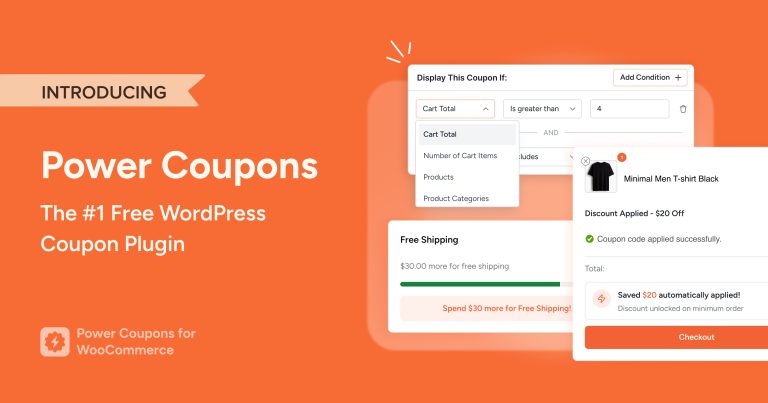
Optional addons including Modern Cart, Power Coupons and Cart Abandonment Recovery. Each has a free version plus a paid upgrade, so you control which capabilities you actually pay for.
Quick Comparison Table (Feature Snapshot)
| Feature | FunnelKit | CartFlows |
|---|---|---|
| Funnel builder (flows + templates) | ✅ | ✅ |
| Checkout customization | ✅ 14 built-in optimizations | ✅ 7 core options |
| Order bumps | ✅ | ✅ |
| One-click upsells | ✅ | ✅ (Plus plan and above) |
| Side cart/cart drawer | ✅ Built-in on Plus plan | ✅ With addon* |
| A/B testing | ✅ Plus plan and above | ✅ Pro plan only |
| Analytics | ✅ | ✅ |
| Automations / CRM | ✅ Professional plan and above | ✅ Possible via OttoKit or third-party |
| Builder compatibility | Elementor, Divi, Bricks, Oxygen, Gutenberg | Elementor, Beaver Builder, Bricks, Gutenberg |
| Performance | Adds script weight | ✅ Lean by default, modular load |
| Ecosystem / modular addons | Included in respective plan tiers | CartFlows core + Modern Cart, Power Coupons, Cart Abandonment Recovery*** |
- *Modern Cart adds side cart, popup cart, floating cart, in-cart upsells and a progress bar to lift AOV.
- **Plus plan has limited reporting; full Insights dashboard requires Pro plan.
- ***Power Coupons focuses on discount rules and auto-apply coupons. Cart Abandonment Recovery captures emails at checkout and sends automated recovery emails. Each has a free plugin and an optional paid upgrade.
Before we get into the testing, let’s quickly introduce the two plugins so you know exactly what you’re dealing with.
What Is FunnelKit?
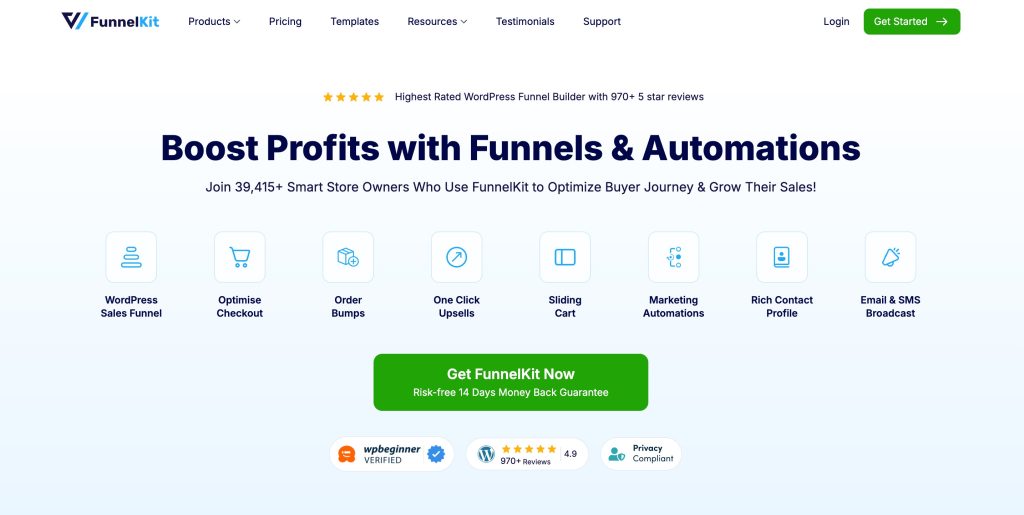
FunnelKit (formerly WooFunnels) is an all-in-one WooCommerce funnel and automation platform developed by XLPlugins.
It offers a comprehensive solution for managing funnels, email marketing, SMS and CRM within a single plugin.
Core Features of FunnelKit
- Six funnel step types built within a visual canvas builder.
- Rules engine that targets offers based on cart contents, user role and purchase history.
- Dynamic funnels capable of serving multiple product scenarios without the need to duplicate flows.
- Built-in automations, email marketing, SMS and CRM.
- Native LMS integrations with platforms like LearnDash, TutorLMS and LifterLMS.
Who It’s Best For
FunnelKit suits stores that want a single plugin handling funnels, email automation and CRM without using separate plugins.
It’s particularly useful for large product catalogs running personalized offers and for course creators needing native LMS integrations with LearnDash, TutorLMS and LifterLMS.
What Is CartFlows?
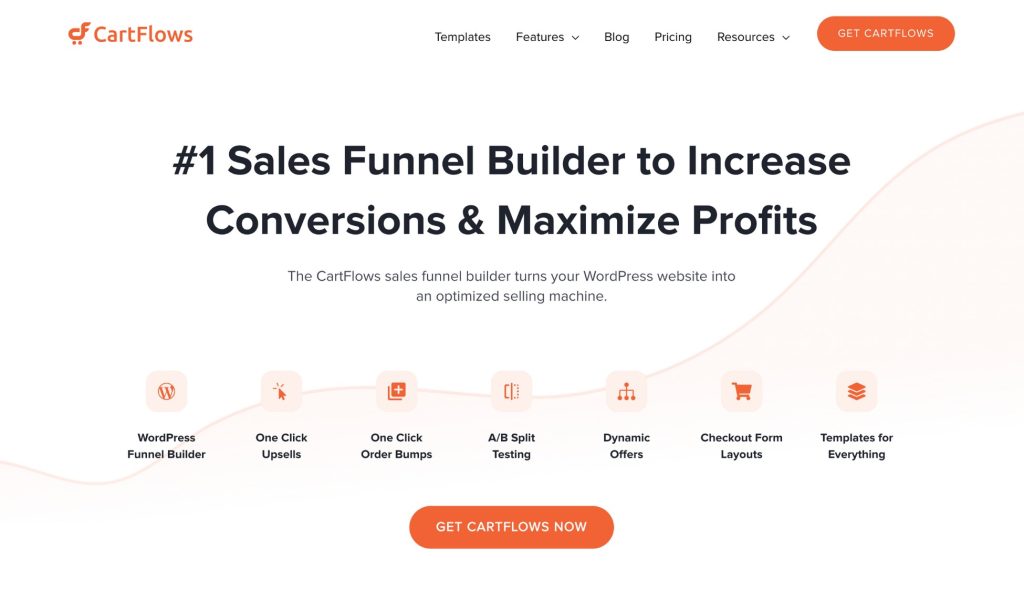
CartFlows is a WooCommerce funnel and checkout optimization plugin created by Brainstorm Force, the team behind the Astra theme.
It focuses on checkout performance and funnel flows and can be extended with conversion-focused addons when your store needs them.
Core Features
- Designed for usability and ease of use while still delivering powerful tools and analytics.
- Step-by-step builder with pre-built templates for Elementor, Beaver Builder, Bricks and Gutenberg.
- Order bumps, one-click upsells and downsells on the Plus plan.
- A/B testing and full Insights analytics dashboard on the Pro plan.
- Integration with OttoKit for automation, CRM tagging and post-purchase follow-ups across 1,000+ apps.
Ecosystem
CartFlows can be extended with purpose-built addons from the same family, Modern Cart for a higher-converting cart experience, Power Coupons for smarter discount rules and auto-apply offers and Cart Abandonment Recovery for automated recovery emails.
Each has a free version and an optional paid upgrade.
Who It’s Best For
CartFlows fits stores that want fast setup and clean checkout flows and prefer to add capabilities as revenue justifies them.
It is the natural base for store owners, solopreneurs and agencies managing multiple client sites.
What Actually Drives Revenue
Most stores have the same three revenue levers: remove friction at checkout, increase order value before and after the transaction and recover carts that would otherwise be lost.
Both CartFlows and FunnelKit address all three.
Checkout Friction Removal
Friction at checkout comes from too many fields, unclear totals, a broken mobile layout, missing trust signals, or no express payment options.
Fixing these has the highest conversion impact of anything on this list.
AOV Levers
Order bumps, one-click upsells, in-cart offers and threshold incentives (free shipping bars, spend-to-unlock discounts) are the fastest way to increase revenue per transaction without more traffic.
Measurement and Iteration
You can only improve what you track. Step-level drop-off, bump take rate, and upsell take rate tell you exactly where the next test should go.
Top 5 levers to prioritize:
- Field reduction: Strip checkout down to the minimum required fields as every extra one adds a reason to leave.
- Email capture position: Move it earlier in the flow so you have something to work with if the order doesn’t complete.
- Order bump testing: The offer matters, but so does the price point; test both independently.
- Upsell relevance: The tighter the match between the checkout product and the upsell, the higher the take rate.
- Cart abandonment timing: 15 minutes, 24 hours, and 72 hours is the sequence most stores see the best returns from.
How We Tested FunnelKit and CartFlows
Here’s everything you need to know about the tests and how you can replicate them.
Test environment
- WordPress version: 6.9
- WooCommerce version: 10.5
- Theme: Astra
- Builders tested: Gutenberg and Elementor
- Payment gateways: Stripe and WooCommerce Payments
- Plugins: WooCommerce, Spectra, the funnel plugin under test, Stripe gateway only.
- No other plugins are active.
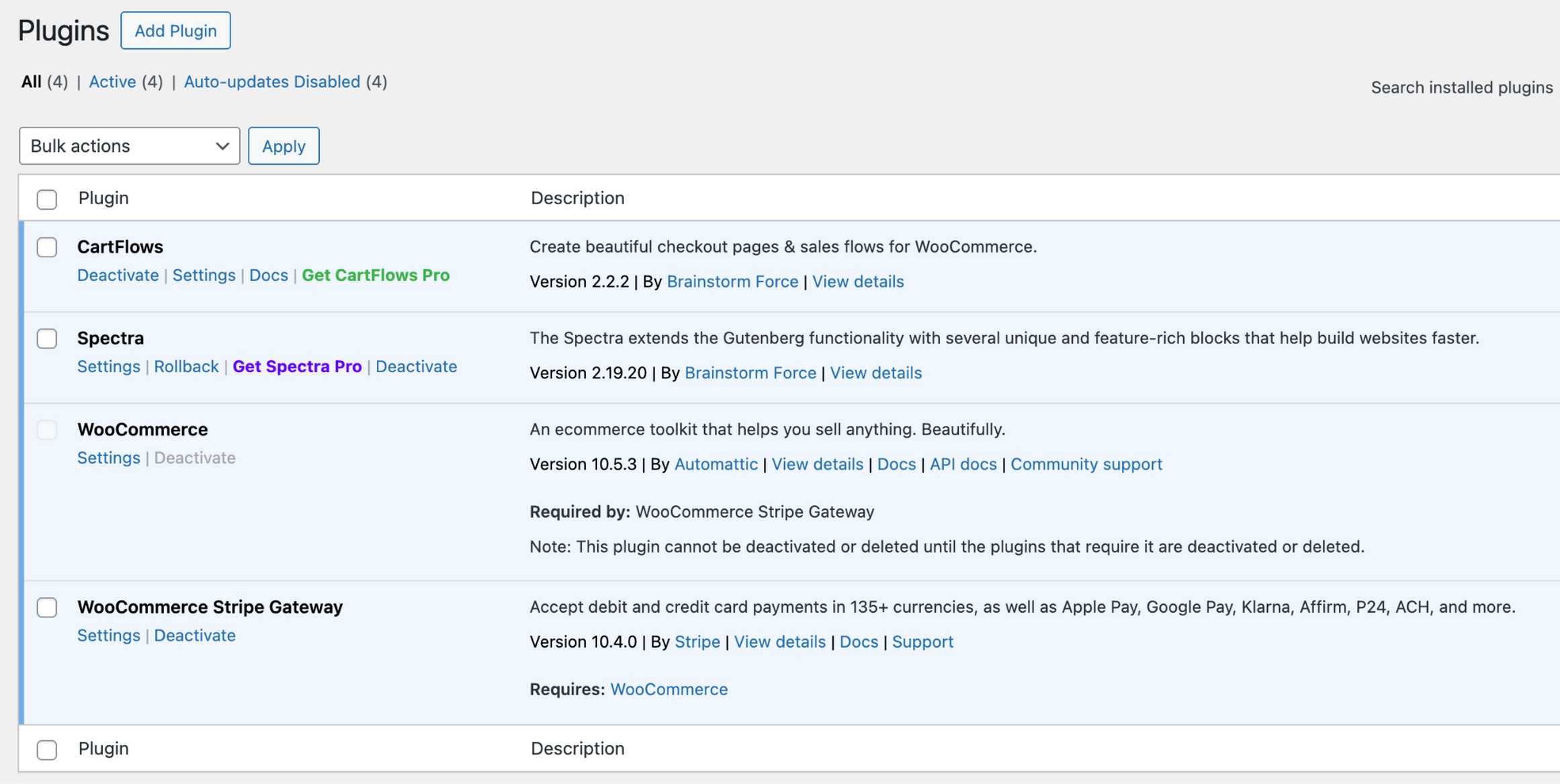
We ran each tool on a fresh install with no caching or optimization plugins active. Every funnel was built from scratch using only the native templates and settings available at that plan tier.
No pre-configuration, no imported flows.
The Funnel We Built With CartFlows and FunnelKit
We built:
- Landing page leading to a two-step checkout
- Order bump on the checkout page
- Post-purchase one-click upsell
- Thank you page with next steps
- A cart UX test using the side cart or cart drawer functionality available in each tool
What We Measured
- Time-to-live funnel
- Points where setup required external documentation
- Shipping and tax recalculation accuracy after offer acceptance
- Admin reusability through template saving and cloning
- And performance observations from script count in browser dev tools
Test checklist (same conditions for both plugins)
| Test item | FunnelKit result | CartFlows result | Notes |
|---|---|---|---|
| Publish funnel end-to-end | ~25 minutes | ~15 minutes | CartFlows faster due to simpler UI |
| Order bump appears correctly | ✅ | ✅ | Both correct on mobile and desktop |
| Upsell offer processes correctly | ✅ | ✅ | No order discrepancies in either tool |
| Coupons apply correctly | ✅ Auto-apply native | ✅ With Power Coupons addon | CartFlows needs addon for auto-apply |
| Shipping/taxes correct | ✅ | ✅ | Recalculated correctly after upsell |
| Mobile checkout layout | Clean, responsive | Clean, less customizable | CartFlows templates less flexible on mobile |
| Analytics shows step data | ✅ Visual dashboard from Plus plan | ✅ On Pro plan | FunnelKit visual layer available on lower plan |
| Recovery workflow triggers | ✅ Via FunnelKit Automations | ✅ Via Cart Abandonment Recovery plugin | Both functional; FunnelKit more integrated |
Funnel Builder vs. CartFlows: Checkout Optimization Engine
Choosing between these two plugins comes down to how you want to build your business. One tool acts as a complete command center while the other functions as a specialized engine.
FunnelKit’s Automation-First approach
FunnelKit treats your store like a single ecosystem. It puts your checkout, upsells, email marketing and customer data under one roof.
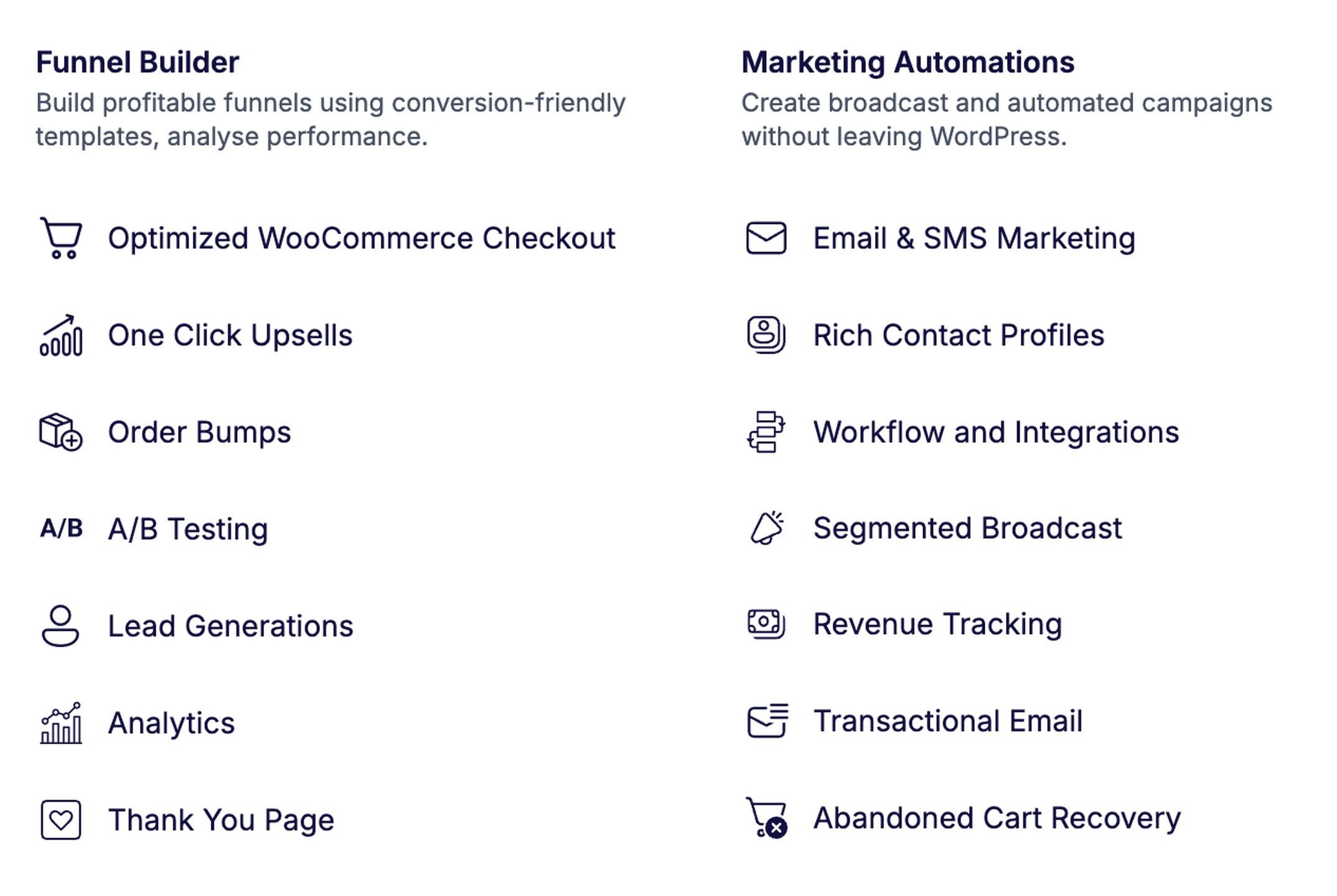
When a customer buys a product, FunnelKit knows exactly which email to send them next without needing any extra plugins or connections.
This is great if you want one powerful system to handle everything.
The tradeoff is that the interface has a lot of moving parts. It takes more time to learn because there are so many settings to manage.
CartFlows’ Conversion-First Approach
CartFlows takes a different path. It focuses on making your checkout fast and your funnels easy to build.
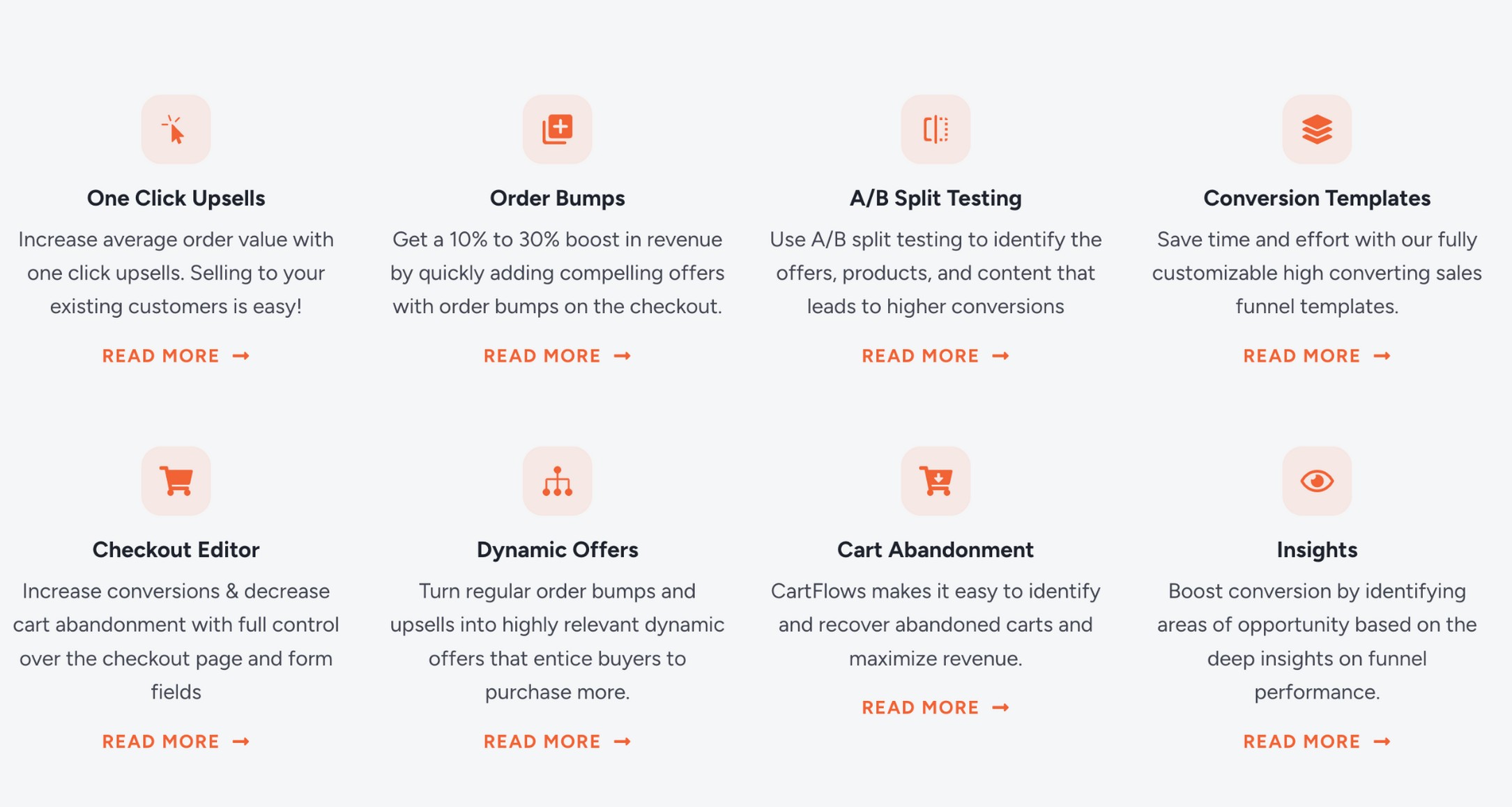
Instead of forcing you to use a massive suite of tools, CartFlows lets you add specific features as your store grows.
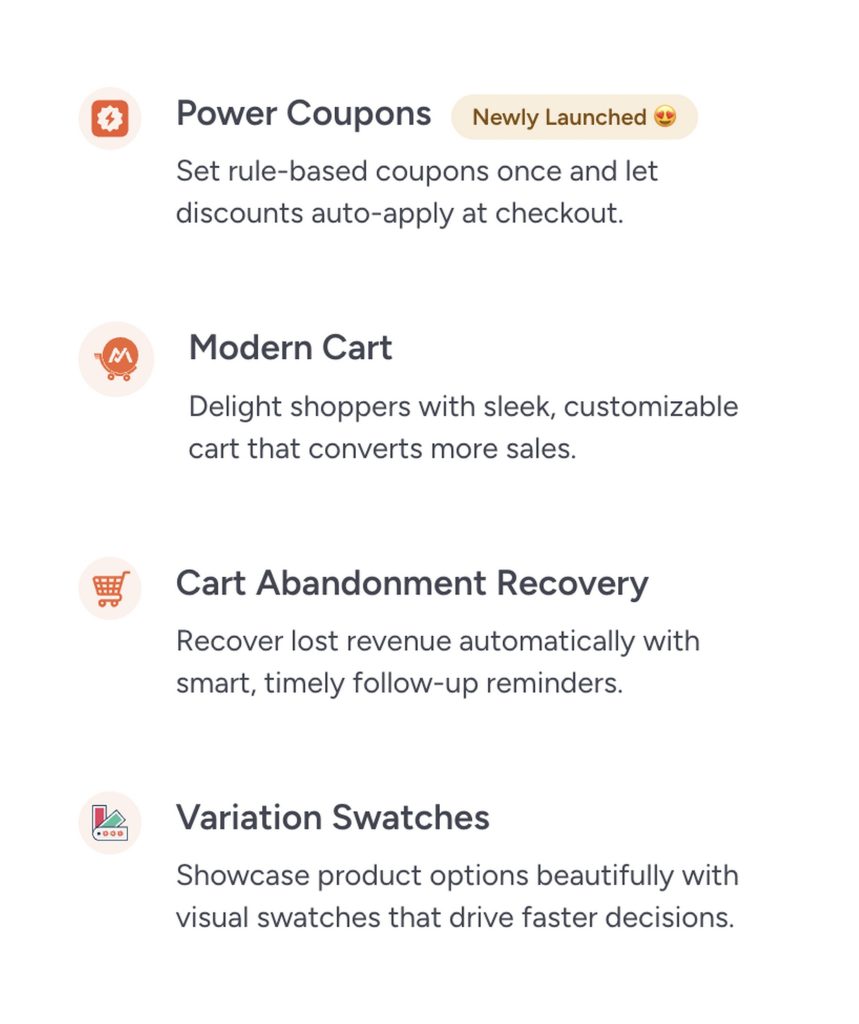
If you need a better cart drawer, add Modern Cart. If you want to recover abandoned carts, add the recovery plugin.
Your site stays lean because you only load the code you’re actually using. It is the better choice if you want to get up and running in minutes rather than hours.
Why Architecture Matters
Your choice of tool here changes how you work every day.
- Performance: Modular setups like CartFlows only load what is active. This helps keep your site fast.
- Complexity: A suite like FunnelKit gives you one deep system to master. A modular setup gives you several smaller, simpler tools that work together.
- Cost: CartFlows starts cheaper and is great for agencies. FunnelKit costs more upfront but provides more built-in features for high-tier plans.
All-in-one vs Modular: What Changes in Real Life
As the architecture is a big differentiator between the two solutions, let’s take a look at the highlights:
| All-in-one approach (FunnelKit) | Modular approach (CartFlows) |
|---|---|
| One dashboard for funnels and emails | Separate plugins, each with distinct settings |
| Data flows naturally between tools | OttoKit handles cross-tool data flow |
| Higher plan cost to unlock full automation | Lower base cost, pay per capability added |
| One plugin update cycle to manage | Multiple update cycles across addons |
| Best for automation-heavy stores | Best for speed and simplicity |
Creating Sales Funnels: Flow Builder Experience
The funnel builder experience determines how fast you move from idea to live offer. Both tools cover the same step types, the differences appear in how you manage logic and scale.
Building Funnels With FunnelKit
FunnelKit offers both a list mode and a canvas builder to show the full flow with connected steps.
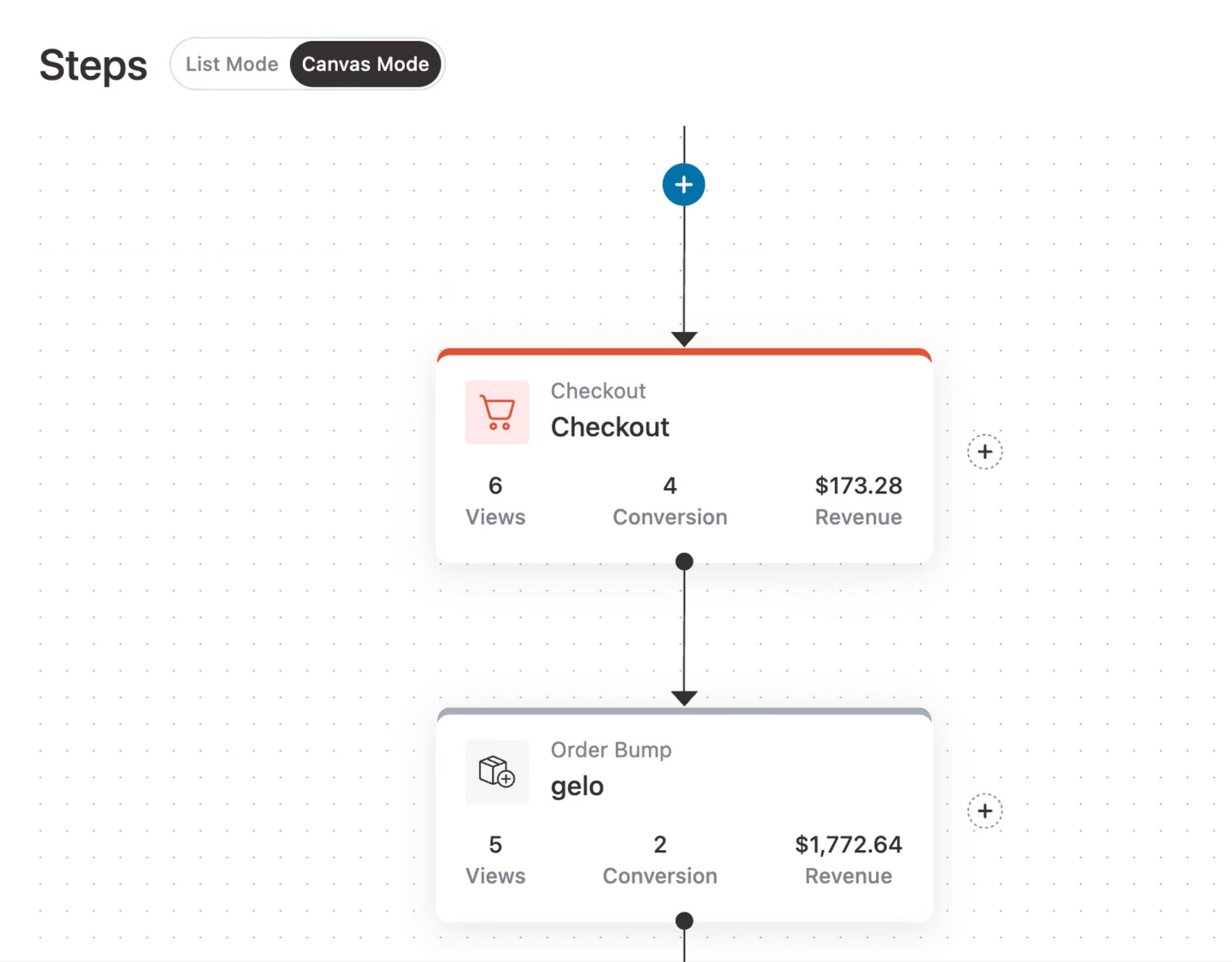
The rules engine at each step lets you set conditions for who sees which offer, which removes the need to duplicate funnels for different product variants.
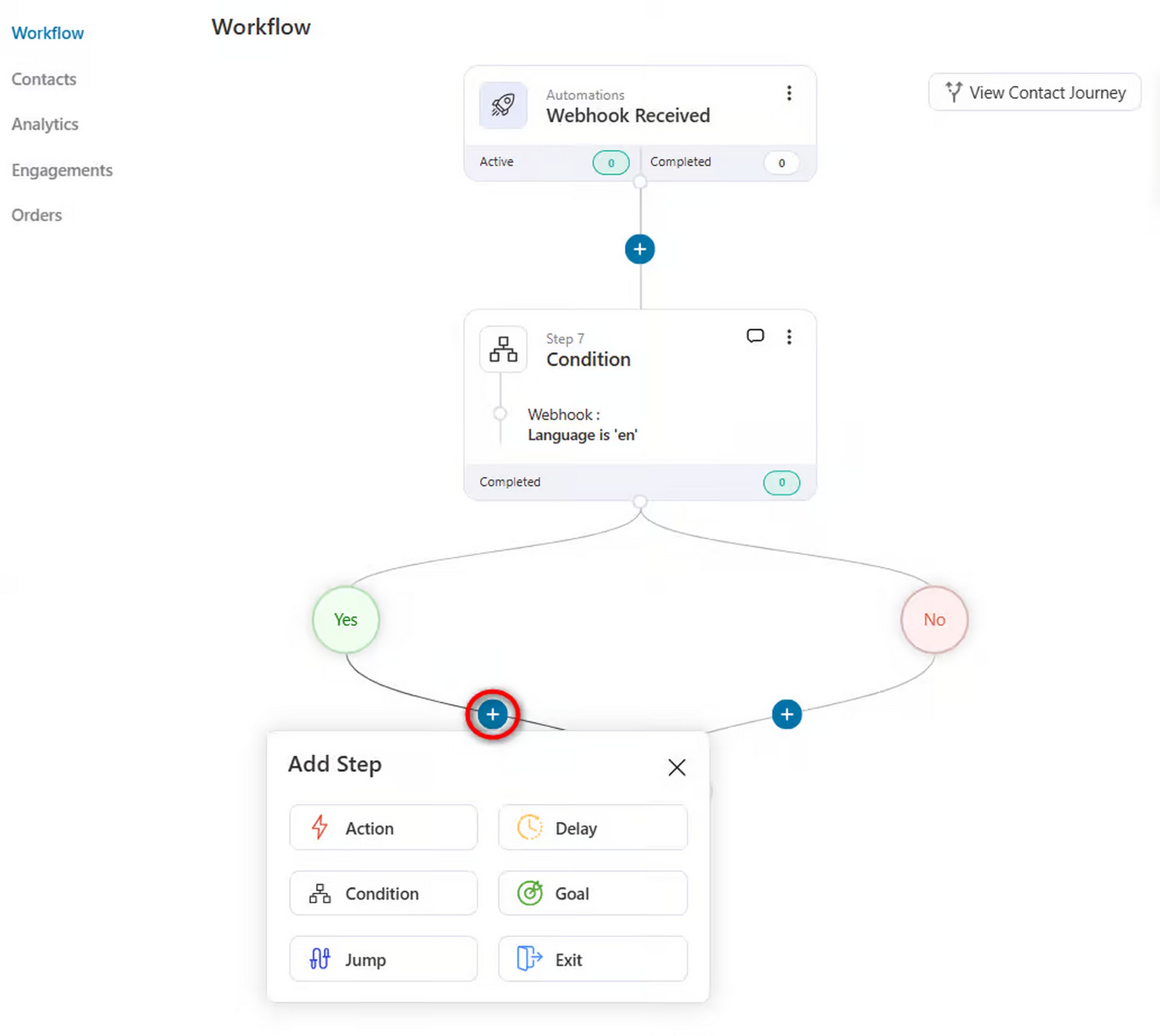
Setting up these rules can take a while due to the number of options you get by default.
Building Funnels With CartFlows
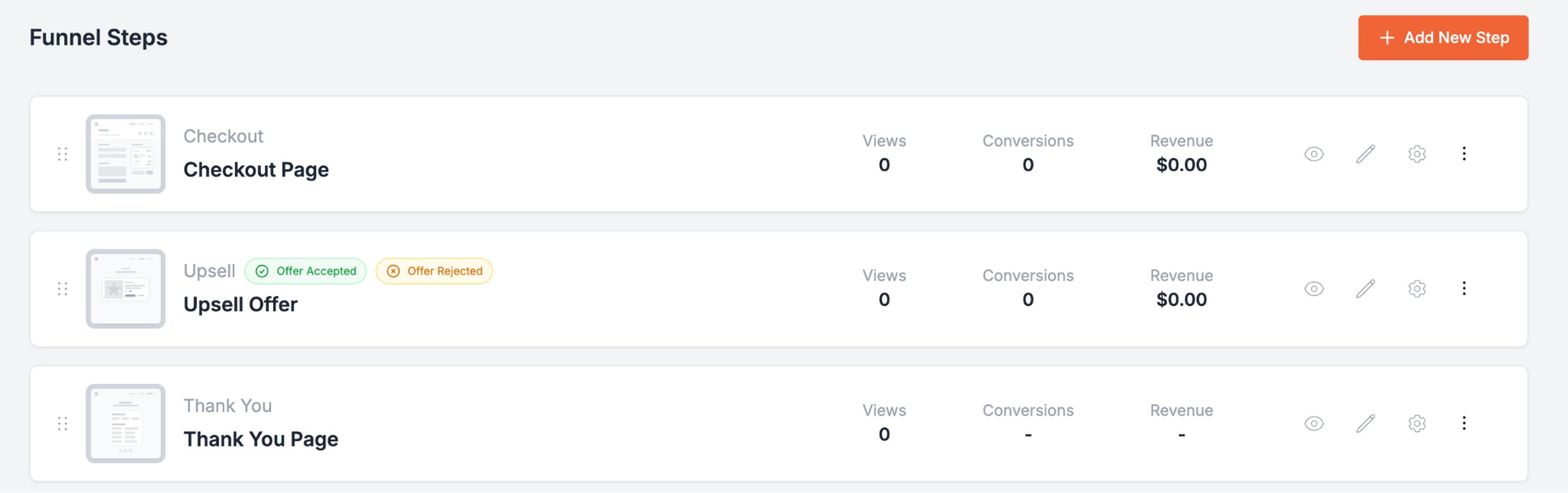
CartFlows uses a linear step-by-step builder with conditional redirects (accept or decline branches). The interface is clean and requires fewer decisions.
A new user can publish a complete funnel with checkout, bump and upsell in under 30 minutes without external documentation.
Template Libraries
FunnelKit includes 100+ templates organized by funnel type and industry.
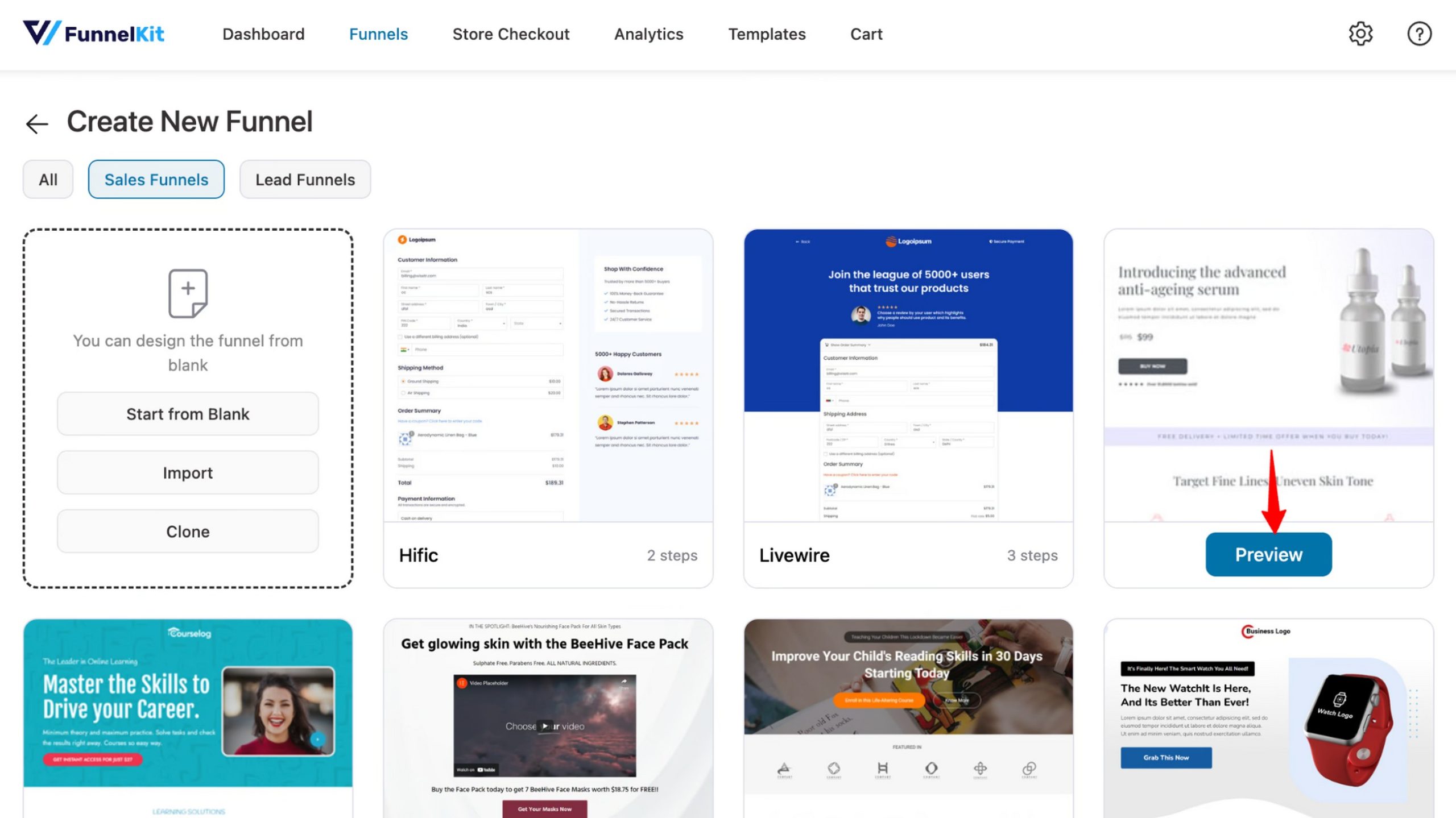
CartFlows provides pre-built step templates across a range of niches.

While FunnelKit currently has a larger template library, CartFlows seems to use more engaging designs.
Time-to-First Setup (Timed Setup)
| Task | FunnelKit | CartFlows | Notes |
|---|---|---|---|
| Install + activate | ~1 min | ~1 min | Both straightforward via WordPress.org or zip upload |
| Create first flow | ~9 min | ~5 min | CartFlows wizard is faster to start |
| Customize checkout layout | ~3 min | ~1 min | Only need to pick a template or style from the list of checkout options |
| Add bump | ~3 min | ~2 min | Both simple once the flow exists |
| Add upsell | ~3 min | ~3 min | FunnelKit rules setup adds time on first use |
| Publish end-to-end | ~19 min total | ~12 min total | CartFlows faster for first-time setup |
As you can see, there isn’t much to choose between the two funnel builders.
There is a slight time advantage to using CartFlows, which lends itself to creating at scale or when time is an issue.
🏅Winner: CartFlows
CartFlows gets you live faster with a simpler step-by-step builder and fewer setup decisions. FunnelKit is stronger if you want a visual canvas and deeper rules inside the same funnel.
Checkout Customization: Which Plugin Gives You More Control?
Both FunnelKit and CartFlows address checkout friction, but “more control” is not always what drives conversion.
For most stores, a clean, fast, frictionless checkout outperforms a heavily configured one, so the right choice depends on what your checkout actually needs.
Two-Step Checkout
Both plugins support multi-step checkout, separating contact and billing details from order review and payment.
FunnelKit supports two-step checkout but expects more setup decisions before the first page goes live.
CartFlows implements multi-step checkout through its checkout templates, which are production-ready out of the box and require no configuration beyond selecting the layout.
For stores that want a clean two-step experience in the shortest time, CartFlows gets there faster.
Checkout Field Editor
FunnelKit adds conditional field visibility, where a field shows or hides based on cart contents or customer data.
For example, a VAT field for EU customers only, or a gift message field tied to a specific product.
CartFlows Pro handles what most stores actually need:
- Show, hide, reorder and rename any default WooCommerce field via drag and drop.
- Add custom fields like text, textarea, select, checkbox, hidden, and file types, set fields as collapsible
- Arrange them in up to three-column layouts.
The interface is straightforward and produces a lean, fast checkout without requiring a developer.
This is genuinely useful for stores with compliance requirements or complex B2B billing.
Global Checkout Templates
FunnelKit can replace the default WooCommerce checkout page store-wide with a global template, so every product not assigned to a specific funnel gets an optimized experience.
CartFlows applies its checkout at the funnel level. This is actually an advantage for stores running targeted campaigns as you can A/B test checkout layouts and offers per product without a global change affecting your entire catalog.
Products not routed through a CartFlows funnel fall back to the standard WooCommerce checkout unless you also use Modern Cart.
Conditional Logic
FunnelKit’s rules engine works at the step level, routing different customers to different offers from within the same funnel based on cart contents, purchase history, or user role.
For large catalogs with varied audiences, this significantly reduces funnel duplication.
CartFlows uses conditional redirects at the flow level, one path for bump accepted, one for declined, which is simpler and easier to maintain.
For stores running a focused product range with consistent audiences, CartFlows’ approach is easier to manage and less prone to logic errors.
Coupon Friction (Often the Hidden Checkout Drop-Off)
70% of people abandon checkout, for a variety of reasons. One of them is the coupon process.
If a shopper has to leave your site to search their inbox for a coupon code, there’s a high chance they will never come back.
The best way to fix this is to make discounts invisible or automatically applied. That way, the savings appear automatically so the customer never has to stop and think.
There are three ways to automate your discounts:
- Spending goals: You can set a rule where a customer gets 15% off the moment their cart hits a dollar amount. They don’t have to enter a code; the price just drops.
- Specific categories: You can apply a discount to a whole group of products, like “Summer Collection,” while automatically making sure clearance items stay at their original price.
- Buy one, get one: You can set a rule where buying two of one item automatically adds a second item at half price.
CartFlows uses a tool called Power Coupons to handle these complex rules.
While FunnelKit can do basic automatic discounts, it doesn’t offer this same level of depth.
Checklist To Stop Checkout Drop-Off
If you want to keep customers moving toward the “Buy” button, focus on these simple fixes.
- If you don’t need a phone number to ship the order, make that field optional or remove it
- Put the email field at the very top. If they leave halfway through, you at least have a way to invite them back.
- Keep the final price visible at every step so there are no surprises at the end.
- Apply discounts the moment a customer qualifies so they never have to hunt for a code.
- Place your money-back guarantee or security icons right next to the payment button.
Implement some, or all, of these and you could increase conversions exponentially.
🏅Winner: CartFlows
CartFlows gives most stores everything they need with ready-made checkout templates, a clean field editor and Power Coupons for advanced discount handling.
FunnelKit is better if you need more conditional logic or a global checkout across the store.
Order Bumps, Upsells and Downsells: Maximizing Revenue
On-page and post-purchase offers are the fastest AOV levers available in WooCommerce.
Both tools support the full sequence of bump, upsell and downsell, the differences come down to rules depth, gateway coverage and setup speed.
Order Bumps (Strategy First)
Both CartFlows and FunnelKit support multiple order bumps on a single checkout page.
FunnelKit’s rules engine includes conditions covering cart items, total spend, purchase history, customer location, date and time and user role.
All work from the same bump setup without duplicating checkout pages.
CartFlows displays bumps as checkbox offers on the checkout page and supports dynamic targeting on the Pro plan, letting you show different offers based on cart contents and customer details.
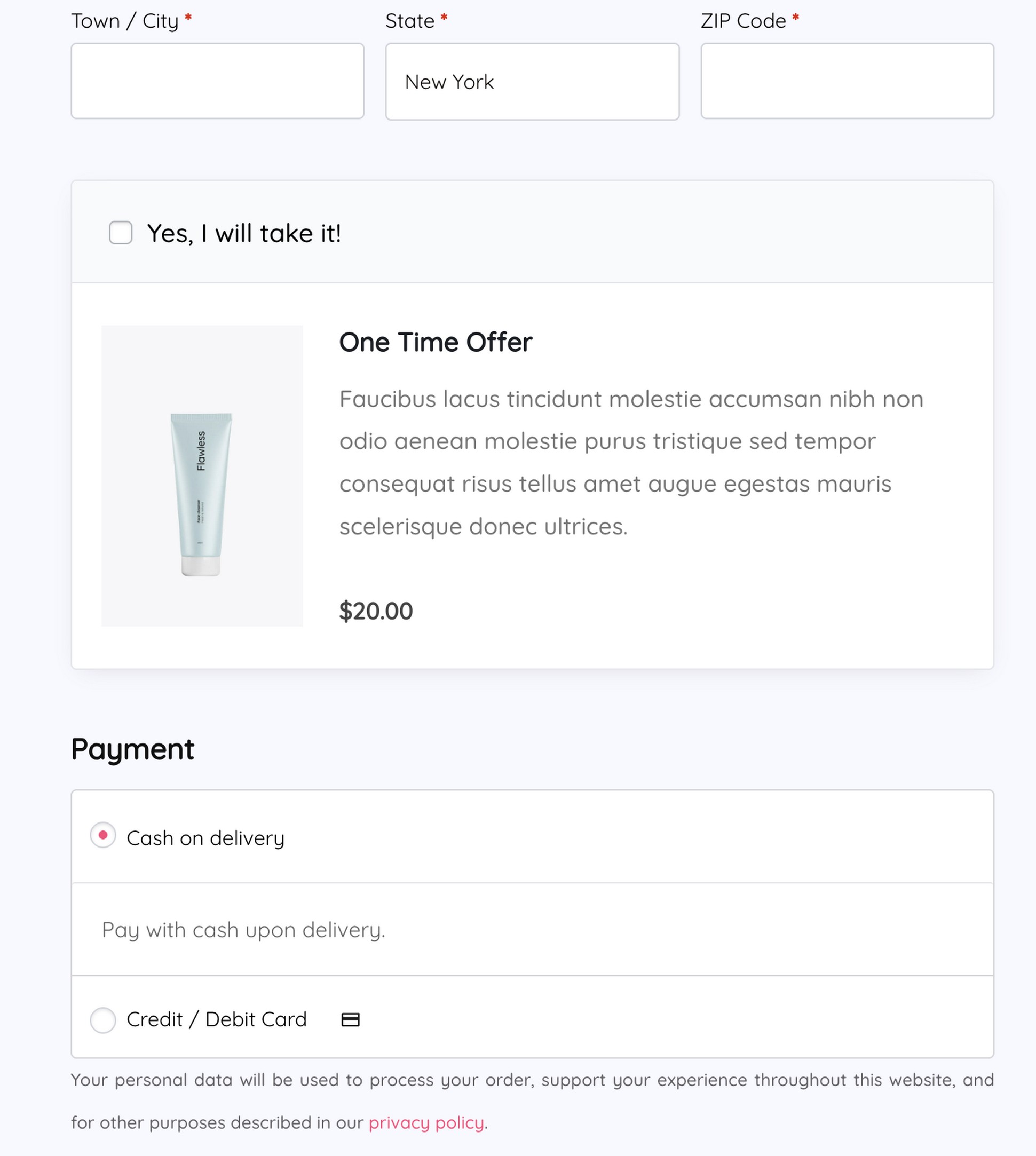
For most stores running one or two bump offers, CartFlows’ targeting is faster to configure and easier to maintain.
FunnelKit’s rules depth earns its keep when your catalog is large enough that offering relevance by segment materially affects take rate.
One-Click Upsells
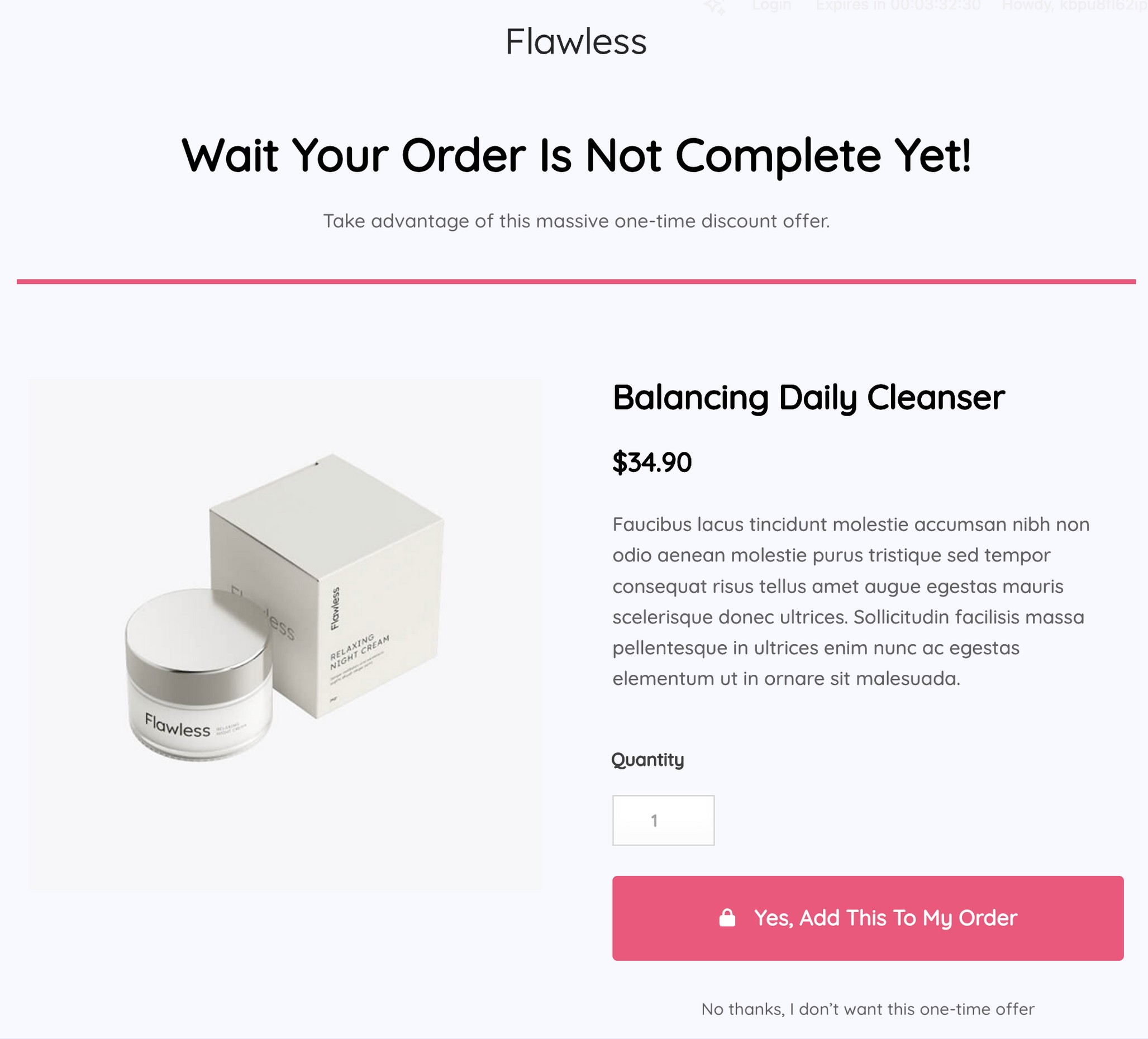
Post-purchase upsells fire after the initial transaction, using a stored payment token so customers accept with one click and no re-entry of card details.
Both tools handle this cleanly.
FunnelKit supports multi-product upsell pages and includes A/B testing on upsell offers from the Plus plan, which CartFlows reserves for the Pro plan.
CartFlows supports chained upsell and downsell sequences and includes conditional logic on the Pro plan to show different offers based on what was just purchased.
Downsells
FunnelKit handles downsells as a native funnel step type in the canvas builder, making the logic easier to visualize and maintain when the sequence has multiple branches.
In CartFlows, a downsell is a conditional redirect that fires when the customer declines the upsell and you set the path manually.
Shipping, Tax, Gateway Reality Checks
Gateway support for one-click upsells is worth verifying before committing to either tool.
FunnelKit supports 15+ gateways including Stripe, PayPal, Mollie, Authorize.net, Braintree, and SagePay.
CartFlows supports Stripe, PayPal, Square, Authorize.net, Mollie, WooCommerce Payments, and COD.
Both tools recalculated tax and shipping correctly after upsell acceptance in testing across Stripe and WooCommerce Payments.
Both plugins recalculated tax and shipping after upsell acceptance in testing across Stripe and WooCommerce payments.
🏅Winner: Tie
Both plugins handle bumps, upsells, downsells and post-purchase flows reliably in real testing.
FunnelKit is better for deeper targeting and visual rule management, while CartFlows is easier to set up and maintain for simpler offers.
Offer Validation Test Results
| Scenario | Expected behavior | FunnelKit result | CartFlows result |
|---|---|---|---|
| Bump added, totals update correctly | Immediate recalculation on checkout page | Pass | Pass |
| Upsell accepted, order updates correctly | Item added to original order, no new transaction | Pass | Pass |
| Upsell declined, next step correct | Correct redirect to downsell or thank you page | Pass | Pass |
| Coupon applied, totals correct | Discount reflected accurately in order total | Pass | Pass (with Power Coupons for auto-apply) |
| Shipping/tax recalculates correctly | Correct amounts after upsell acceptance | Pass | Pass |
| Refund flow clarity | Refund applies to correct line items | Pass | Pass |
Side Cart and Modern Cart Experience
The default WooCommerce cart page adds unnecessary friction by requiring a page reload whenever the customer selects the cart.
Both FunnelKit and CartFlows overcome that.
Side Cart Availability
FunnelKit includes a side cart natively on the Plus plan with gamified rewards (gift unlocks, free shipping bar) and express payment options.
CartFlows requires Modern Cart for comparable functionality, minus the gamification layer.
Modern Cart is designed to turn the default WooCommerce cart into a conversion-focused cart experience.
It includes a side cart, popup cart, floating cart, in-cart upsells and a progress bar aimed at increasing AOV.
It’s available as a standalone addon or is included in the Woo Toolkit.
AJAX Behavior
Both FunnelKit and CartFlows update in real time without page reloads when items are added, removed, or modified.
Coupon Display Experience
Both solutions display applied coupons and active discount progress inside the cart drawer, keeping the offer visible without sending customers to a separate page.
UX Impact on Conversion
This matters because cart UX is a conversion step, not just a utility page. A faster, cleaner cart drawer reduces clicks and can lift AOV when upsells and thresholds are shown without clutter.
Cart experience checklist:
| Feature | FunnelKit | CartFlows + Modern Cart |
|---|---|---|
| Reduces checkout steps? | ✅ | ✅ |
| Fast on mobile? | ✅ | ✅ |
| Looks native with your theme? | ✅ Fully customizable | ✅ Fully customizable |
| Clean in-cart incentives? | ✅ Uses gamified rewards | ✅ Uses progress bars and upsells |
🏅Winner: FunnelKit
FunnelKit includes a native side cart on higher plans, along with gamified rewards like free shipping progress and gift unlocks.
CartFlows can match much of this with Modern Cart, but that requires adding another plugin.
Email Automation and CRM Capabilities
Automation determines whether your store recovers revenue or watches it leave. The architecture difference here is the most significant structural distinction.
Built-In Automation
FunnelKit includes native automation through FunnelKit Automations, available from the Professional plan and above.
The visual builder handles email sequences, SMS campaigns, conditional branching, contact tagging and broadcast campaigns inside the same WordPress dashboard.
CartFlows works with OttoKit which is an additional tool you’ll need for complex automations.
However, it enables you to automate many other aspects of your store, including updating your CRM, sending updates to relevant stakeholders, along with the email and marketing automations.
Abandoned Checkout Flows
FunnelKit captures incomplete checkout emails early and triggers recovery sequences natively within the automation builder.
CartFlows captures emails the moment they are entered at checkout and fires a recovery sequence using the Cart Abandonment Recovery plugin.
CRM Depth
FunnelKit includes a contact record for every customer, with tags, segments, purchase history, and lifetime value data.
CartFlows syncs contact data to external CRMs via OttoKit, which connects to HubSpot, ActiveCampaign, FluentCRM and 1,000+ other apps.
Third-Party Integrations
FunnelKit integrates with ActiveCampaign, Mailchimp, ConvertKit, Drip and others via native connections.
CartFlows routes all third-party connections through OttoKit’s visual workflow builder.
Cart Abandonment Recovery
When a shopper types their email but doesn’t finish the order, you want an automated system to follow up with them immediately.
FunnelKit handles abandonment through its automation suite. You can build a visual map of when and how to contact people who left.
Because it is part of the larger FunnelKit system, it knows exactly what was in the cart and can trigger emails or SMS messages based on that data.
CartFlows uses a dedicated addon called Cart Abandonment Recovery.
It captures the email address the moment it is typed and automatically sends a series of three emails at 15 minutes, 24 hours, and 72 hours.
You can even include unique discount codes that expire to create a sense of urgency.
Abandonment Recovery Workflow (Practical Comparison)
| Step | FunnelKit | Cart Abandonment Recovery | Notes |
|---|---|---|---|
| Capture email | Early in checkout, native | The moment email is entered, native | Both capture early |
| Create sequence | Visual automation builder | OttoKit visual workflow builder | Both support conditional branching |
| Send schedule | Fully customizable | Preset (15 min, 1 day, 3 days) | CartFlows covers most use cases |
| Recovery reporting | Built into analytics dashboard | Dedicated abandoned vs. recovered dashboard | Both show key metrics |
| Coupon support | Auto-generated coupons in sequence | Auto-generated with expiry control | Both support discount inclusion |
🏅Winner: Tie
FunnelKit has native automation, built-in CRM, and abandoned cart recovery all in one dashboard without extra plugins.
If you prefer a modular approach and don’t need all the features, CartFlows would fare better.
A/B Testing and Conversion Optimization
Testing is what separates stores that know what works from stores that repeat assumptions. Both FunnelKit and CartFlows support split testing but access level and reporting depth differ.
Split Testing Availability
FunnelKit unlocks A/B testing from the Plus plan across opt-ins, checkouts, bumps, and upsells.
CartFlows requires the Pro plan for split testing.
If you’re looking for even deeper data or want to test more complex elements beyond just funnels, you might also consider a dedicated tool like Sigmize for advanced conversion optimization.
What You Can Split Test
Both tools allow testing on checkout page variants, upsell offers and order bump copy.
FunnelKit uses a rules engine that allows for more precise testing. For example, if you have a store with hundreds of products, you can test specific offers for certain customer segments without creating a separate funnel for every single item.
This keeps your data clean even if you have a very large catalog.
With CartFlows, you can easily duplicate any page in your funnel and change one element, like a headline or a button color, to see which version performs better.
It gives you a clean percentage split of your traffic so you can see a clear winner in your dashboard.
Reporting Clarity
Once you start a test, you need to know which version is actually making more money. Both plugins give you a breakdown of the numbers, but they leave the final decision to you.
FunnelKit’s analytics dashboard shows you how each version is performing side-by-side. Once you see a clear winner based on the data, you manually select that version to keep.
For CartFlows Pro, you get a simple view of your variant data. It shows you the conversion rates for each page, and you manually turn off the version that isn’t performing well.
A/B Test Experiment Playbook
If you aren’t sure which part of your funnel to test first, use this list. We have ordered these by how much they usually impact revenue, starting with the most effective.
- Order bump product and price: Try offering a different low-cost item or changing the price of your current bump.
- Checkout layout: Compare a one-step checkout against a two-step layout.
- Upsell relevance: Make sure your post-purchase offer directly relates to what the customer just bought.
- Email field position: Move the email field to the very top to catch more abandoned shoppers early.
- Trust badges: Move your security icons or money-back guarantee badges to different spots.
- Order bump headline: Change the call to action text on your checkout offer.
- Upsell price point: Test a flat dollar discount against a percentage discount.
- Recovery email subject lines: Experiment with different text to see which gets more people to open your abandoned cart emails.
- Coupon visibility: Compare an automatic discount against a visible enter code field.
- Payment button placement: Make express pay buttons like Apple Pay or Google Pay more prominent at the top of the page.
✅ Quick win: Run your first order bump test before anything else. Two offers, two weeks of data, and you will know your audience’s price sensitivity before touching upsells or automation.
🏅Winner: CartFlows
While FunnelKit unlocks A/B testing on a lower plan, CartFlows Pro ($299) offers it at a lower overall cost for most store configurations.
Analytics and Reporting: Which Gives Actionable Insights?
Good analytics tell you where to act. Both tools provide funnel data, the depth and visual clarity differ by plan.
Funnel-Level Analytics
FunnelKit provides a visual funnel canvas showing the full flow with step-level performance from the Plus plan.
CartFlows’ full Insights dashboard, which covers the same ground, requires the Pro plan.
Step-Level Tracking
Both tools show conversion rate and revenue at each funnel step. FunnelKit adds a live activity stream showing real customer actions across active funnels, which speeds up drop-off diagnosis.
Revenue Attribution
Both FunnelKit and CartFlows attribute revenue to funnel entry. FunnelKit breaks this down further by device type and customer segment on the Professional plan.
External Analytics Integration (GA4)
Both tools connect to GA4 via Google Tag Manager.
Recommended events to map: begin_checkout, add_payment_info, purchase, and custom events for bump accepted, bump declined, upsell accepted and upsell declined.
We recommend checking these every week in GA4:
- Sessions entering the funnel
- Checkout conversion rate
- Bump take rate
- Upsell take rate
- Revenue per visitor
- Biggest drop-off step
🏅Winner: FunnelKit
FunnelKit wins this one thanks to the funnel canvas and included features. CartFlows comes a close second as it has almost as much analytical power within its Insights dashboard.
Integrations and Page Builder Compatibility
Builder and gateway compatibility are rarely the deciding factor, but they do matter if your store is already built on a specific stack.
- Elementor: Both plugins support Elementor. FunnelKit offers more template variety for Elementor builds.
- Gutenberg: Both plugins support the block editor. CartFlows has particularly strong Gutenberg compatibility.
- Divi and other builders: FunnelKit supports Elementor, Divi, Bricks, Oxygen, and Gutenberg. CartFlows supports Elementor, Beaver Builder, Bricks, and Gutenberg. Divi compatibility is exclusive to FunnelKit.
Payment Gateways
For an upsell to work, the payment gateway must be able to securely save a customer’s payment details (called tokenization) so they can buy a second item with just one click.
| Gateway | Tested? | Works for post-purchase? | Notes |
|---|---|---|---|
| Stripe | Yes | Yes | Clean behavior in both tools |
| WooCommerce Payments | Yes | Yes | No issues in test builds |
| PayPal | No | Commonly used | Verify against official docs |
| Square | No | Commonly used | Check official compatibility docs |
While both FunnelKit and CartFlows support the most common gateways, they each handle them slightly differently.
If you’re using a less common or regional payment provider, you should verify compatibility with their official documentation before committing.
🏅Winner: Cartflows
While FunnelKit comes with more built-in integrations, CartFlows connects with almost every tool within and outside of the WordPress ecosystem using OttoKit.
Performance and Speed Impact
Over half of users leave if the website takes more than three seconds to load.
If you’re trying to optimize your checkout experience, improving performance should have a measurable effect on completion rate.
Script Loading and Asset Control
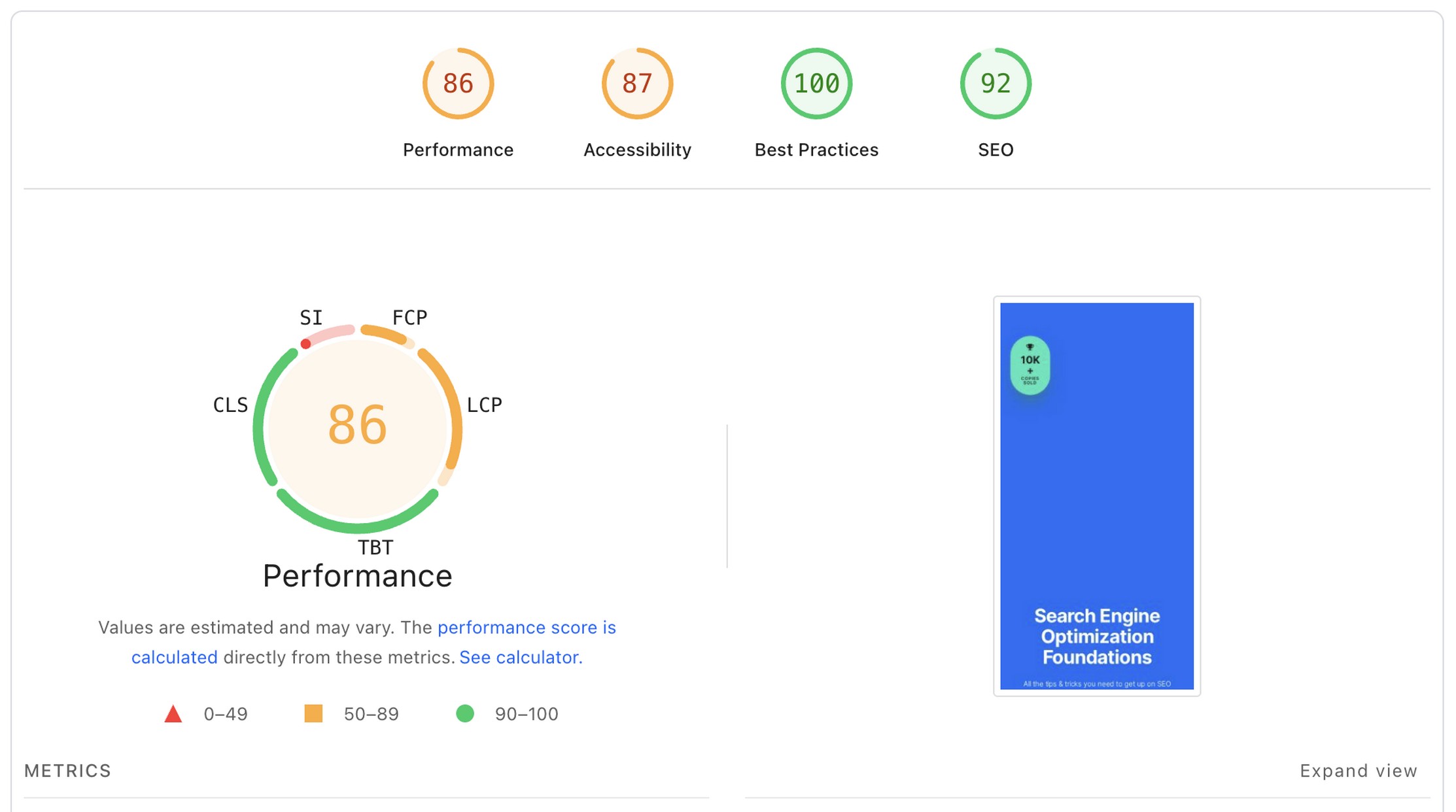
FunnelKit loads its full suite on active funnel pages. In browser dev tools, checkout pages with FunnelKit active showed a heavier script footprint than CartFlows.
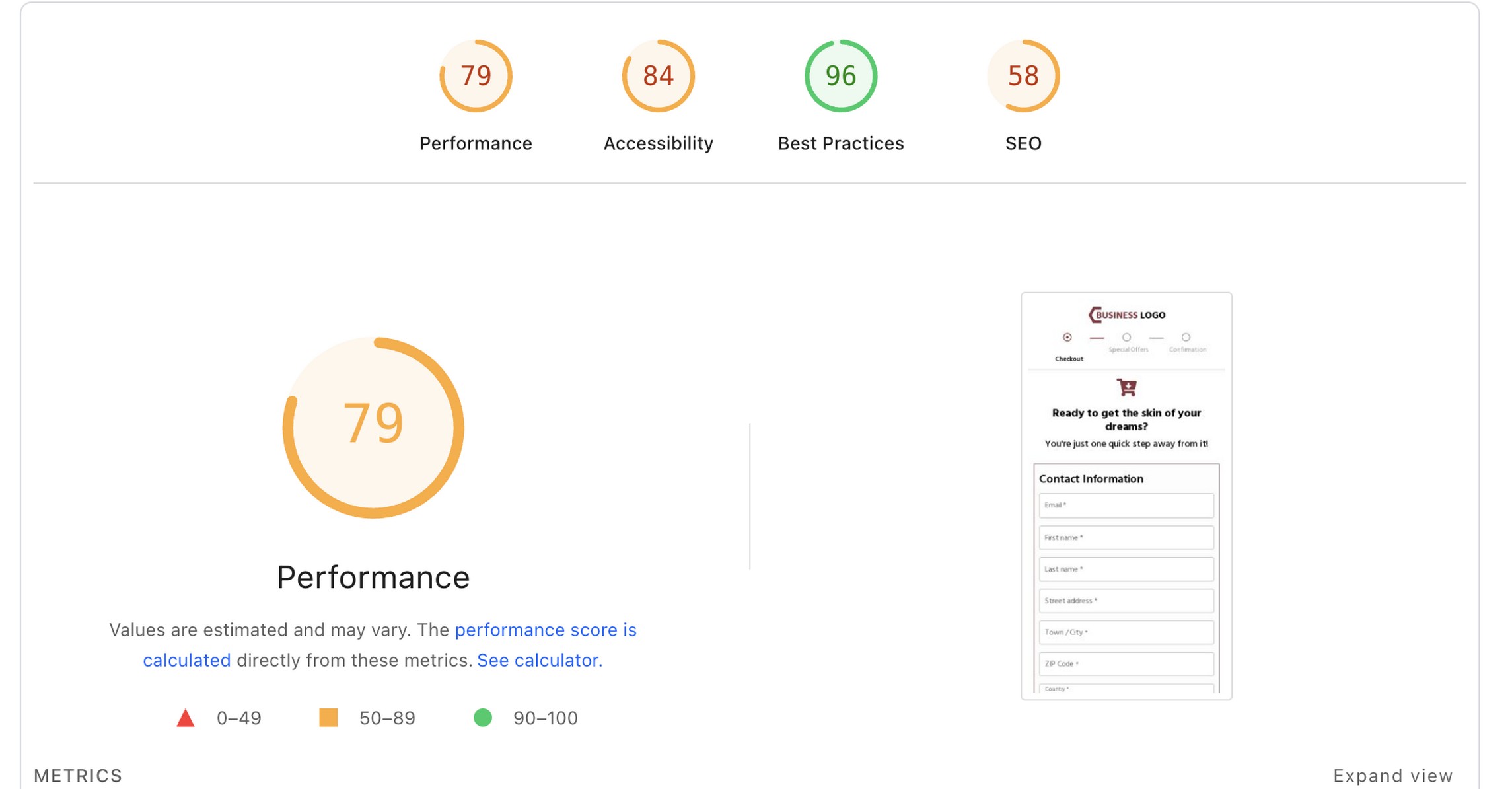
CartFlows loads scripts only for active funnel steps and installed addons, keeping the footprint lean for stores that don’t use every feature.
Database Impact Signals
FunnelKit stores contact, automation and CRM data in the WordPress database, which adds table rows over time.
CartFlows stores funnel and analytics data only, with CRM data handled externally via OttoKit integrations.
Real-World WooCommerce Performance
For most stores, the performance difference of a funnel builder is unlikely to determine the choice.
Fortunately, that’s a non-issue as both run acceptably on quality managed hosting.
For high-traffic stores where checkout page speed is a measurable conversion variable, CartFlows’ modular architecture gives more control over what loads when.
Performance checklist:
- Avoid overlapping plugins that duplicate functions.
- Keep the plugin stack lean.
- Disable any modules not actively in use.
- Test mobile checkout on a throttled connection before going live.
🏅Winner: CartFlows
CartFlows keeps things lean by loading only what is active, which resulted in a lighter script footprint during testing.
FunnelKit performs fine on good hosting, but its all-in-one architecture adds more weight on funnel pages.
Ease of Setup and Learning Curve
Setup speed and learning curve affect how long it takes to launch your first funnel and how quickly your team can iterate.
Onboarding Experience
FunnelKit’s onboarding is functional but assumes more familiarity with funnel concepts and WooCommerce architecture.
CartFlows has a faster onboarding path. The setup wizard guides you through creating a first funnel with minimal configuration decisions.
Learning Curve
What a beginner may struggle with in FunnelKit:
- Understanding the rules engine and how conditions stack
- Navigating between Funnel Builder and Automations (separate dashboard sections)
- Identifying which plan includes which feature
What a beginner may struggle with in CartFlows:
- Understanding which revenue features require which addon
- Configuring cart abandonment recovery as a separate plugin flow
- Setting up upsell conditional redirects for stores with multiple product types
Documentation and Support
FunnelKit has a knowledge base and ticket support with positive response quality noted in community reviews.
CartFlows has documentation, video tutorials via WPCrafter and SkillJet (a training platform included with the Woo Toolkit). It also offers ticket support.
🏅Winner: CartFlows
CartFlows is easier for beginners because the onboarding flow is faster and the interface asks for fewer decisions upfront.
FunnelKit offers more power, but that also makes it harder to learn on a first build.
Pricing Breakdown: Which Offers Better Value?
For some stores, price can make or break a purchase decision. Here’s our view, separated into different likely scenarios:
Solo Store (1 Site)
A single-product or small-catalog store that needs checkout optimization, order bumps and upsells:
- FunnelKit’s Basic plan ($129/year) is the entry point but excludes A/B testing, analytics, upsells, and order bumps. You need Plus at $299/year for those.
- CartFlows Plus costs $189 in the first year (renews at $249/year) for up to 10 sites.
💡 Agency tip: CartFlows covers up to 10 sites on the Plus plan at $249/year on renewal. FunnelKit’s entry plan covers one site at $129/year. For multi-site work, CartFlows is cheaper from day one.
Scaling Brand (2 to 5 Sites)
A growing brand needing a cart drawer, automation and multi-site coverage:
- FunnelKit Professional at $399/year includes two sites and is the first plan that natively includes FunnelKit Automations.
- The CartFlows Woo Toolkit at $649/year bundles CartFlows Pro, Modern Cart, Power Coupons, Cart Abandonment Recovery and OttoKit Pro across 30 sites.
Agency (10 to 30 Sites)
- FunnelKit Elite includes 30 sites at $399/year and includes the full automation stack.
- CartFlows Pro includes 30 sites at $299/year.
For agencies deploying long-term, CartFlows’ lifetime deal at $999 for 30 sites becomes the most cost-effective option from year four onward.
Lifetime vs. Annual Licensing
FunnelKit does not offer a lifetime deal.
For long-term deployments, the CartFlows lifetime deal is the best option that removes annual renewal cost entirely.
If you want funnels and checkout optimization first, start with CartFlows, then add Modern Cart if you specifically need a cart drawer and in-cart upsells.
If discounts and promotions are your growth lever, add Power Coupons for rule-based offers and auto-apply coupons.
If you want to recover lost revenue from abandonment, add Cart Abandonment Recovery for automated follow-up emails.
Scenario Pricing (What You Actually Need)
| Scenario | Must-have features | FunnelKit stack | CartFlows stack | Notes |
|---|---|---|---|---|
| Solo store | Checkout + bumps + upsells | FunnelKit Plus ($299/yr) | CartFlows Plus ($249/yr, 10 sites) | CartFlows covers more sites at entry |
| Scaling brand | Above + cart drawer + automation | FunnelKit Professional ($399/yr, 2 sites) | Woo Toolkit ($649/yr, 30 sites) | FunnelKit cheaper for 1–2 sites with automation; CartFlows better at scale |
| Agency | All of the above + 30 sites | FunnelKit Elite ($399/yr) | CartFlows Pro ($299/yr) or lifetime ($999) | CartFlows lifetime eliminates renewal cost from year three |
Market Adoption: Active Installs and Reputation
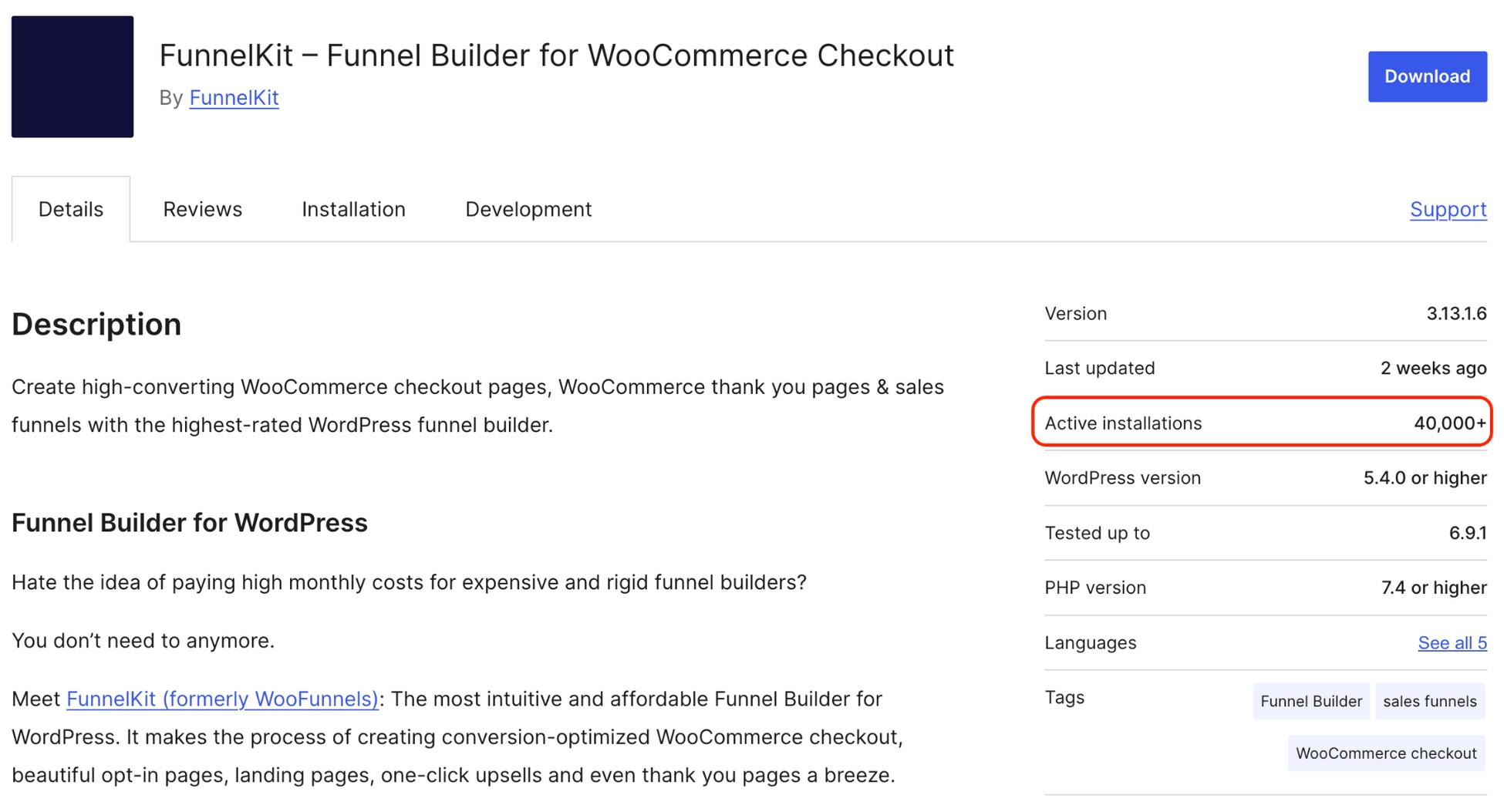
FunnelKit has 40,000+ active installs and a 5-star rating, reflecting a more advanced tool that has been around longer.
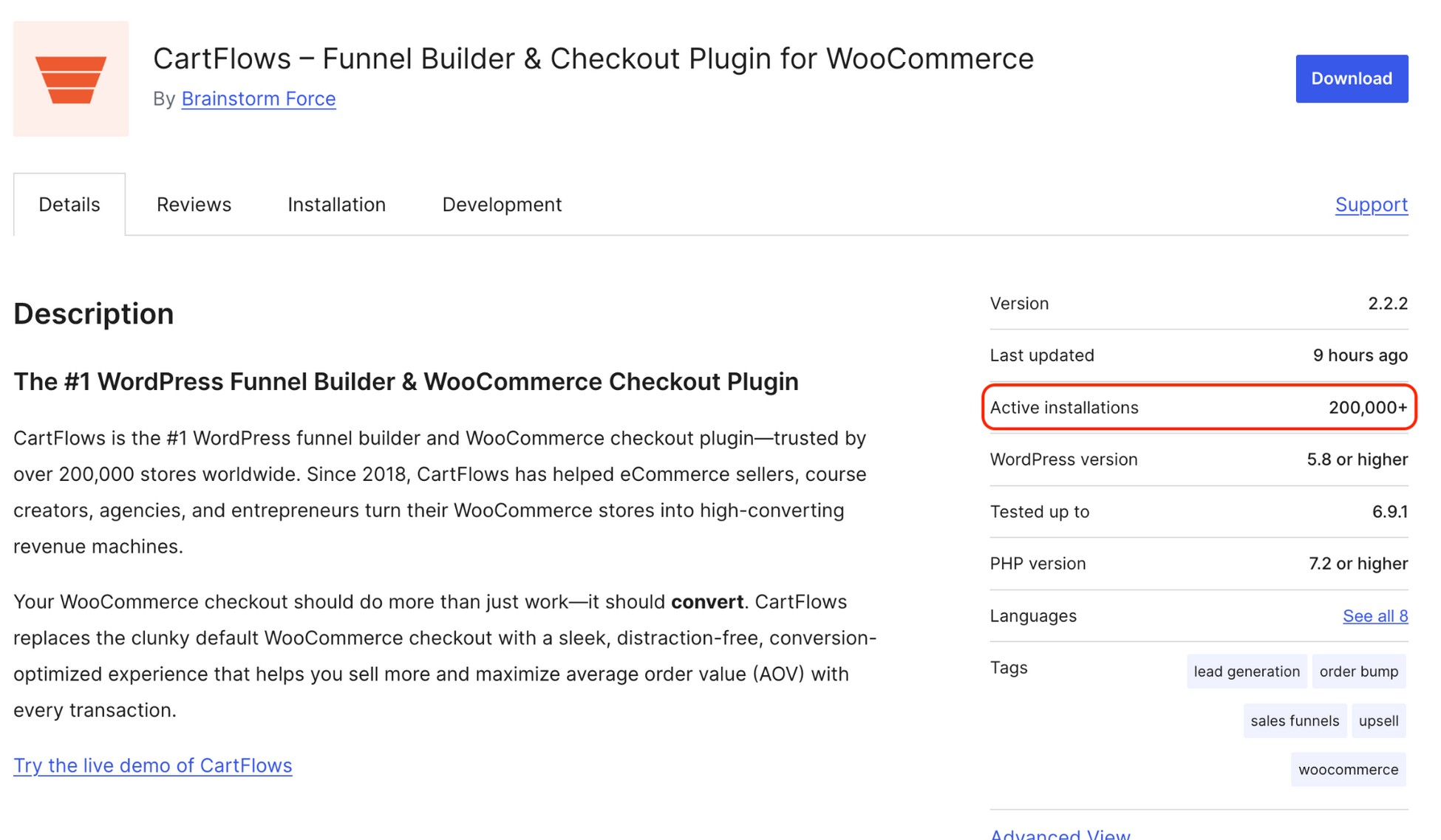
CartFlows has over 200,000 active installs and a 4.8-star rating, with a portion of that install base driven by Astra theme demo bundling.
Both have active support channels and consistent updates.
What Real Users Say About FunnelKit vs. CartFlows
WordPress.org ratings give a useful signal, but the most useful data comes from what users highlight repeatedly across forums, Reddit threads and Facebook groups.
FunnelKit: What Users Praise Most
Users love that everything lives in one place.
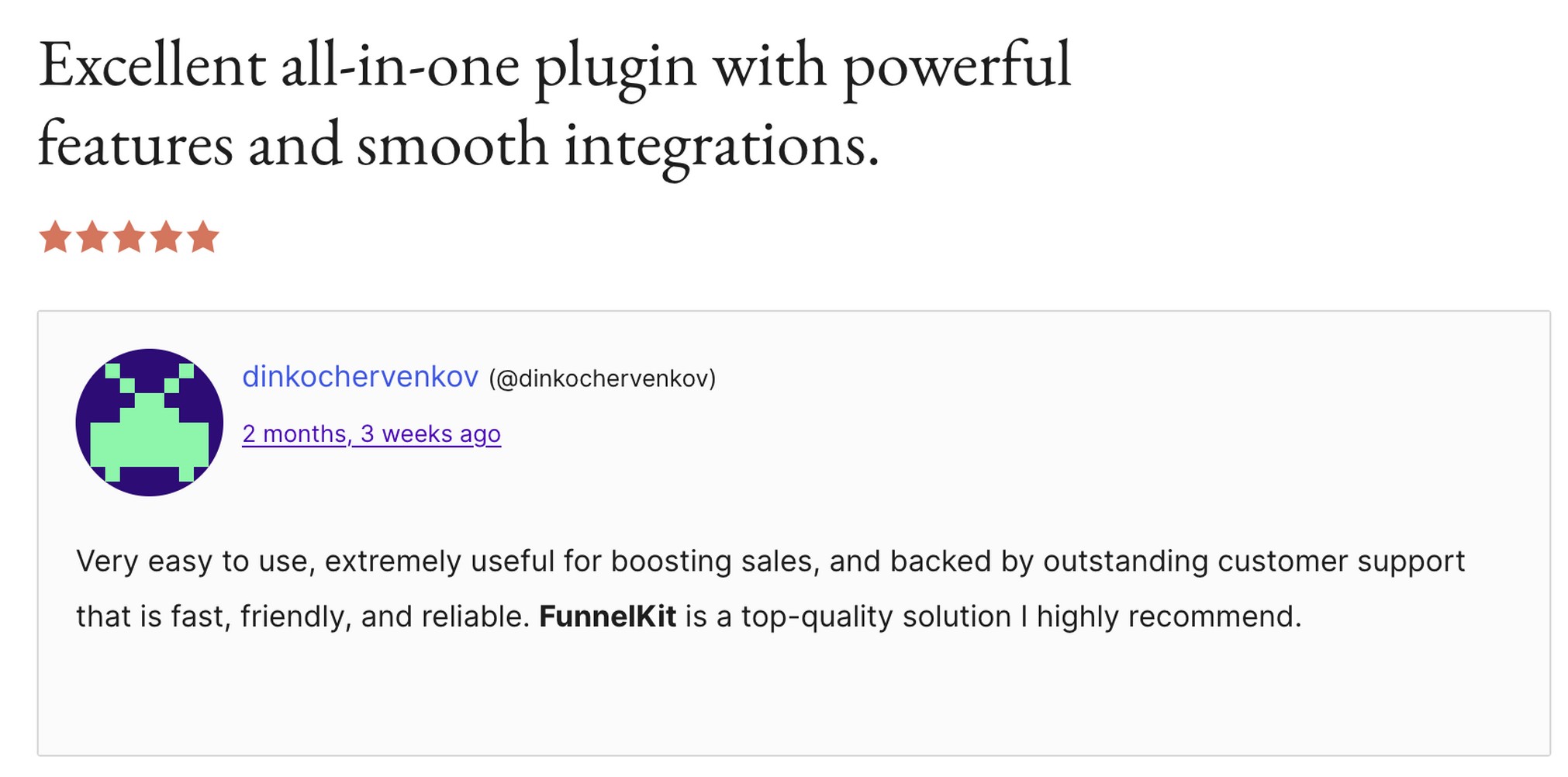
With FunnelKit providing email features built in, you could even drop the separate email tool. Support is also a common highlight, with most users saying they got a response within 24 hours.
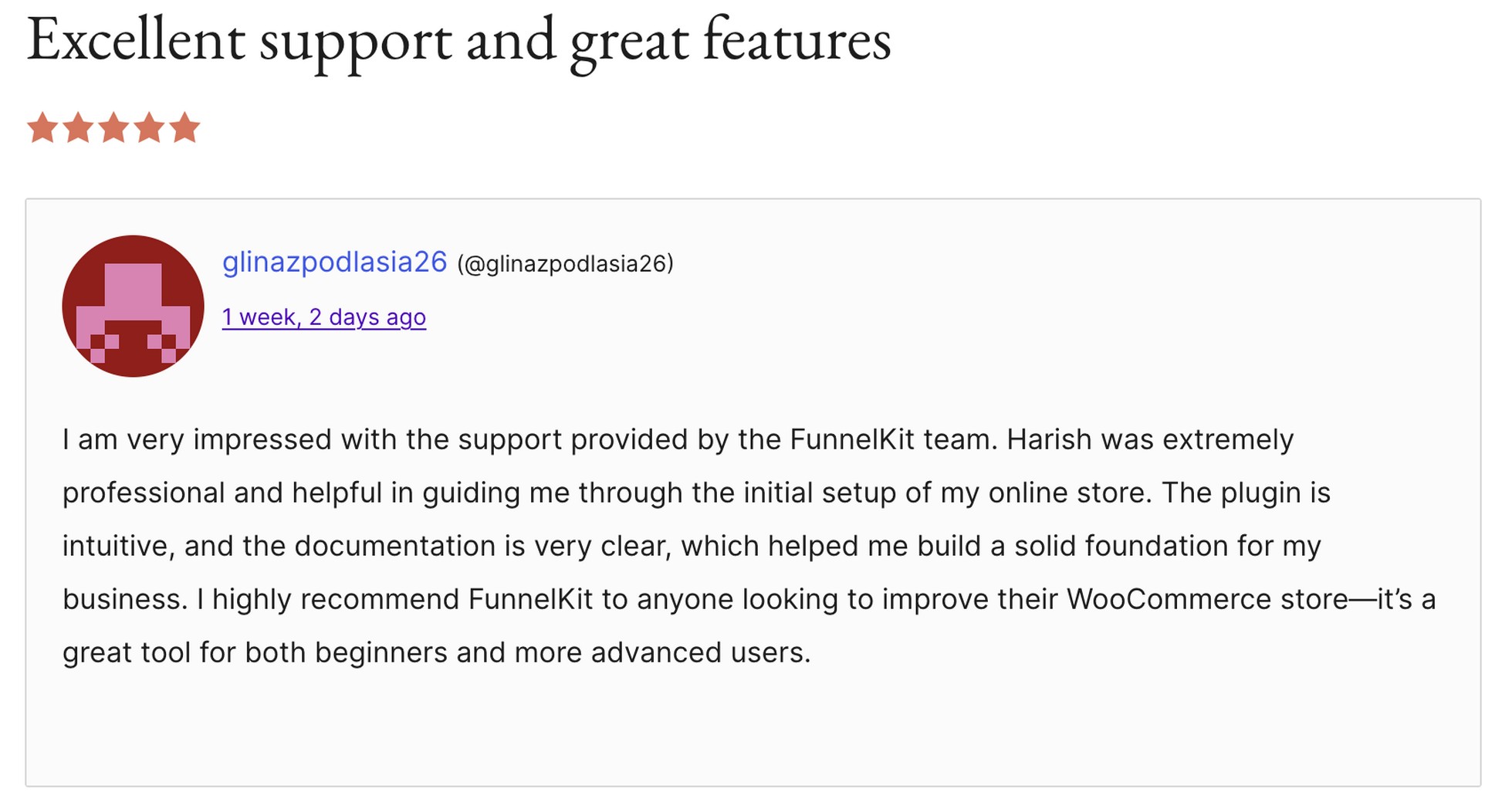
The main complaint is that it takes time to learn. New users often find it hard to figure out which plan includes which feature and where to find specific settings.
CartFlows: What Users Praise Most
The most common thing users mention is how fast it is to get started.
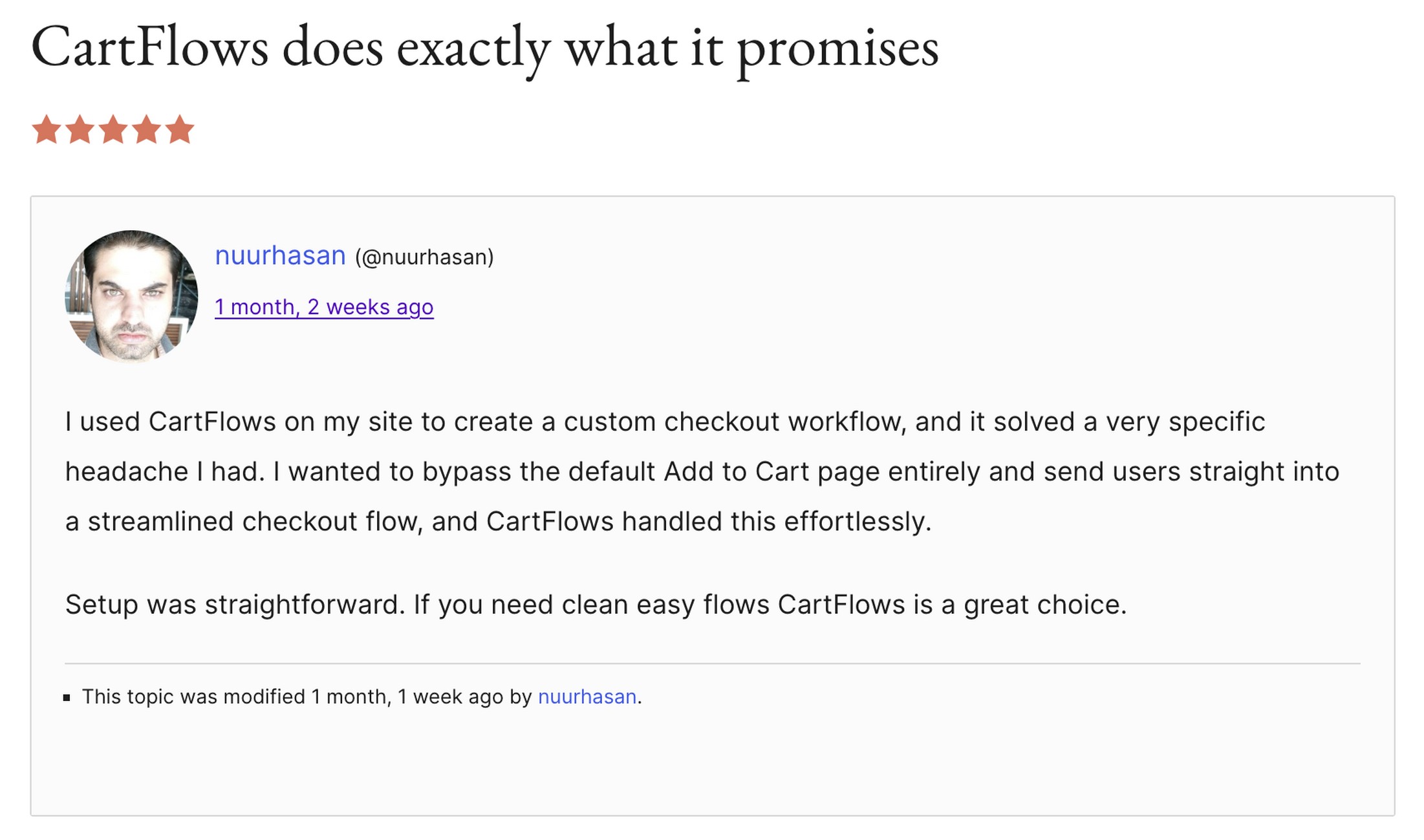
Most reviews rave about the excellent customer support provided by the CartFlows team. And the best part is, since all the support staff actively uses CartFlows internally, they are super well-versed with the product and won’t just follow a script to respond.
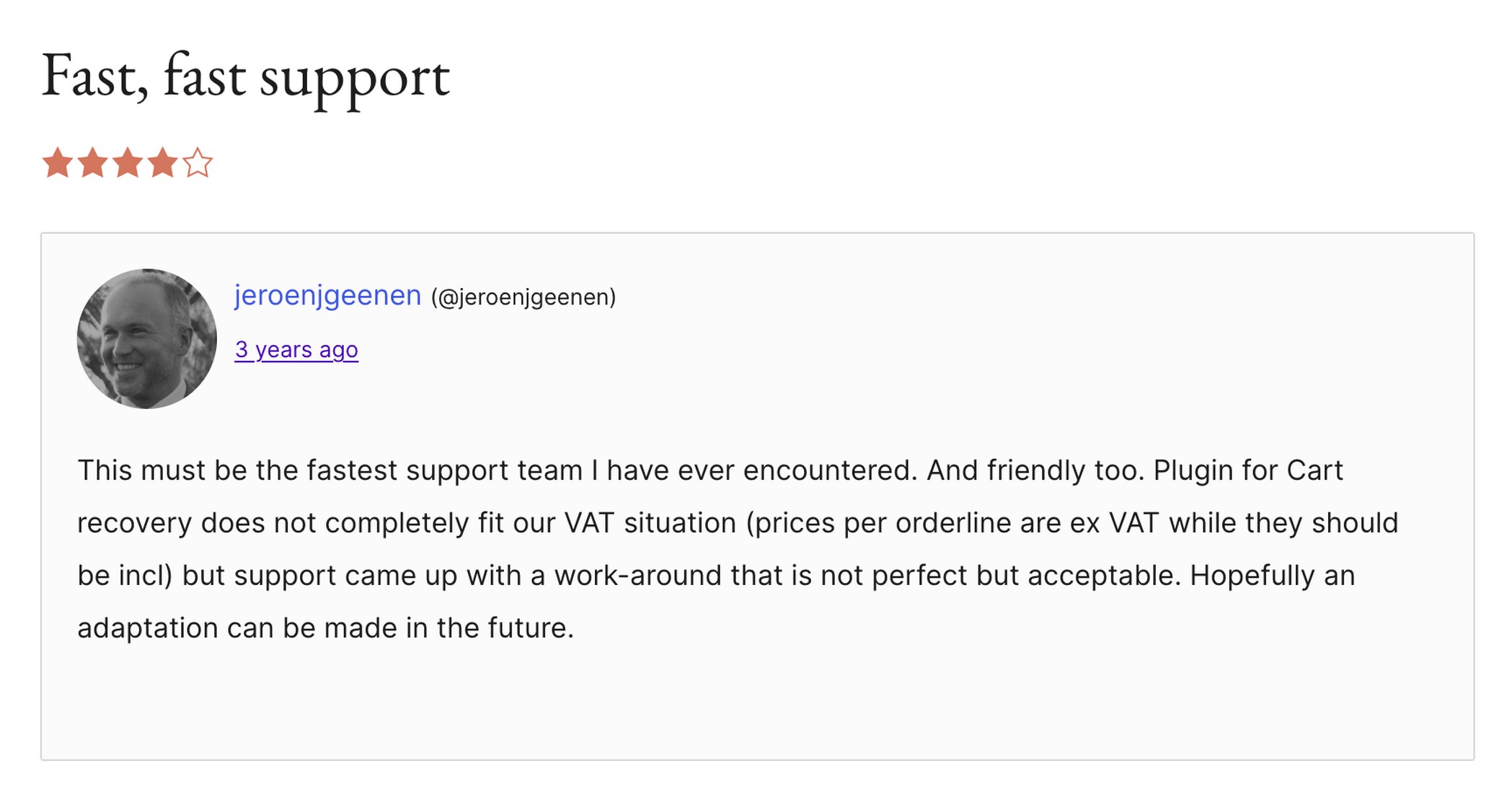
Some users did note bugs with coupons which have since been solved in the latest versions.
Our Take
If you want to get up and running quickly, CartFlows is the safer bet. If you are happy to spend more time on setup in exchange for deeper automation tools, FunnelKit is worth the effort.
Agency Perspective: Which Is Better for Client Projects?
Agencies have different priorities from single-store owners. Cost per site, client handoff simplicity and standardization matter more than feature depth.
Multi-Site Licensing
- FunnelKit Elite includes 30 sites at $399/year.
- CartFlows Pro includes 30 sites at $299/year.
For agencies deploying the same funnel stack across many client sites, CartFlows is cheaper at scale. The lifetime deal at $999 compounds that advantage over time.
Client Handoff Experience
FunnelKit’s powerful setup requires either ongoing agency management or a client comfortable working inside a complex admin environment.
CartFlows’ simpler interface reduces training time when handing a site to a non-technical client.
Scalability
If you manage multiple sites or a large brand, you need to think about how your tools grow with you.
Modularity is a significant advantage here because it allows you to customize the setup for each specific project.
FunnelKit takes a full-service approach. When you install FunnelKit, you are giving the client a complete marketing ecosystem from day one.
You don’t have to worry about adding separate plugins because the automation, CRM, and funnel builder are already connected.
This is ideal for high-value clients who want a deep, integrated system and don’t mind a slightly more complex dashboard.
CartFlows is built for flexibility. You can standardize a simple base setup for every client and then only add what’s necessary.
If a client needs a better cart drawer, you add Modern Cart. If they want advanced sales, you add Power Coupons.
This keeps the site lean and the costs predictable because you only use the tools that solve a specific problem.
Agency standard stack:
- Base: CartFlows (checkout + funnels for every client)
- Cart UX upgrade: + Modern Cart
- Promotions: + Power Coupons
- Recovery: + Cart Abandonment Recovery
Real-World Use Case Comparison
To help you decide which path to take, we put together a practical blueprint based on the three most common types of stores.
1. Digital Product Seller
If you sell ebooks, software, or digital assets, your biggest hurdle is speed. A digital shopper wants to get to the download as fast as possible.
You should focus on a very clean checkout and one high-value offer immediately after they pay.
To keep things moving, use Power Coupons to run automatic sales. With this setup, your customers see the discount without having to stop and hunt for a code while they are in the middle of a purchase.
2. Physical Product Store
When you ship physical goods, the cart is your best chance to increase order value before the customer ever hits the checkout page.
Using a slide-out drawer like Modern Cart keeps shoppers on the product page so they can keep browsing while adding items.
You can also add a progress bar that shows how much more they need to spend to unlock free shipping. This small nudge is often all it takes to get a customer to add one more item to their cart.
3. Course Creator
For education and coaching, follow-ups are your most important tool. Course buyers often hesitate at the last second, so having a recovery system in place is vital.
A simple automated email asking if they have any questions can be enough to close the sale.
On the checkout page itself, you can lift your average order value by using an order bump to offer a discounted coaching session or a printed workbook to go along with the digital course.
Use-Case Blueprint (What to Build)
| Use case | Recommended Funnel | Best AOV Lever | Best Recovery Tool | Weekly Metric to Track |
|---|---|---|---|---|
| Digital Product | Landing, 2-Step Checkout, Upsell, Thank You | Order Bump (template or bonus) | FunnelKit Automations or recovery addon | Checkout conversion rate |
| Physical Product | Cart, Checkout, Upsell, Thank You | Modern Cart (free shipping bar) | Cart Abandonment Recovery | Cart abandonment rate |
| Course Creator | Landing, Opt-in, Checkout, Upsell | Order Bump (workbook or session) | Cart Abandonment Recovery | Revenue per visitor |
FunnelKit vs. CartFlows: Final Verdict
CartFlows wins for most WooCommerce stores in 2026.
It sets up faster, costs less at every tier, handles the full funnel and checkout sequence cleanly, and gives agencies a modular base they can extend per client without paying for features they don’t need. The lifetime deal makes it the most cost-efficient option for long-term deployments.
FunnelKit is the right call in one specific scenario: your store needs built-in automation, CRM segmentation and behavioral targeting under one roof and you are prepared to pay for that integration and invest time in the setup.
For everyone else, CartFlows gets you to a high-converting checkout faster and at a lower total cost.
When FunnelKit Makes Sense
FunnelKit is the better tool when automation is central to how your store operates.
If you want email sequences, CRM contact segmentation, SMS broadcasts and behavioral targeting inside one platform, FunnelKit delivers.
It also has a meaningful edge for stores with large product catalogs where the rules engine reduces funnel duplication and for course creators needing native LMS integrations with LearnDash, TutorLMS, or LifterLMS.
When CartFlows Is the Better Choice
CartFlows is the better fit when you want fast checkout optimization where each tool has one clear job and it does it really well.
Automation through OttoKit handles email sequences, CRM tagging, external operations through drag and drop workflows.
The lower base cost, lifetime deal availability and per-client modularity make it the natural choice for agencies.
For stores where the primary need is better checkout and funnel flows without paying for a full CRM suite, CartFlows keeps things lean and the costs predictable.
Recommendations Based on Use Case
Here’s what we recommend for different use cases:
| Use case | Solution |
|---|---|
| Single store and need automation built in | FunnelKit Professional |
| Single store that needs better checkout plus funnels? | CartFlows Plus |
| Need a cart drawer without paying for the full FunnelKit suite? | CartFlows + Modern Cart |
| Discount-driven store that needs auto-apply promos? | CartFlows + Power Coupons |
| Cart recovery without a full CRM? | CartFlows + Cart Abandonment Recovery |
| Agency managing 10 to 30 client sites with varied needs? | CartFlows Pro as base, add modular tools per client |
| Agency managing automation-heavy funnels for every client? | FunnelKit Elite |
These are purely recommendations, but we think each serves its target user very well.
FunnelKit vs CartFlows FAQs
Can I use FunnelKit and CartFlows together?
Yes, it’s technically possible, but running both on the same store creates plugin overlap and potential conflicts. Using CartFlows on client sites and FunnelKit on a separate store is the cleaner approach.
Which is better for beginners?
CartFlows. The setup wizard is faster, the interface requires fewer initial decisions, and the documentation includes strong video support through the WPCrafter connection and the SkillJet training platform.
Which is better for high-ticket funnels?
FunnelKit’s rules engine and dynamic offer targeting are more appropriate for high-ticket products where offer relevance drives conversion. For products above $500, the behavioral targeting in FunnelKit’s upsell rules system is a genuine advantage.
Can either replace ClickFunnels?
Both handle what ClickFunnels does for WooCommerce-based stores at a much lower annual cost. The requirement is that you are already on WordPress and WooCommerce. Either plugin replaces the ClickFunnels checkout and upsell layer without the monthly platform fee.
Do either support subscriptions?
Yes. Both plugins work with WooCommerce Subscriptions for recurring billing. FunnelKit’s rules engine lets you create specific offers targeting subscribers vs. non-subscribers. CartFlows handles subscription products as standard WooCommerce products within its checkout flows.
What is the best first test to run?
Run an order bump test first. Set up two bump offers on your highest-traffic checkout page: one priced at the same level as the main product and one at roughly 30% of the main product price. Measure take rates over two weeks. That data tells you how price-sensitive your audience is before investing time in upsell or automation configuration.